User Manual CHD 3050U
32 © Computer Hardware Design
7.3 DEPARTMENT REGISTRATION
Departments in the receipt can be registered with:
PRESET PRICES
MANUALLY ENTERED PRICES
IN QUANTITY
IN MULTIPLE REGISTRATIONS
AS PRESET SINGLE REGISTRATION DEPARTMENTS
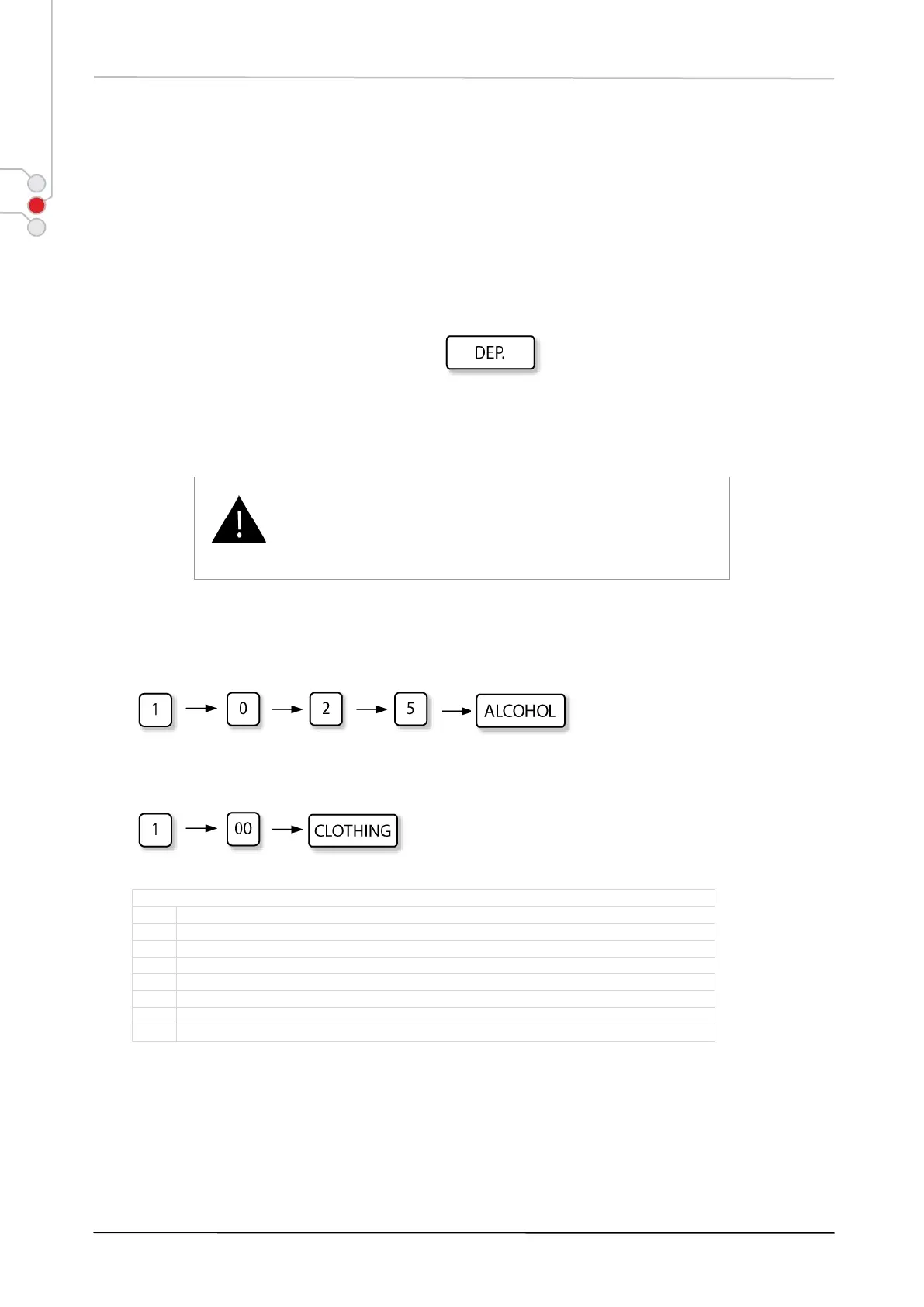
The main key in department registration is
Decimal point is not used for price (amount) entries!
Registration sequence examples:
1) Registering item with price EUR 10.25 in the department ALCOHOL, the key sequence is as follows:
2) Registering item with price EUR 1.00 in department CLOTHING, the key sequence is as follows:
Department options configurable in PRG mode:
Tax applicable / non-taxable
Enable / disable zero price entry
Single item sale PLU group


 To Next Page