User Manual CHD 3050U
28 © Computer Hardware Design
5 CLERK REGISTRATION
ECR 3050U provides work with clerk registration, if:
1) ECR is configured for operation with clerks;
2) key [ CLERK ] must be set.
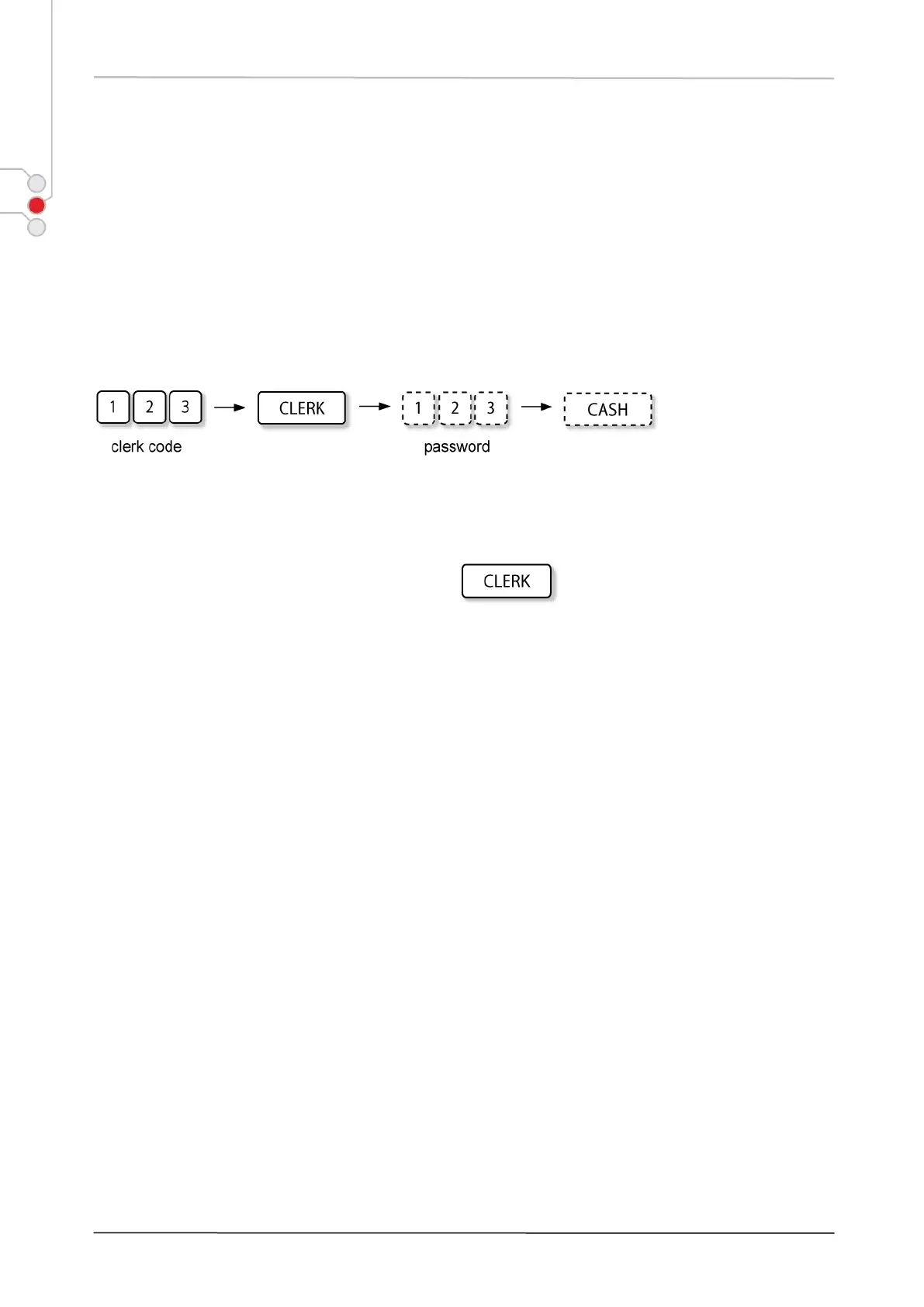
Clerk log-in takes place entering the clerk code and, if requested, also the password.
LOG IN
According to previous settings, password entry can be skipped.
LOG OUT
Clerk Log-Out function is performed simply pressing .


 To Next Page