User Manual CHD 3050U
58 © Computer Hardware Design
7.10 NON-ADD TEXT COMMENT PRINT
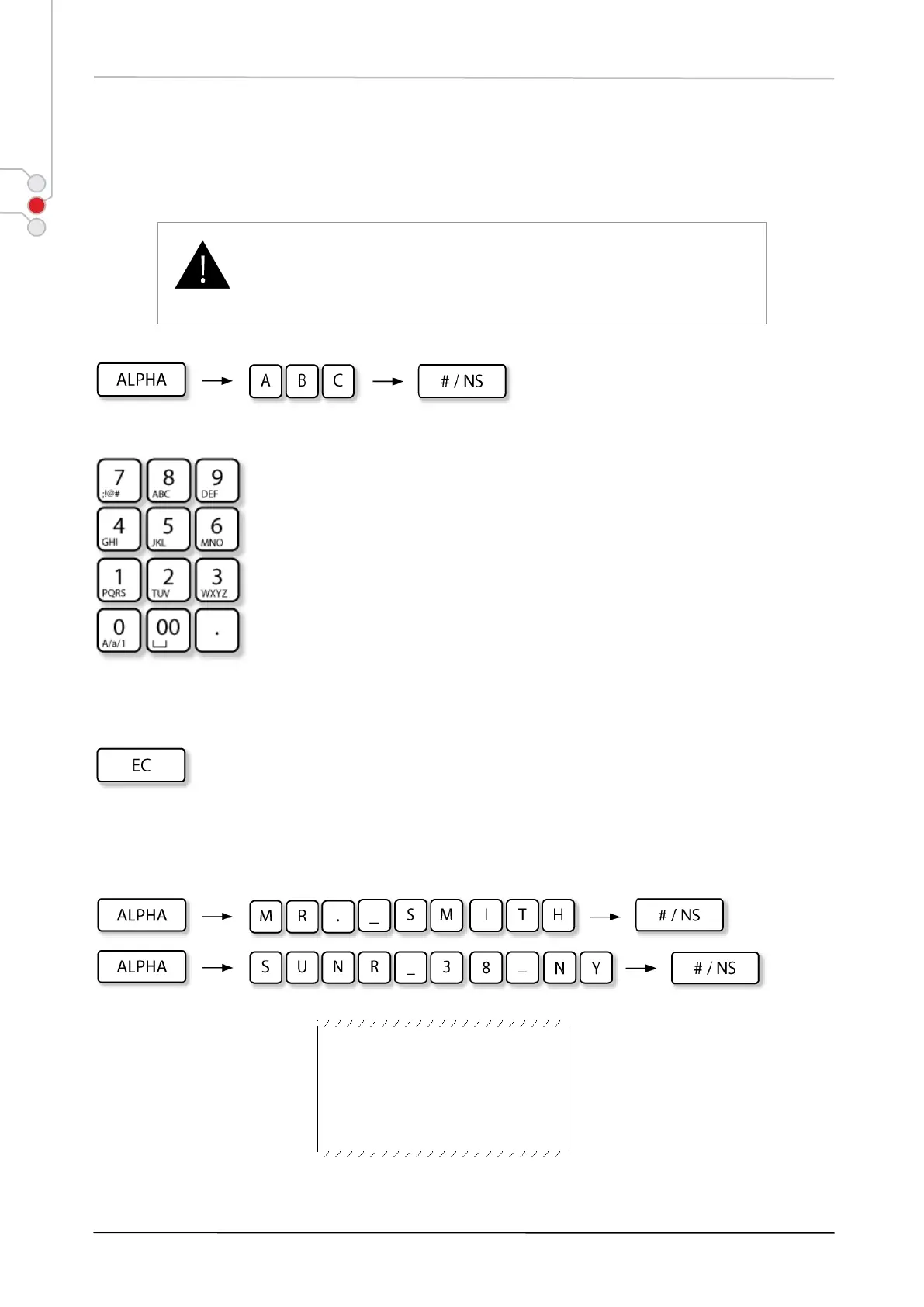
This function is used to print comment line on receipt (anytime, inside the sale). The comment line can be
up to 34 characters long.
To enter requisites or other information longer than 34 symbols,
enter several lines according to the provided algorithm.
On each entry key character and number symbols are displayed. Press the
relevant key as many times as necessary till the desired symbol appears on the
display. Press the key and hold it to display the number symbol of the relevant
key.
To delete the last entered character, press:
Example:
ECR S/N: 00000000
REC#00000043
Sample issued in Non-Add number print operation


 To Next Page