CHD 3050U User Manual
© Computer Hardware Design 65
9 REPORTS
X - Read Reports are printed, without zeroing the current readings
Z - Reset Reports are printed, the current readings are set to zero.
1 - daily
2 – periodic
Reports in both modes have equal formats – only the X or Z report mode symbols are different.
ALL REPORTS ARE PRINTED IN X OR Z
MODES!
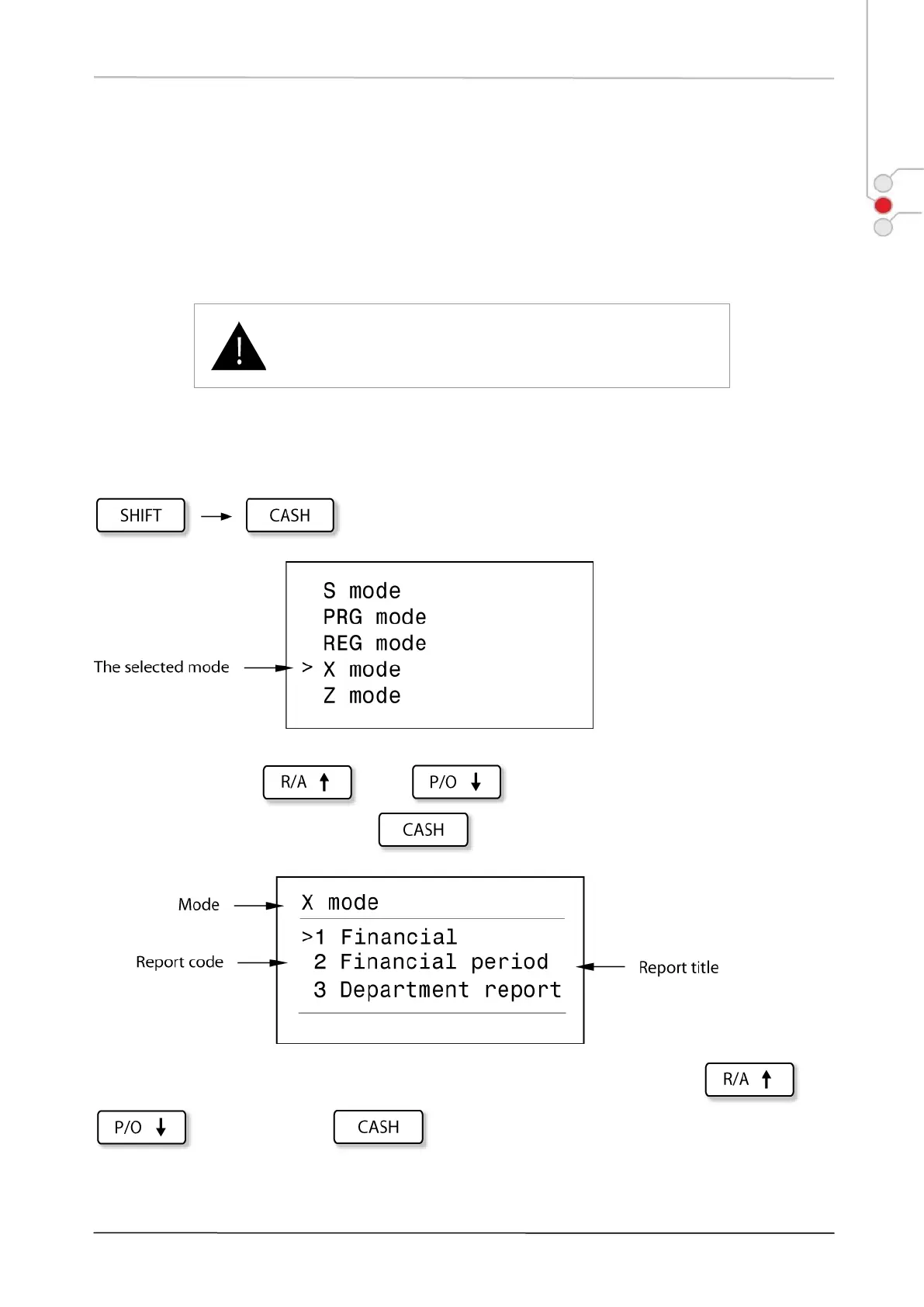
To print reports, accordingly choose X or Z mode.
To open mode menu display, press:
.
To choose report, use and keys, which navigate you through the list,
select the necessary report and press .
The corresponding mode report list is displayed. Choose the necessary report, using and
keys and press key to print the desired report.


 To Next Page