CHD 3050U User Manual
© Computer Hardware Design 53
7.7.4 CORRECTING REGISTERED ITEMS LIST
After registering the items in the receipt within open sales it is possible to view a list of registered items and
correct the items by selecting and deleting them from the list.
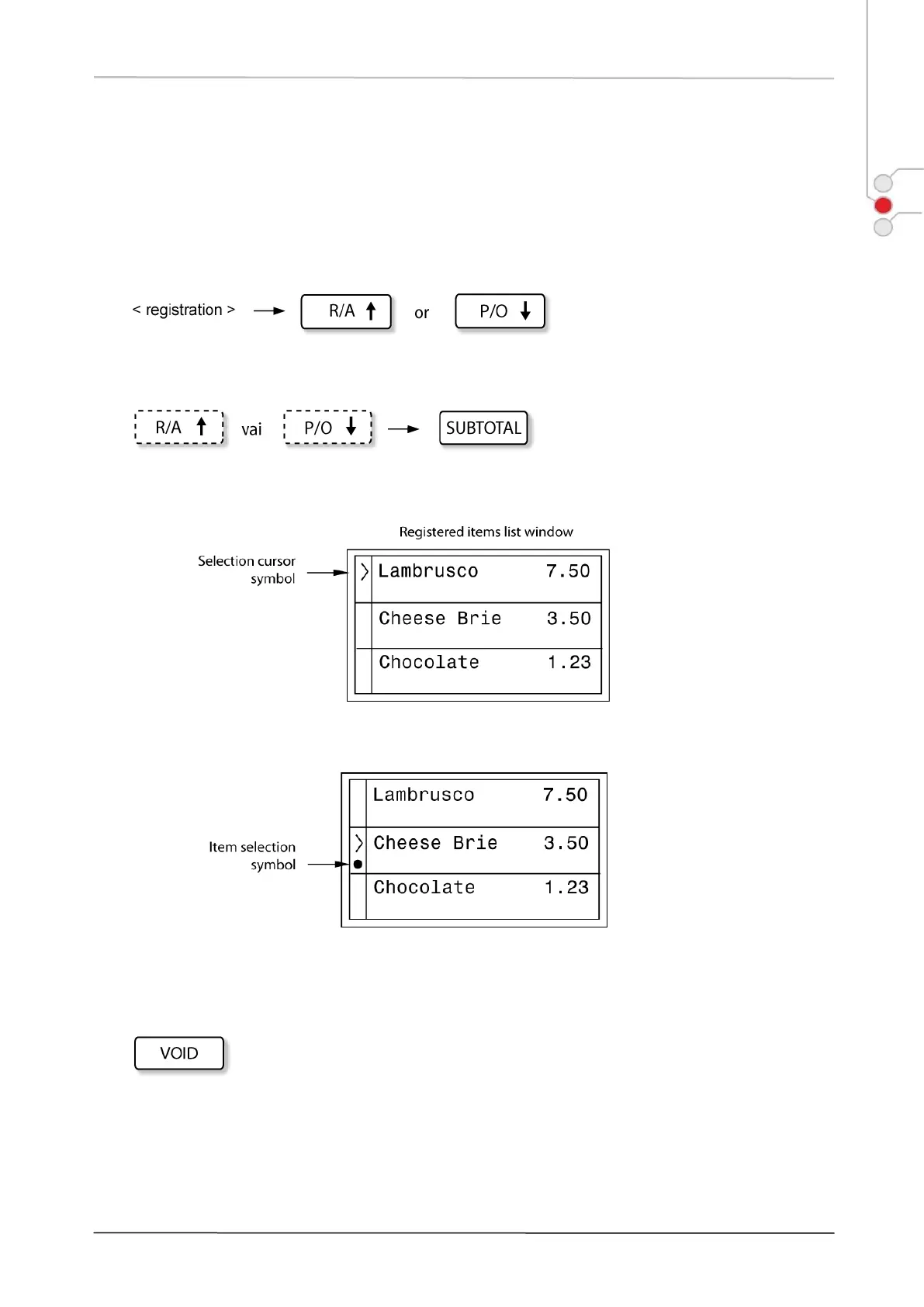
1) OPEN THE LIST:
(open the start of the list) (open the end of the list)
2) SELECT THE ITEMS:
In the items list next to the items a selection cursor symbol is displayed, which can be moved up and down with
the help of [ R/A ] and [ P/O ] keys.
To select any of the items, press [ SUBTOTAL ] key. Selection symbol is displayed next to the item (black dot).
To cancel any selected item, repeatedly press [ SUBTOTAL ] key.
3) DELETE THE SELECTED ITEMS FROM THE LIST:
To delete any selected item or items from the list, press [ VOID ] key.
To cancel all the selected items and to close the item list window, press [ CLEAR ] key.
Example:


 To Next Page