16000 Appliances Hardware
16000 Appliances Getting Started Guide|38
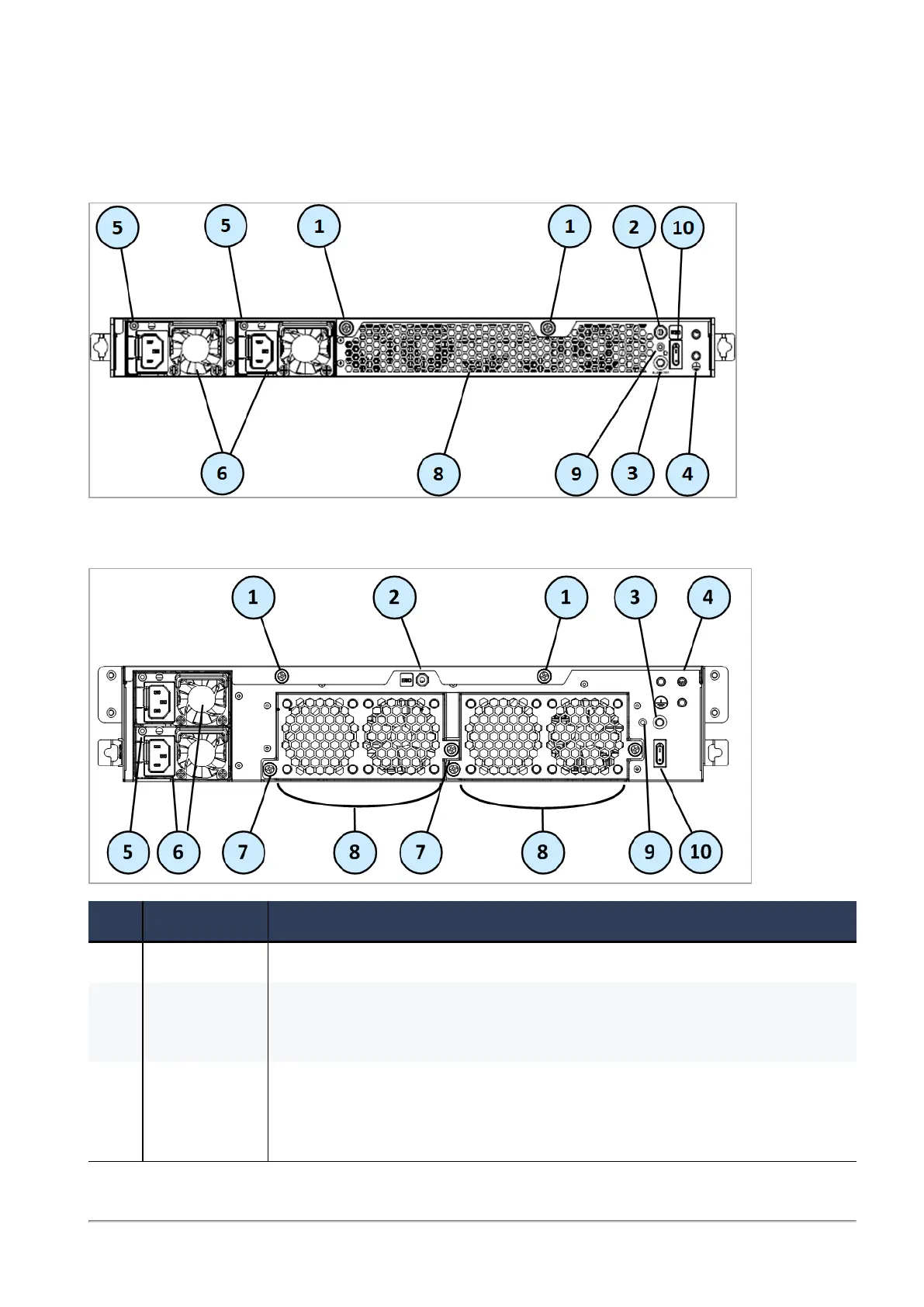
Rear Panel
16600HS
16000/16200
Item Component Description
1 Cover screws Loosen screws to remove the cover of the appliance.
2 ESD
grounding
point
When servicing the appliance, connect an ESD strap to this point.
3 Alarm Off
button for
power supply
units
If a power supply cable is not connected to the outlet, an alarm sounds
continuously. Press this button to turn off the alarm. Note that this button is
functional immediately after powering up the appliance.









 To Next Page