16000 Appliances Hardware
16000 Appliances Getting Started Guide|35
16000 Appliances Hardware
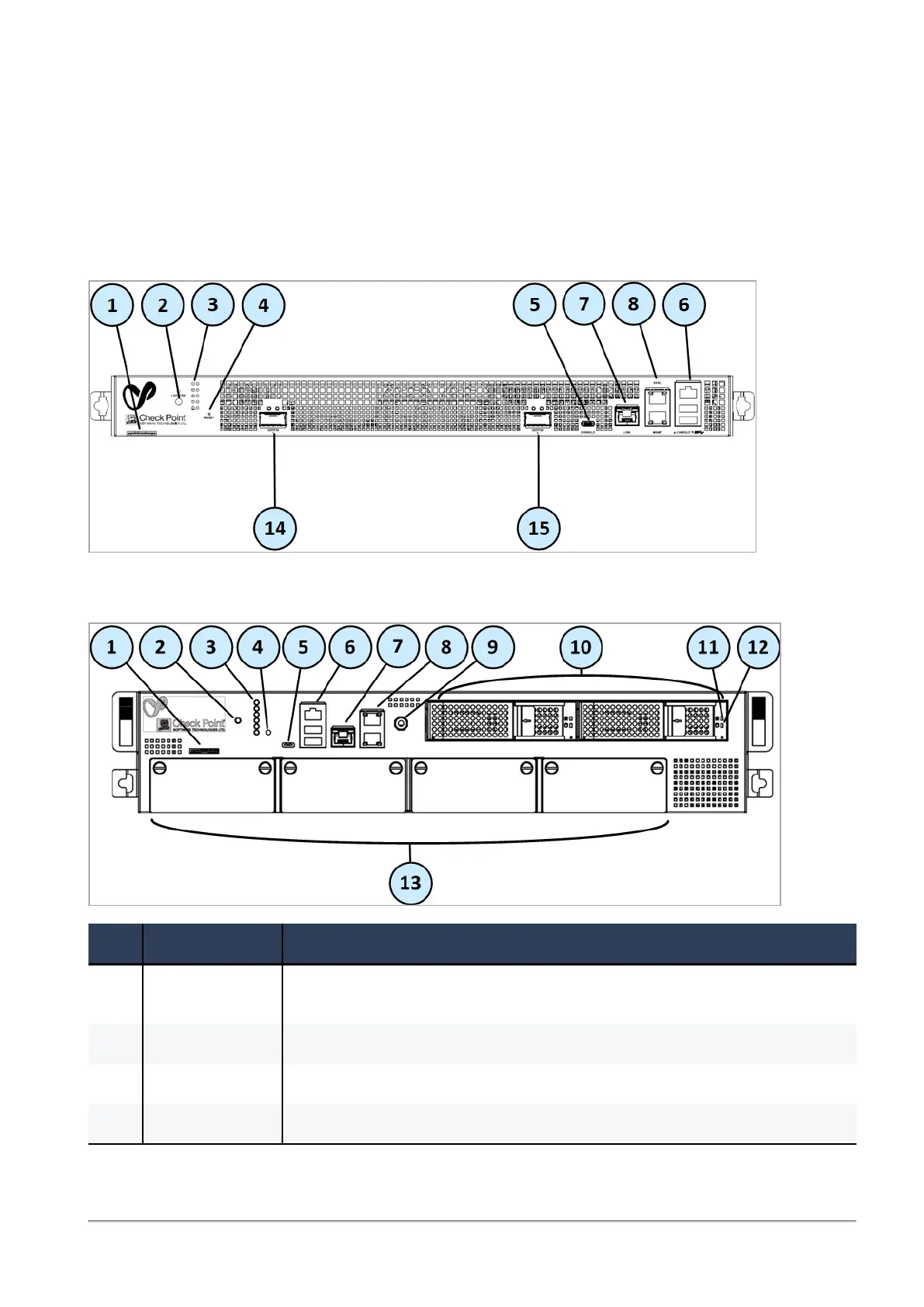
Front Panel
16600HS
16000/16200
Item Component Description
1 Service tag A slide out card that identifies the appliance and shows its serial number and
MAC address.
2 Locator button Turns the location beacon LED on and off in the appliance.
3 System LEDs See the "Front Panel System LEDs" section below.
4 Reset Insert a pin for 5 to 8 seconds to perform a hardware reset.









 To Next Page