16000 Appliances Hardware
16000 Appliances Getting Started Guide|37
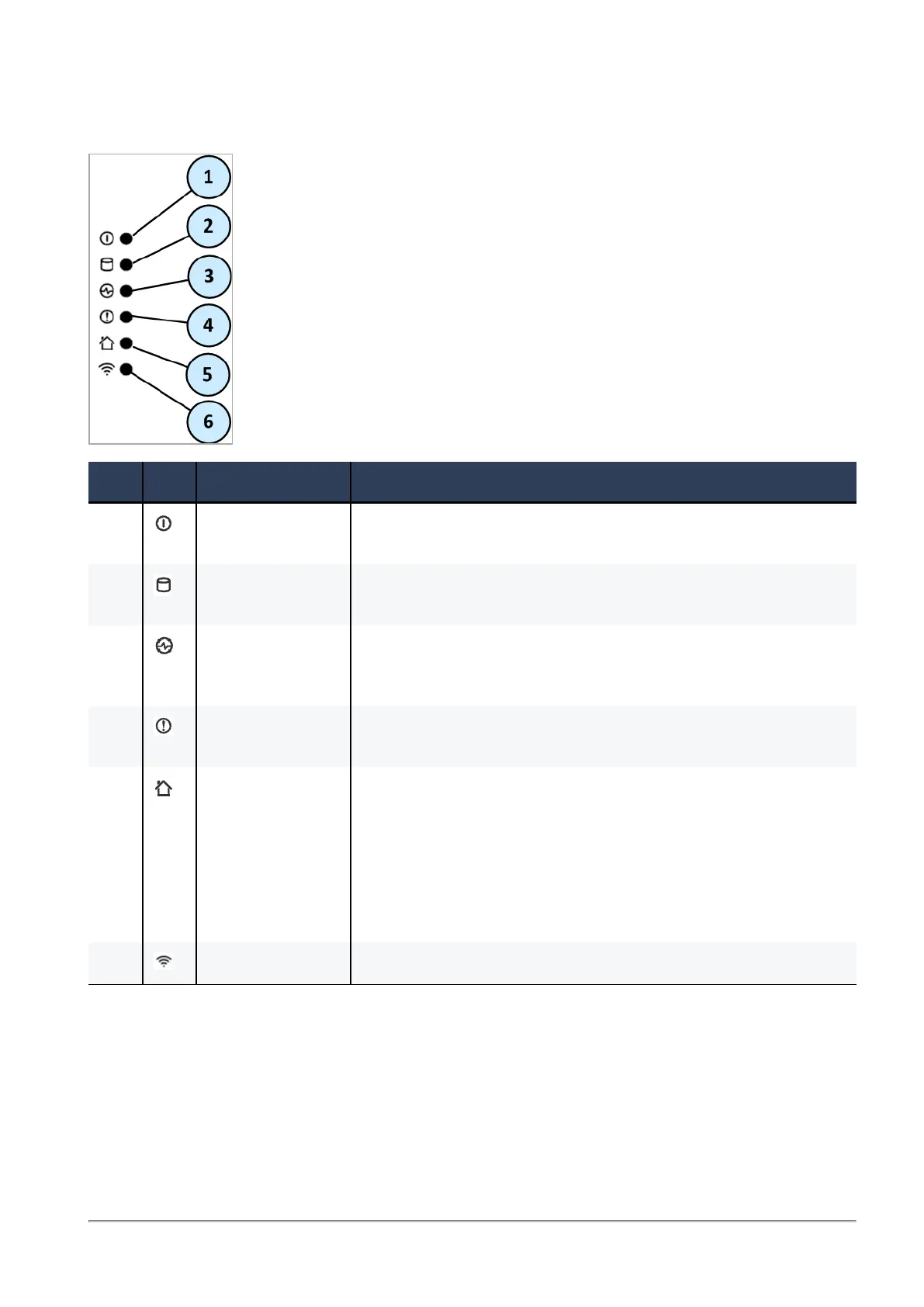
Front Panel System LEDs
Item Icon Component Description
1 System power n Off - System power off
n On (Green) - System power on
2 Storage device
activity
n Off - No storage device activity
n On (Amber) - Read/write activity
3 Power supply
status
n Off - No power/no status
n Amber - Power supply fault detected
n Green - All power supplies are functioning correctly
4 Alert n Off - No faults detected
n Blinking red - System fault detected
5 Location beacon n Off - Location beacon is turned off
n Blinking blue - Location beacon is turned on through the
Gaia Portal or Gaia Clish
n Solid blue - Location beacon is turned on through the
Locator button
Note - Turn off the Location beacon LED the same way you turned
it on
6 WiFi Not supported









 To Next Page