Using the First Time Configuration Wizard
Quantum Spark 1530 / 1550 Appliance R80.20.XX Getting Started Guide|27
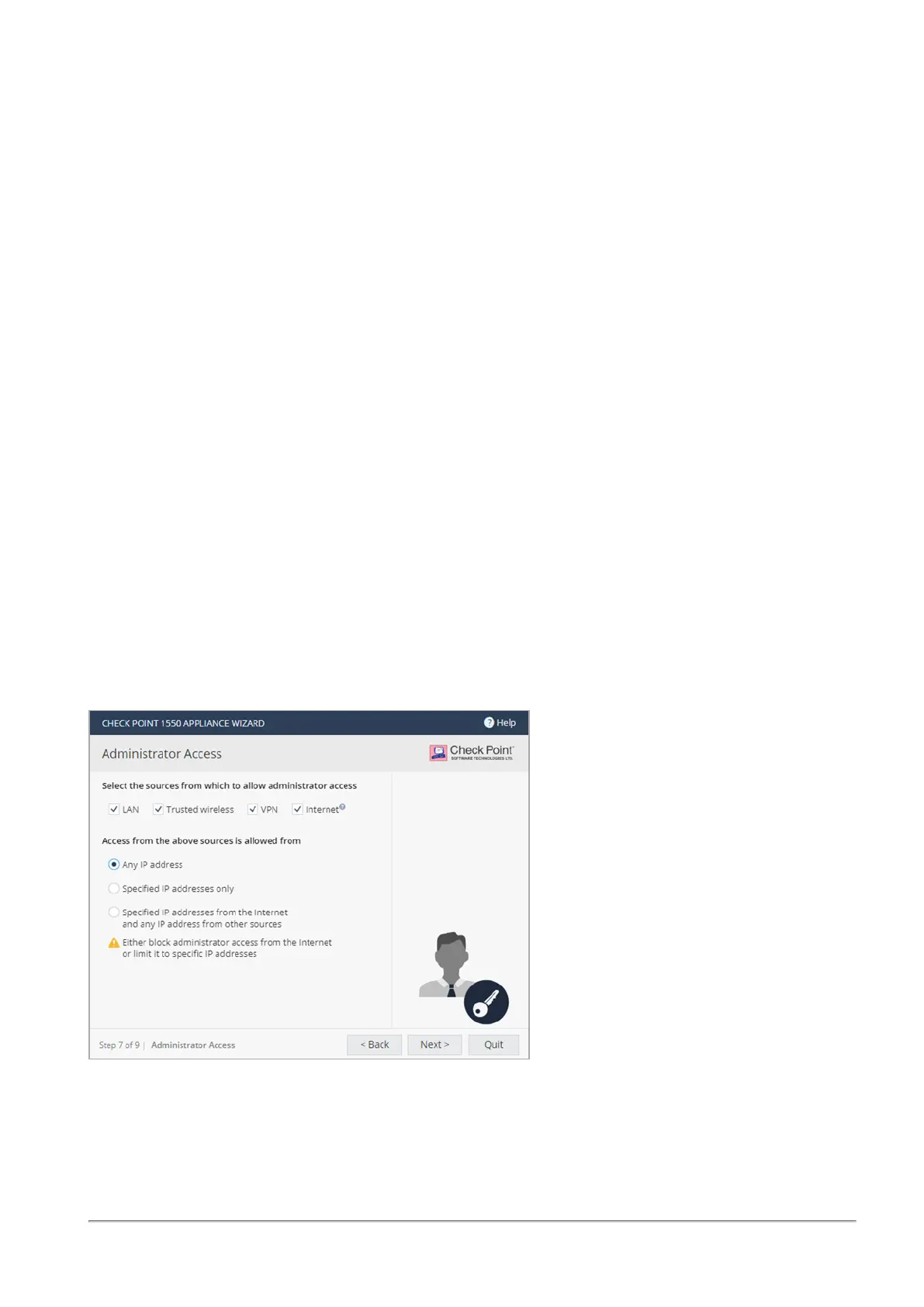
To configure administrator access:
1.
Select the sources from where administrators are allowed access:
n
LAN - All internal physical ports.
n
Trusted wireless - A known wireless network.
n
VPN - Using encrypted traffic through VPN tunnels from a remote site or using a remote
access client.
n
Internet - Clear traffic from the Internet (not recommended).
2.
Select the IP address from which the administrator can access the appliance:
n
Any IP address.
n
Specified IP addresses only - Select this option to let administrators access the appliance
from a specified IP address or network. Click New to configure the IP address information.
n
Specified IP addresses from the Internet and any IP address from other sources - Select
this option to allow administrator access from the Internet from specific IP addresses only and
access from other selected sources from any IP address. This option is the default.
To specify IP addresses:
1. Click New.
2.
In the IP Address Configuration window, select an option:
n
Specific IP address - Enter the IP address or click Get IP from my computer.
n
Specific network - Enter the Network IP address and Subnet mask.
3. Click Apply.









 To Next Page