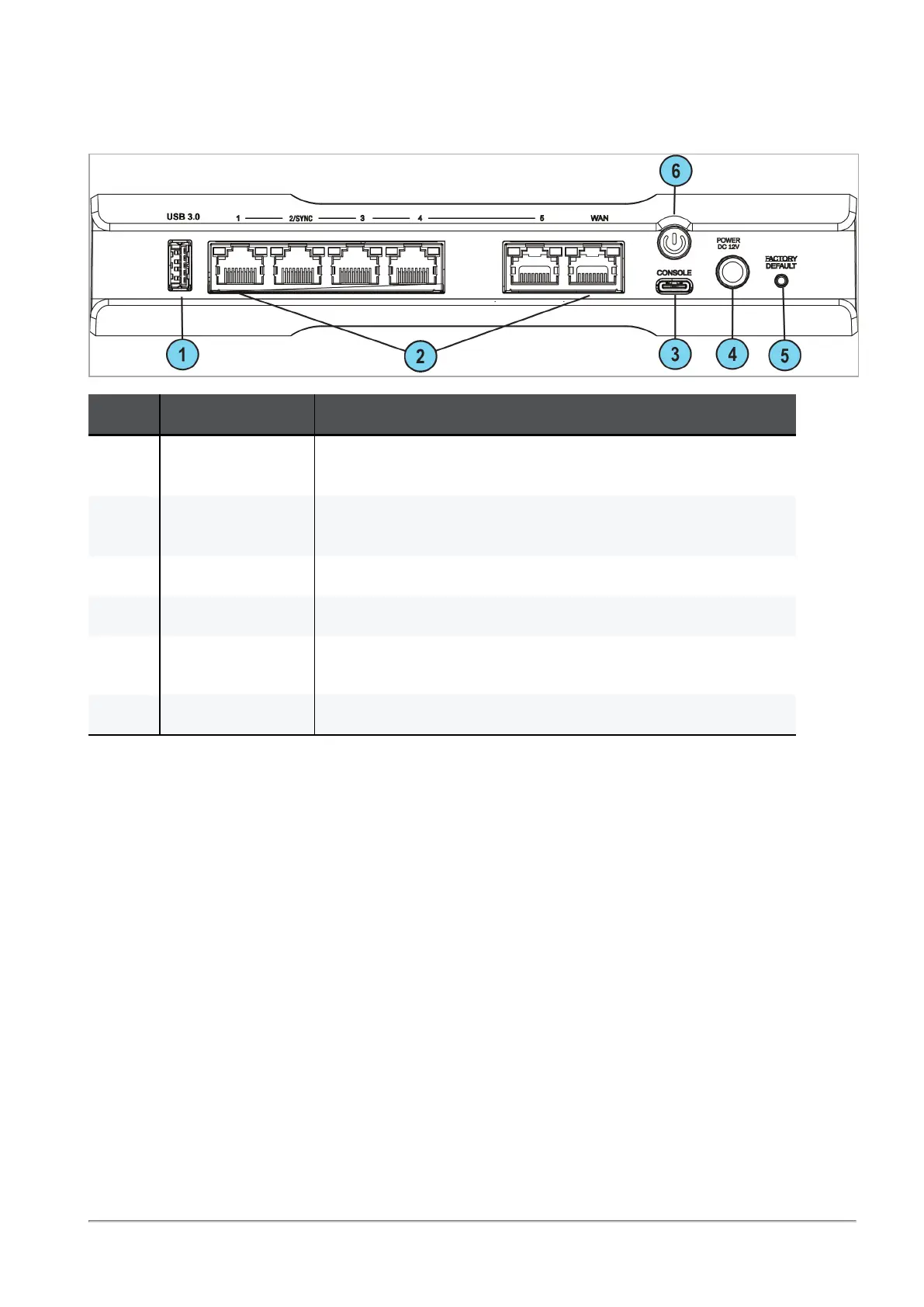
Back Panel
Quantum Spark 1535 / 1555 Appliance Getting Started Guide|16
Back Panel
Key Item Description
1 USB port 3.0
(Type-A)
For software download.
2 LAN and WAN
ports 1 GbE
LAN ports 1-5, LAN 2/Sync.
WAN port 1.
3 Console Plug in the serial console cable here. Baud rate: 115200.
4 Power cord socket Plug the power adapter cord in here.
5 Factory default Press the button continuously for 12 seconds to restore the
appliance to its factory defaults.
6 Power button Push to turn the appliance on or off.










 To Next Page