Using the First Time Configuration Wizard
Configuring Smart-1 Page 22
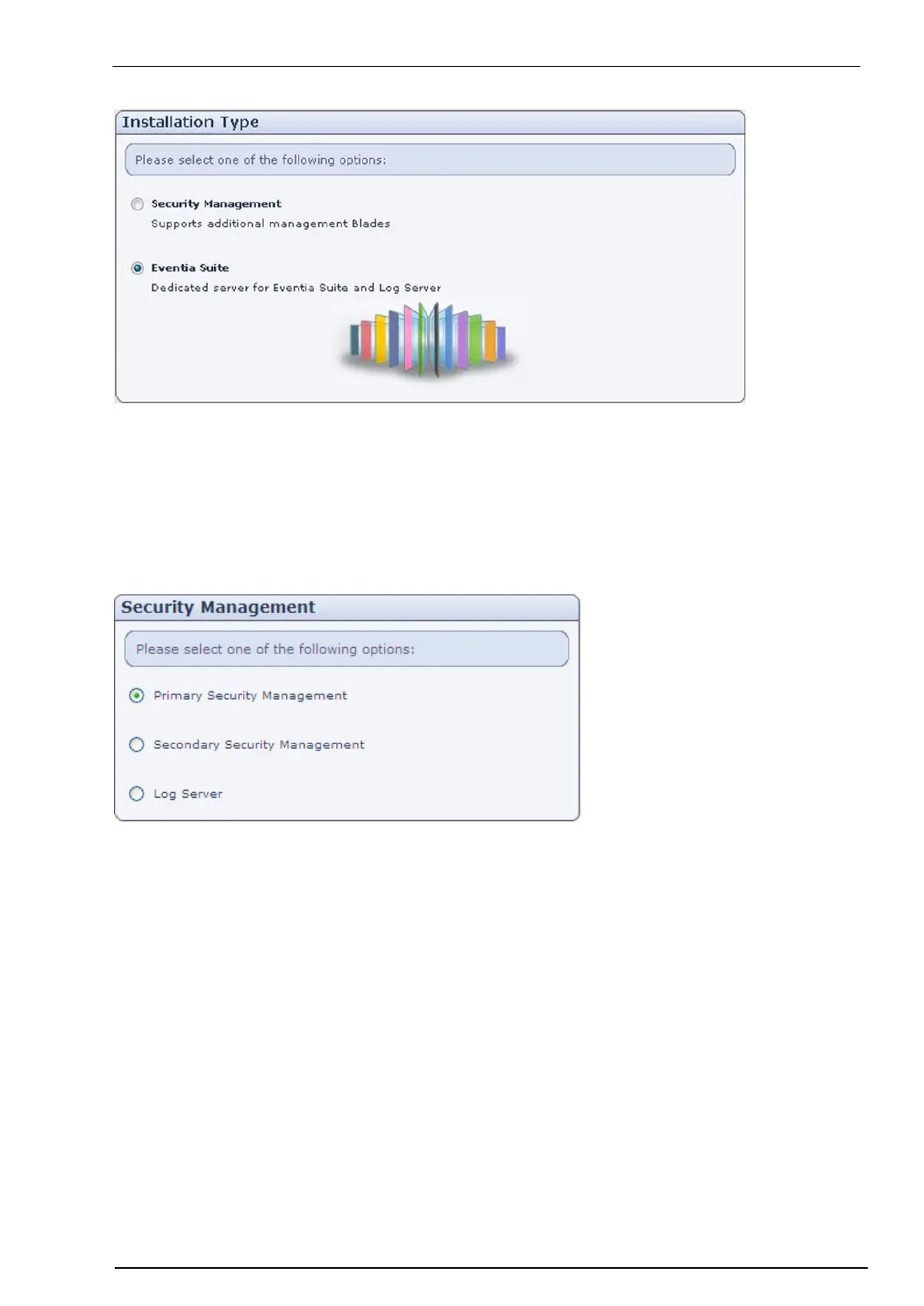
In the Installation Type page:
Security Management: Configure Smart-1 as a Security Management server with all the management
Software Blades, including SmartEvent.
Eventia Suite (SmartEvent and Reporter Suite): Configure Smart-1 as a dedicated server for
SmartEvent, and no other Software Blade. SmartEvent and Reporter Suite contains SmartReporter
Server, SmartEvent Server, and SmartEvent Correlation Unit.
Security Management
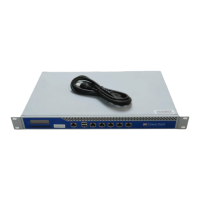
If you choose to install a Security Management server, in the Security Management page:
Primary Security Management is the Security Management server that will normally be active. To set
up a Security Management server in a non-Management HA deployment, choose this option. In a
Management HA deployment, if the Primary Security Management server fails, the Secondary Security
Management server takes over.
Secondary Security Management is the Security Management server that takes over if the Primary
Security Management server fails. This option applies only in a Management HA deployment.
Log Server is the repository for log entries generated on gateways. Check Point gateways send their
log entries to the Log Server.


 To Next Page