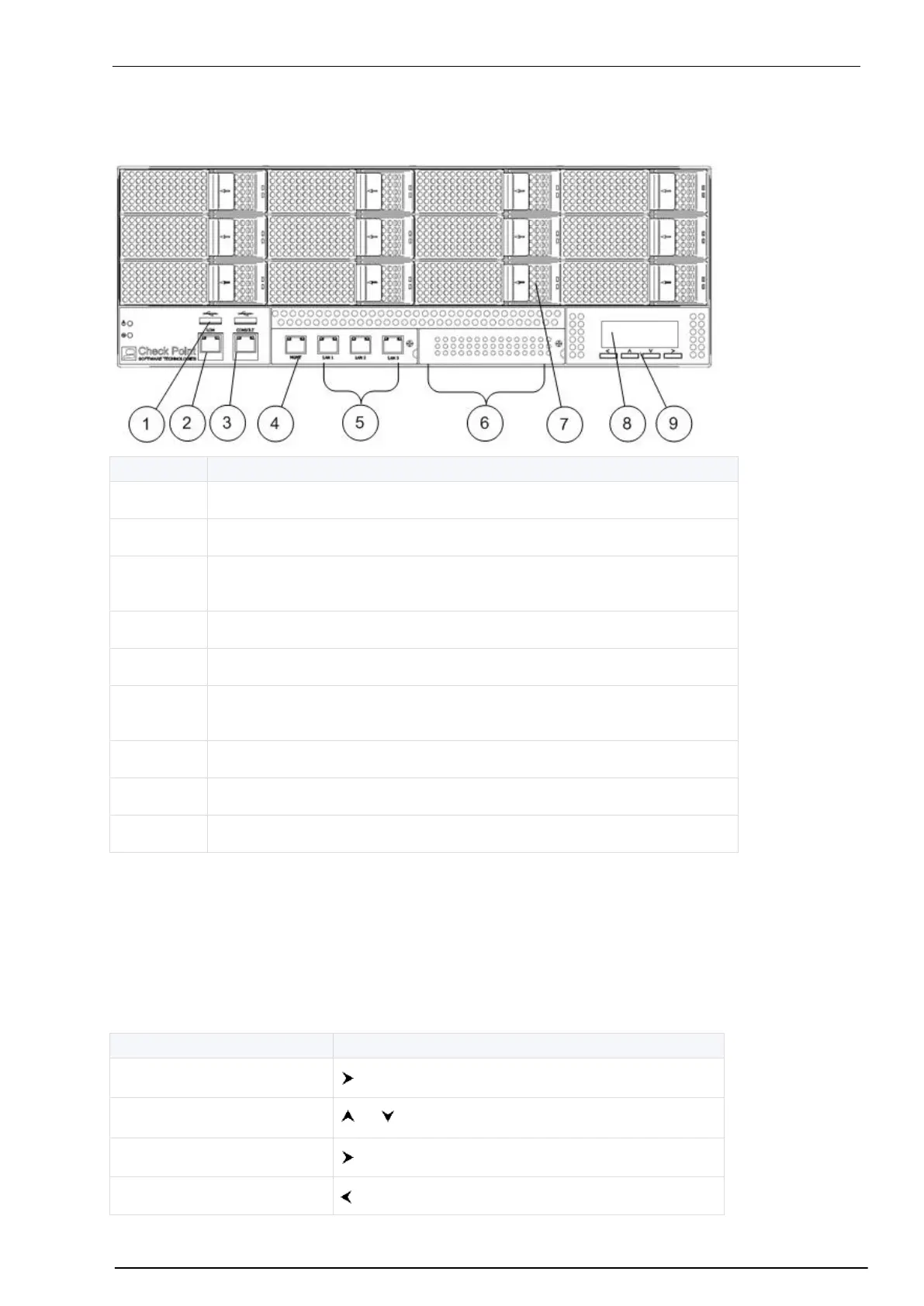
Smart-1 150 Front panel
Smart-1 150 Front panel
LOM (Lights-out Management) port
Console port - for a serial connection to the appliance using a terminal
emulation program such as HyperTerminal
Management configuration port
Built-in ethernet ports (Lan1-Lan3)
Slot for optional fiber channel SAN card. For setup instructions see sk43364
(http://supportcontent.checkpoint.com/solutions?id=sk43364).
LCD Display Screen
Smart-1 appliances (other than Smart-1 25) have an LCD screen that can be used to perform basic
management operations. The management IP address, netmask and default gateway of the Check Point
appliance can be configured. The appliance can also be rebooted and shut down.
LCD Screen Operation Keys
Go back to a previous menu


 To Next Page