Using the First Time Configuration Wizard
Configuring Smart-1 Page 24
Multi-Domain Security Management Settings
The First Time Configuration Wizard screens in this section apply to a Smart-1 with a Multi-Domain Security
Management image.
Note - This section uses terminology introduced in R75 ("Multi-Domain Security
Management/Provider-1 Terminology" on page 10). The instructions apply to all
software versions.
Web and SSH Clients
Define the clients that are allowed to connect to the Smart-1 appliance using a Web browser, SSH client, or
SmartConsole applications.
You can define a Host according to Hostname or IP address. Enter Any to manage Smart-1 from
anywhere.
Note - It is not recommended to use the Any value for security reasons.
Additional options are available via the WebUI menu, after you complete the First Time Configuration
Wizard.
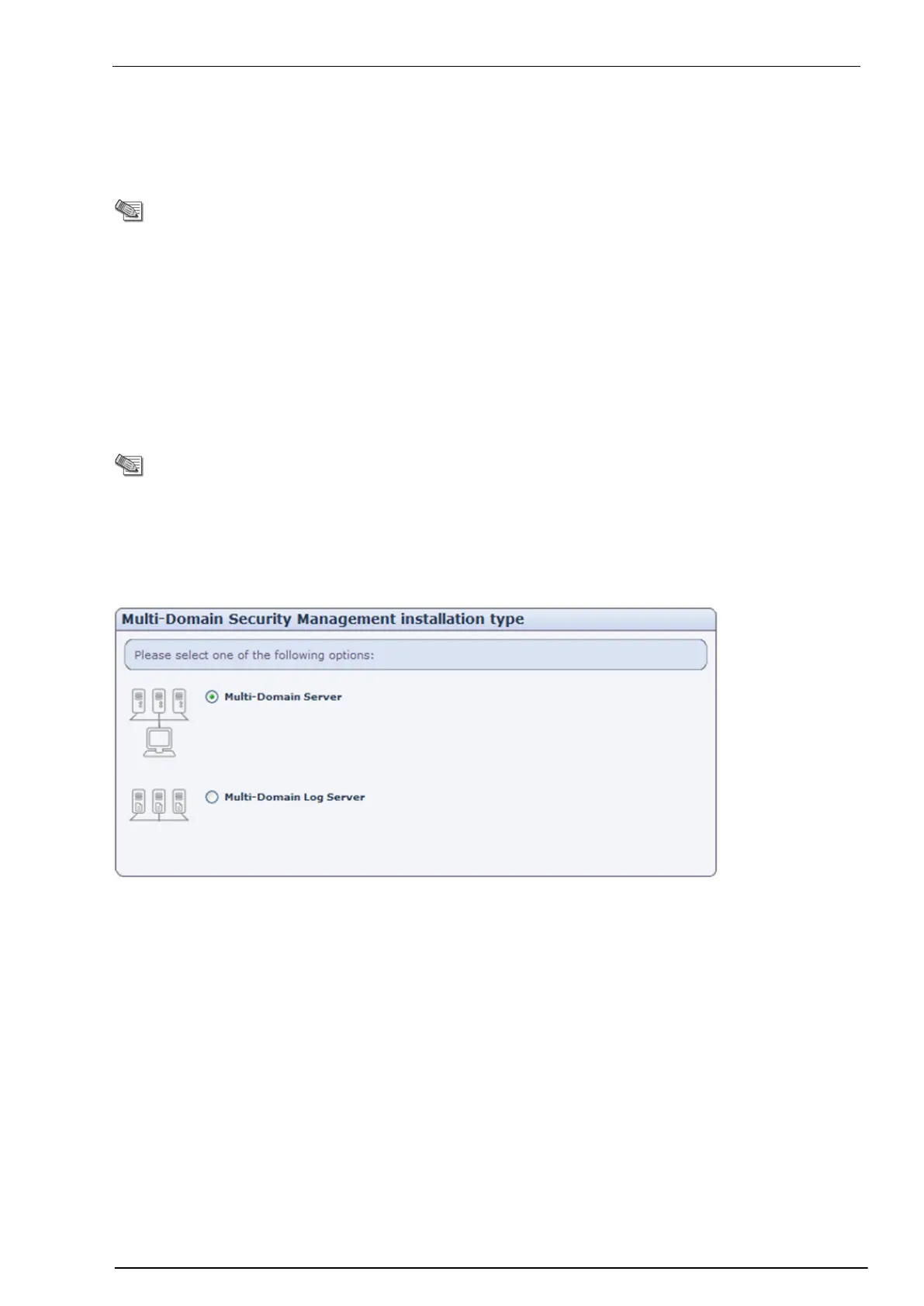
Multi-Domain Security Management Installation Type
c
Multi-Domain Server: select this option if you want the appliance to house Multi-Domain Security
Management system information including details of the Multi-Domain Security Management
deployment, its administrators and customer management datum. There are two Multi-Domain Server
types: the Manager, which runs the Multi-Domain Security Management deployment, and the Container,
which holds the Domain Management Server. The Manager is the administrator’s entry point into the
Multi-Domain Security Management environment. A Multi-Domain Server can be a Manager, a
Container, or both.
Multi-Domain Log Server: select this option if you want the appliance to host your Domain Log Server
(virtualized log servers).


 To Next Page