CounterpointIntelligentDeactivator‐RF(CPiD‐RF)
Introduction
IfyourstorehastheCounterpointIntelligentDeactivator‐RFinstalled,thissectionappliesto
you.Withenergy‐savingelectronics,anupgradepathforintegrationwithcountersandnetwork
servers,andsuperiorRF‐EASperformance,thisisafuture‐readyPOSsolution.
Keyfeaturesarelistedbelow:
•User‐friendlyFrontPanelwithVolumecontrol
•Multi‐ColorStatusLED
•USBConnector(featureindevelopment)willlatersupportdatareporting
• Severalmodesofoperation(thisguideexplainshowtochangemode)
CPiD‐RFTraining
NewemployeeswhohaveneverusedaDeactivatorwillbenefitfromimprovedperformance,better
identificationofHardTags(alarmwithDetectfeature)andtheabilitytoverifyEASlabels.Managersor
StoreOperationswillworkwithCheckpointtodeterminewhichmodeissuitedforyourmixoftags.If
varieduses
arepermitted,Managerscanquicklytrainemployees.
UsingCPiD‐RF
DeactivationanddetectionareassistedwithAlarmonHTandothertypicaloperations.Basicoperation
isthesameasCounterpointIXandotherrelatedproducts.LabelDeactivationcanbeintegratedtothe
POS,sotheactionofscanningabarcodelabelwillproduceCPiD‐RFaction(withalimitedtimewindow
fordeactivation).Duringthe“ontime”whentheYellowStatusLEDison,deactivationisenabled.With
success,Redindicatesdeactivation(oralarm).
Anothersupportedmethodisusinganinterlockwhereanadditionaldevice,suchasakeyswitch or
foot‐pedal,producesthefunction.ExternalCountersandAlarmsaresupported.
The
OperationModeiVerify offersthesamefunctionastheOmniVerifier.Selectingmodeisdescribed
onthefollowingpage.
25
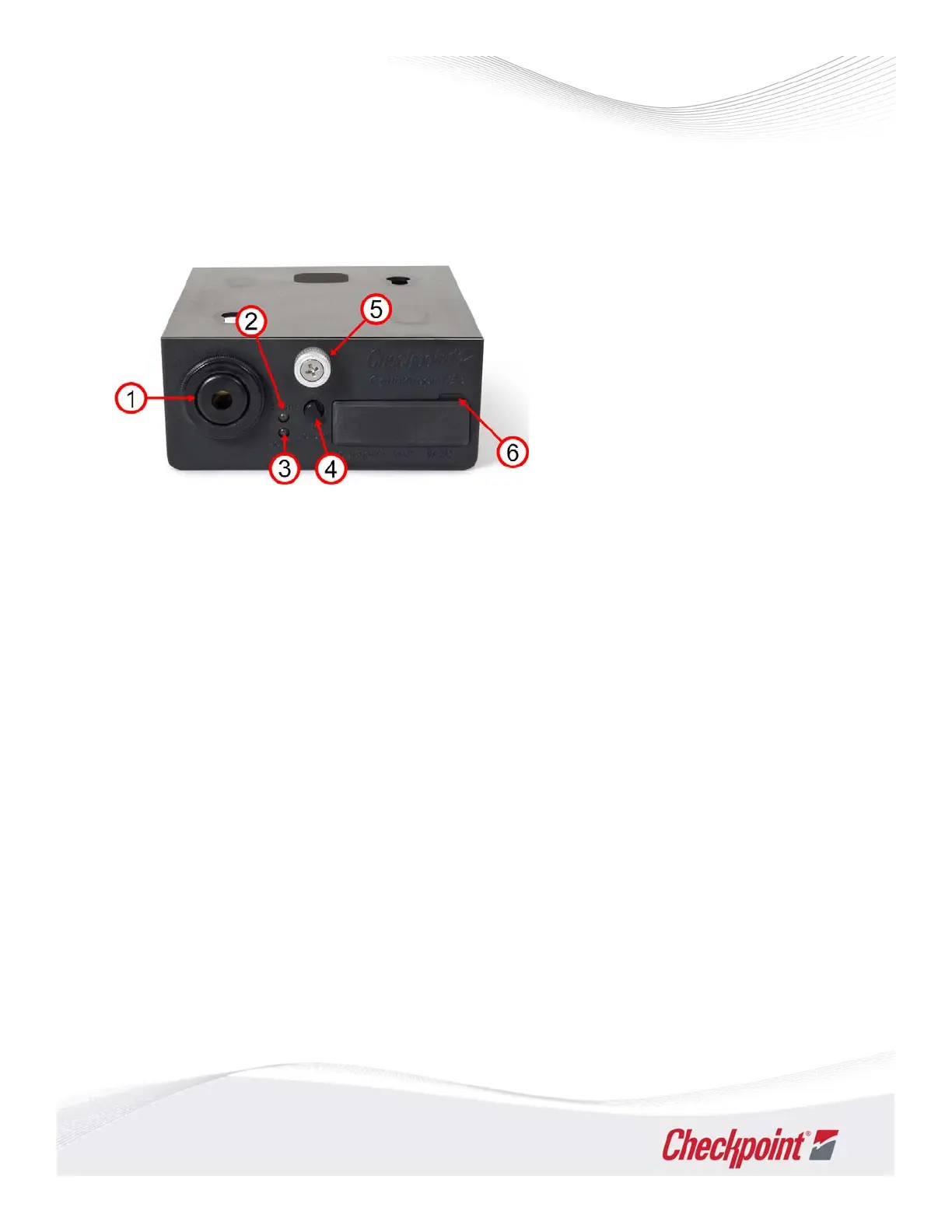
1 Sounder
2 Status LED (colored)
3 Power LED
4 Volume Knob
5 Thumb Screw
6 Access Panel



 To Next Page