SYSTEMSETTINGS
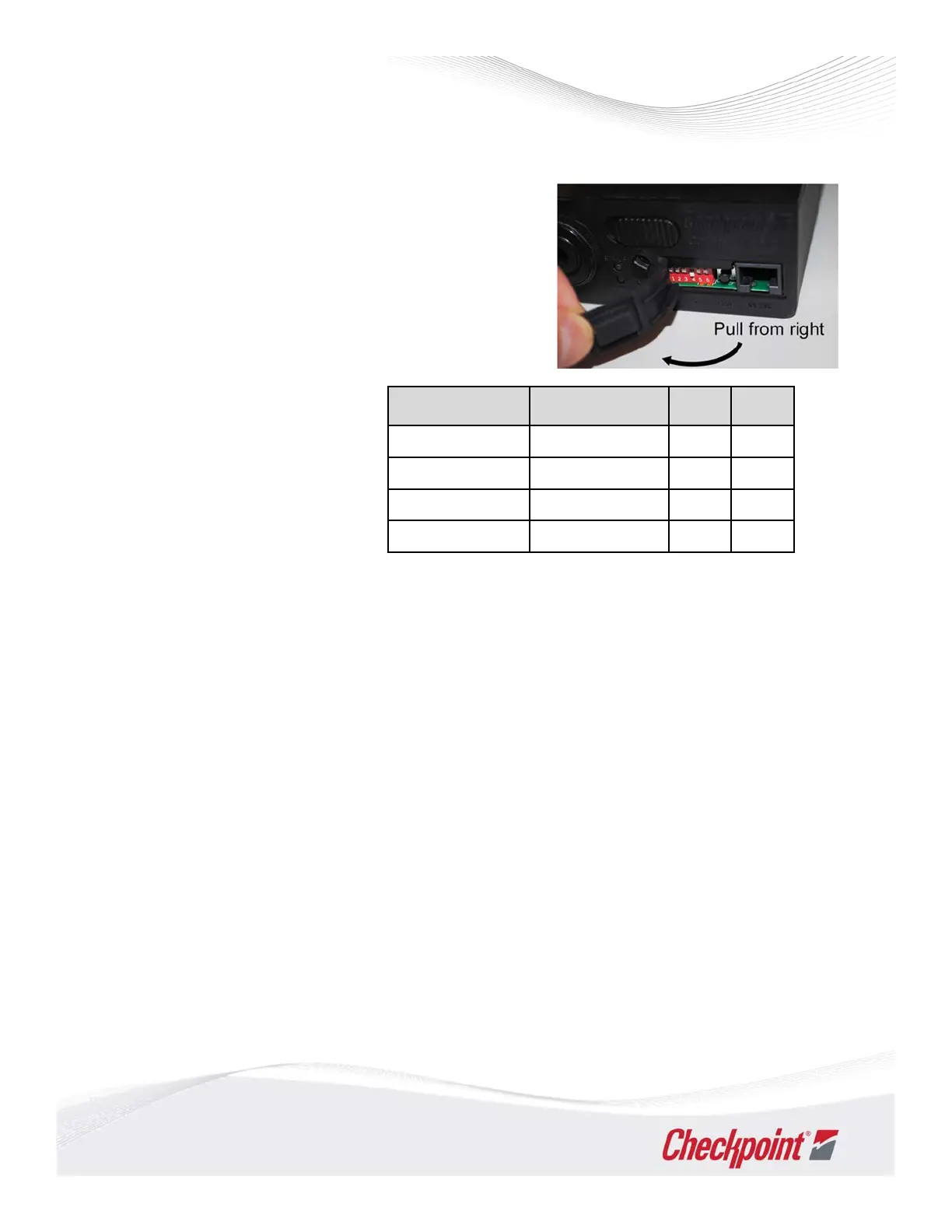
AccesstoDIPSwitches&Reset
Switchesprovidecontrolofuniquesystemfeatures
andfinetuningofperformance.Pullaccesspanel
openfromright.Bymovingselectedswitchesupor
down,youcanadjustsystemmode,powerandgain.
OperationModes
OperationModeisaglobal
systemsettingwhichconfigures
CPiD‐RFtodeactivate(only),
deactivateanddetect,or
verifyactiveEAStags.
SetSwitches(SW)2and3toconfigureMode.
SetSW3,4and5toadjustthe system’sReceiverGain(or“Sensitivity”).Seenextpage.
OTHERUSERCONTROLS
‐ ResetButtonforstartup
EachtimetheunitispoweredON,presstheresetbutton,waituntiltheVioletLEDlightison,thenpress
Resetagain.Theunitmakesaclickingnoisewhileittunes;thisisnormal.IftheRedorVioletLEDever
stayson,resettingmayenablepropersystemfunction(see
Troubleshooting).
‐ ChangeModes
PressReset1timetoapplyanewmode.Ifredorateallightstayson,pressResettwice.
‐ AdjustingSensitivity
Usetable/descriptiononthefollowingpage.
‐ StatusLEDDefinitions
DetailsonLEDDefinitionsandRxGain(seebelow)arefoundonalabelbelowthechassis“topplate.”
Releasefrontlatchfirst,andthenremovethelid(orchassisframe)toviewlabel.
‐ VolumeKnob
Ifsoundisnot
loudenough,adjustormovephysicallocation.Duringbusyperiods,turnitup!
26
CounterpointIntelligentDeactivator‐RF(CPiD‐RF)
ApplyUser‐SelectedSettings
Mode Name Known Selection SW 2 SW 3
iDeact Mode 5 OFF OFF
iDetect HT Mode 6 ON ON
iDetect/Deact Mode 4 OFF ON
iVerify Verification ON OFF



 To Next Page