4 Your product
Congratulations on your purchase.
4.1 Main unit
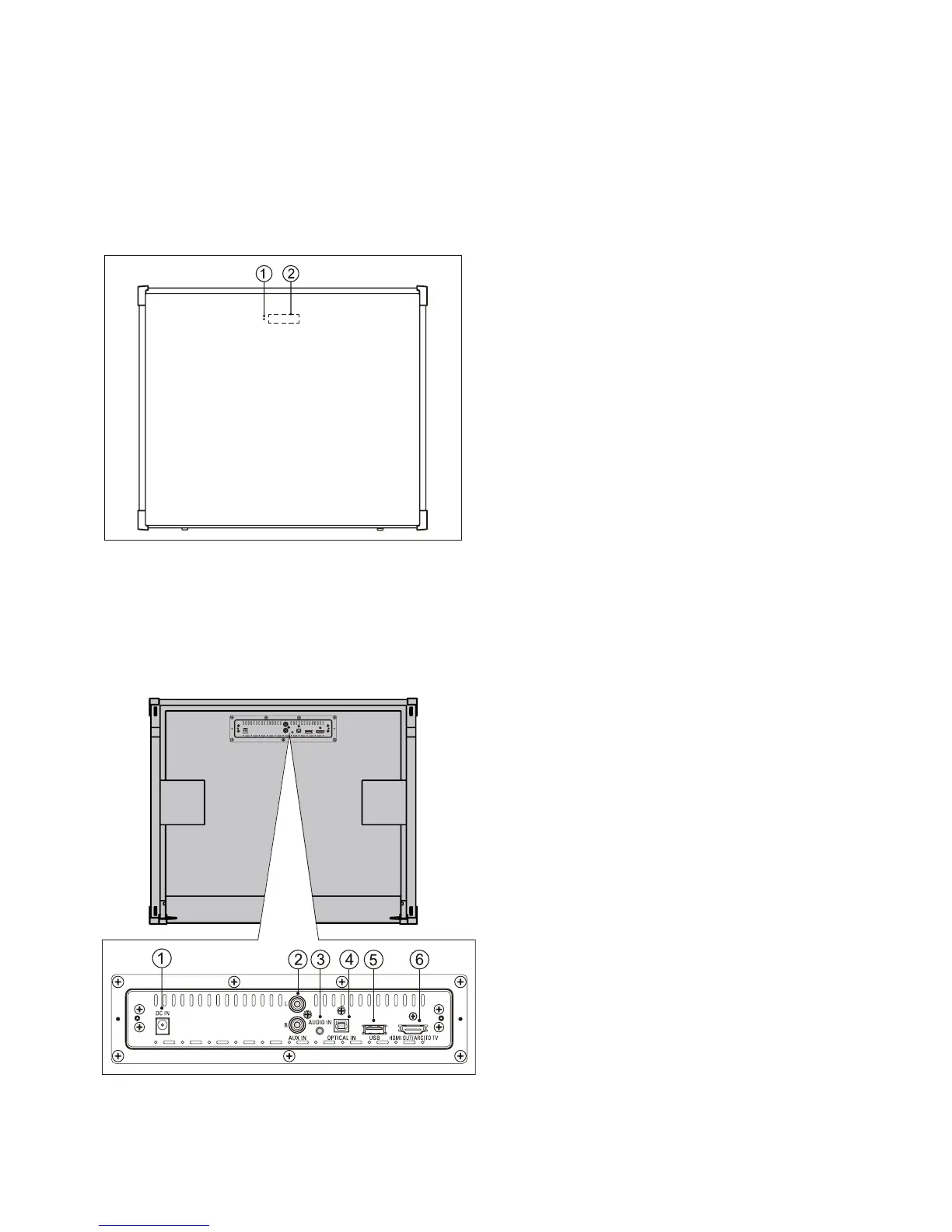
4.1.1 Top panel of main unit
4.1.2 Back connectors of main unit
Connect other devices to your product.
a DC IN
Connect to AC power supply.
b AUX IN
Connect to an analog audio output on
TV or an analog device.
c AUDIO IN
Connect to TV or a MP3 player.
d OPTICAL IN
Connect to an optical audio output on
TV or a digital device.
e USB
Connect to an optical audio output on
TV or a digital device.
• Audio input from a USB storage
device.
f HDMI OUT (ARC) TO TV
Connect to the HDMI input on TV.
a Standby indicator
Standby indicator turn on red when unit
is standby mode.
b Display panel
MODEL#: W100-41 Page 10 of 19


 To Next Page