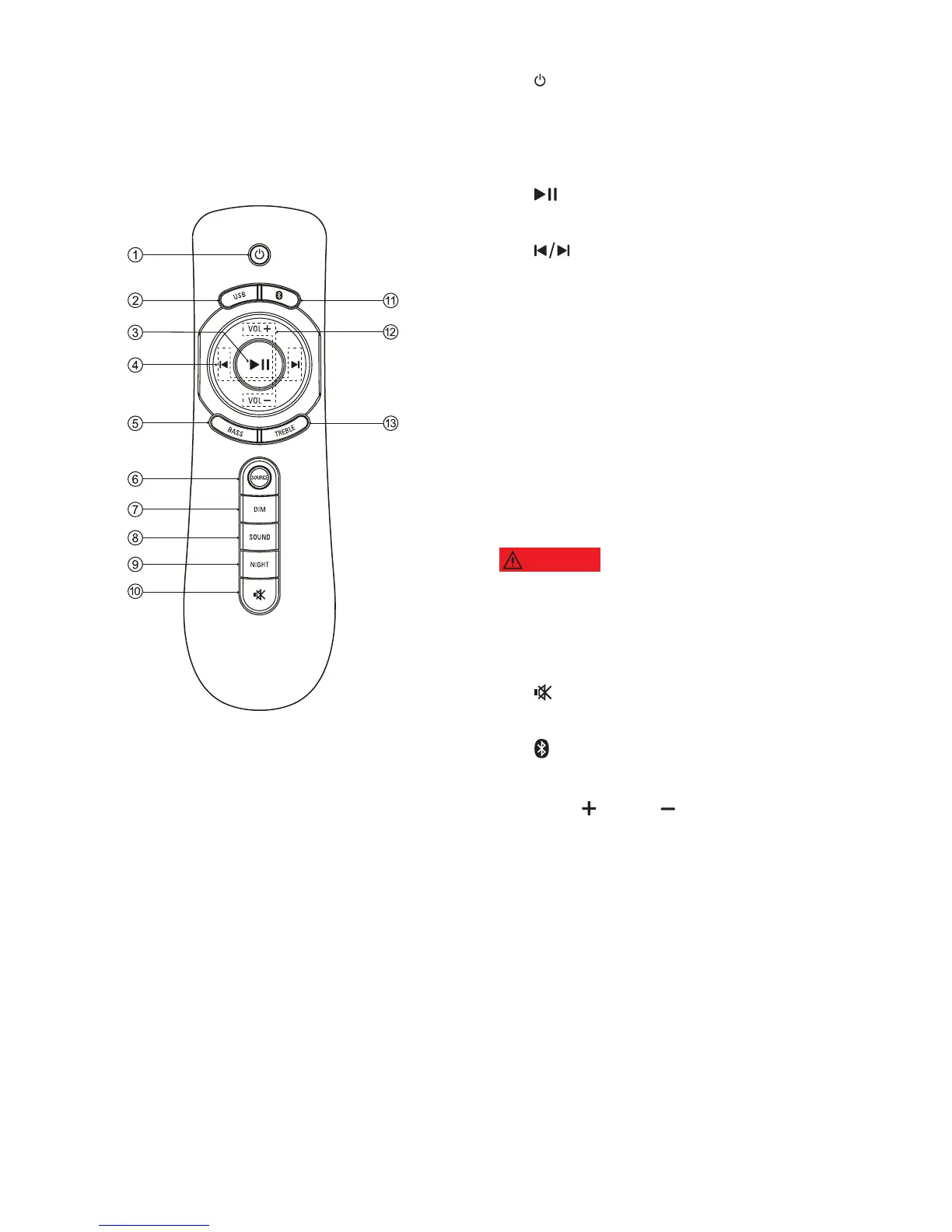
a (Standby-On)
Turn main unit on or off.
b USB
Switch to USB mode.
c (Play/Pause)
Start, pause or resume play.
d (Previous/Next)
Skip to the previous or next track.
e BASS
Increase or decrease bass.
f SOURCE
Select an input source for the product.
g DIM
Select brightness of the display panel
for this product.
h SOUND
Select a sound mode.
Listening to music at a high volume
may cause temporary or permanent damage to your
hearing.
i NIGHT
Turn night mode on or off.
j (MUTE)
Mute or restore volume.
k (Bluetooth)
Select to Bluetooth mode.
l VOL / VOL
Increase or decrease volume.
m TREBLE
Increase or decrease treble.
4.2 Remote control
MODEL#: W100-41 Page 11 of 19


 To Next Page