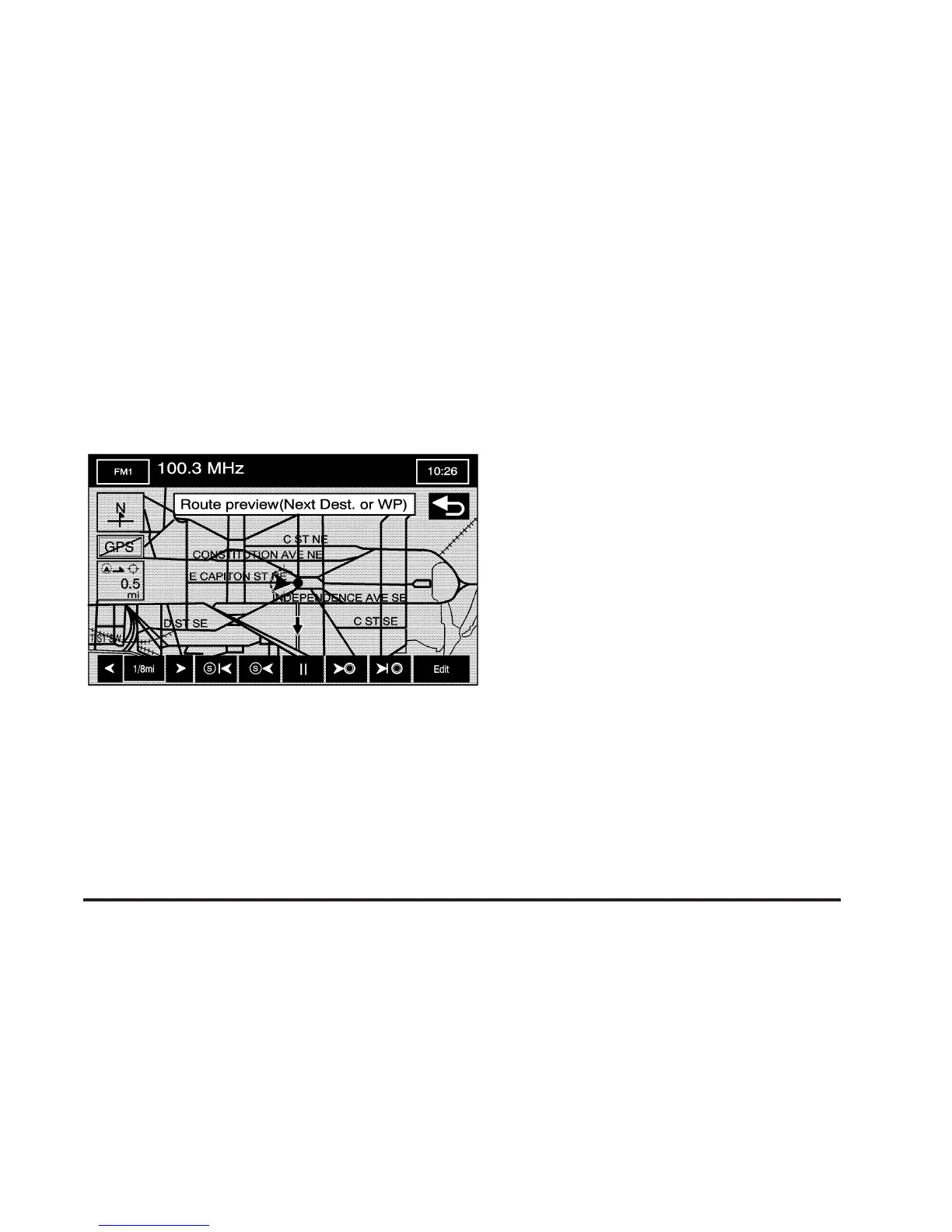
Route Preview
G
Route Preview: Select this button from the
ROUTE OPTIONS menu to preview the entire route in
either direction and to edit the route.
Use the screen buttons at the bottom of the navigation
screen to move through the route.
bt (Skip to Start Point): Touch this screen button
to skip backward to the start point, the previous
waypoint, or the previous available POI, depending on
the mode selected.
bq(Scroll to Start Point): Touch this screen button
to start a smooth scroll of the route backwards to
the start point, previous waypoint, or the previous
available POI, depending on the mode selected.
Touch this button again to increase the scroll speed.
j(Pause): Touch this screen button to pause the
smooth scroll. Push either scroll button (
b qrh)to
restart the scroll.
rh (Scroll to Destination): Touch this screen button
to start a smooth scroll of the route toward the
destination, next waypoint or next available POI,
depending on the mode selected. Touch this button
again to increase the scroll speed.
uh (Skip to Destination): Touch this screen button
to skip forward to the destination, next waypoint or
next available POI, depending on the mode selected.
Edit: Touch this screen button to change the way
the skip/scroll function operates. You can select to
have the skip/scroll go to the start point/destination or
to the next available POI or waypoint.
2-47









 To Next Page