Instruments and Controls 5-23
Information Displays
Driver Information
Center (DIC)
The DIC displays information about
your vehicle. It also displays
warning messages if a system
problem is detected. See Vehicle
Messages on page 5‑26 for more
information. All messages appear in
the DIC display located in the center
of the instrument panel cluster.
DIC Operation and Displays
The DIC has different displays
which can be accessed by using the
DIC buttons on the turn signal lever
on the left side of the steering
wheel. The DIC displays trip, fuel,
and warning messages if a system
problem is detected.
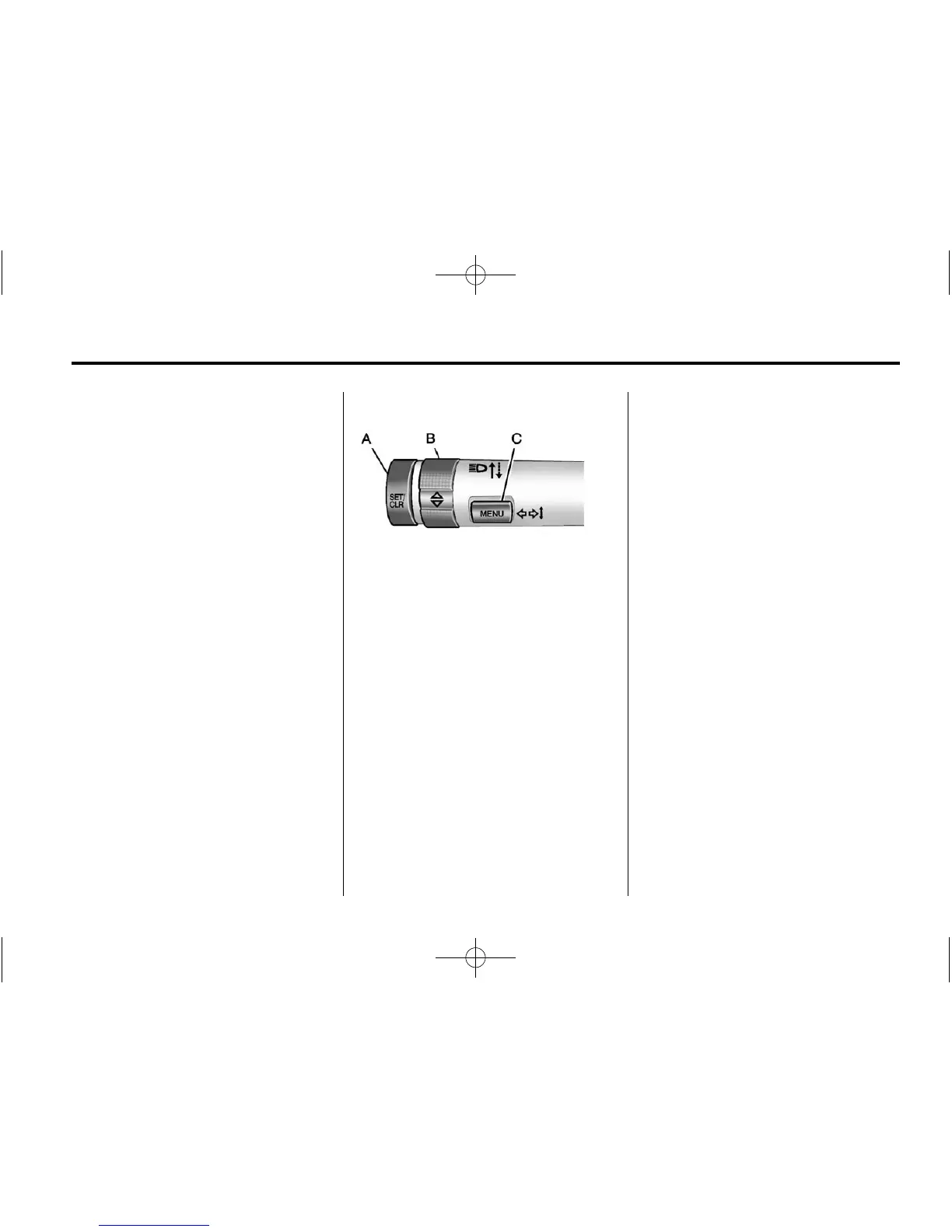
DIC Buttons
A. SET/CLR: Press to set or clear
the menu item displayed.
B.
w x (Thumbwheel): Use to
scroll through the menus.
C. MENU: Press to display the DIC
menu. This button is also used
to return to or exit the last
screen displayed on the DIC.
DIC Menu Items
Press MENU on the turn signal
lever until the DIC menu displays.
Use
w x to scroll through the
menu items. Not all items are
available on every vehicle. The
following is a list of all possible
menu items:
.
Trip
.
Average Speed
.
Fuel Range
.
Average Fuel Economy
.
Timer
.
Remaining Oil Life
.
Units
.
Language
.
Tire Learn
Trip
This displays the current distance
traveled, in either kilometers (km) or
miles (mi), from the last reset for the
trip odometer. The trip odometer can
be reset to zero by pressing and
holding the SET/CLR button while
the trip odometer display is
showing.













 To Next Page