In Brief 1-5
Canceling a Remote Start
To cancel a remote start, do one of
the following:
.
Aim the RKE transmitter at the
vehicle and press and hold
/
until the parking lamps turn off.
.
Turn on the hazard warning
flashers.
.
Turn the vehicle on and then off.
See Remote Vehicle Start on
page 2‑4.
Door Locks
To lock or unlock the doors from
outside the vehicle:
.
Use the key in the driver door to
lock all doors or unlock the
driver door only.
.
Press Q or K on the Remote
Keyless Entry (RKE) transmitter.
See Remote Keyless Entry
(RKE) System Operation on
page 2‑3.
To lock or unlock the doors from
inside the vehicle:
.
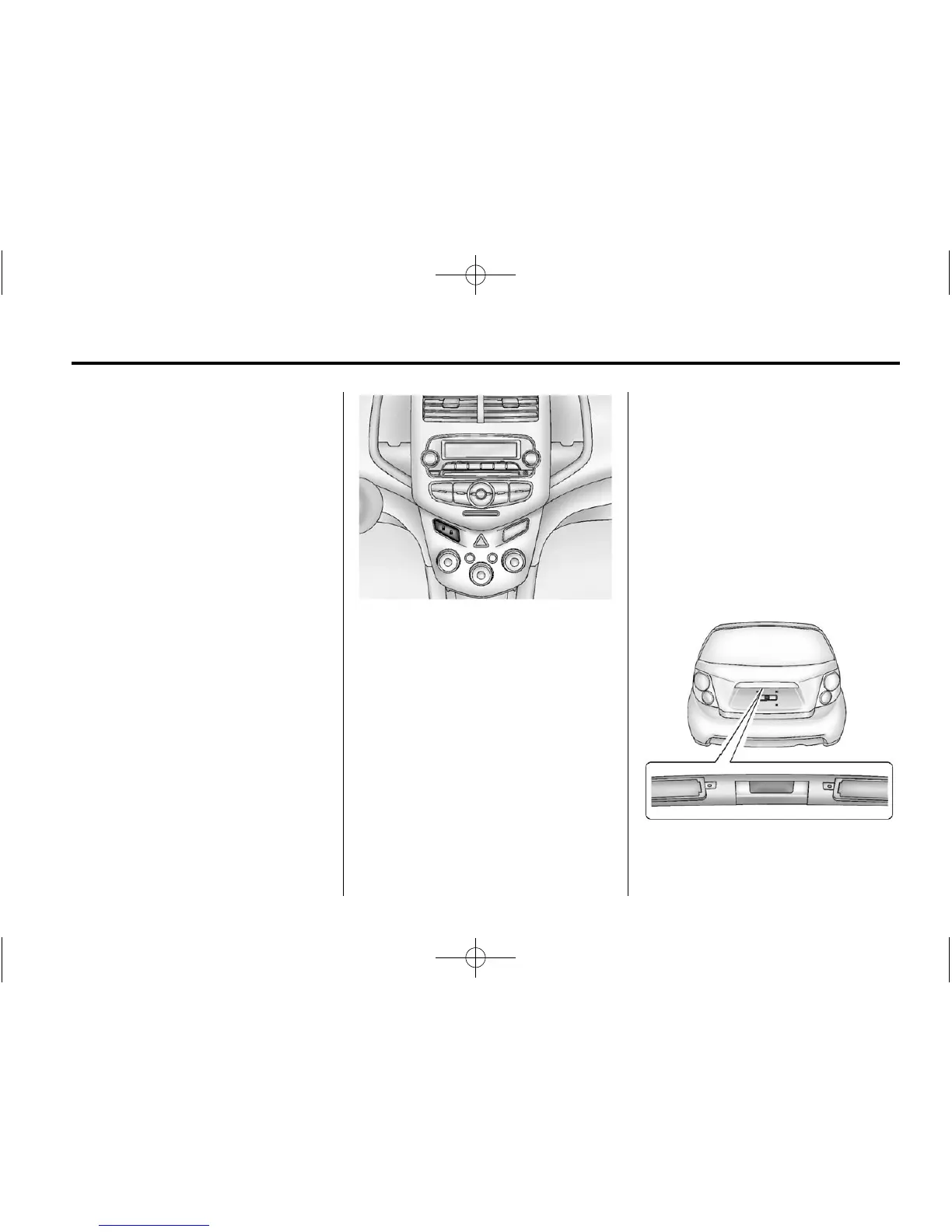
Press Q or K on the central
locking switch.
.
Pull the door handle. Pulling the
door handle again unlatches
the door.
.
Use the lock knob on the top of
the door panel.
For more information see:
.
Door Locks on page 2‑6.
.
Central Locking System on
page 2‑7.
Liftgate
To lock or unlock the liftgate from
the outside, press
Q or K on the
RKE transmitter. See Remote
Keyless Entry (RKE) System
Operation on page 2‑3.
To lock or unlock the liftgate from
the inside, press
Q or K on the
central locking switch located on the
center stack.
To open the liftgate, press the touch
pad under the liftgate handle and
lift up.












 To Next Page