1-4 In Brief
cranking can be stopped by turning
the ignition key to ACC/
ACCESSORY or LOCK/OFF. See
Starting the Engine on page 9‑17.
Remote Keyless Entry
(RKE) System
The RKE transmitter will work up to
20 m (65 ft) away from the vehicle.
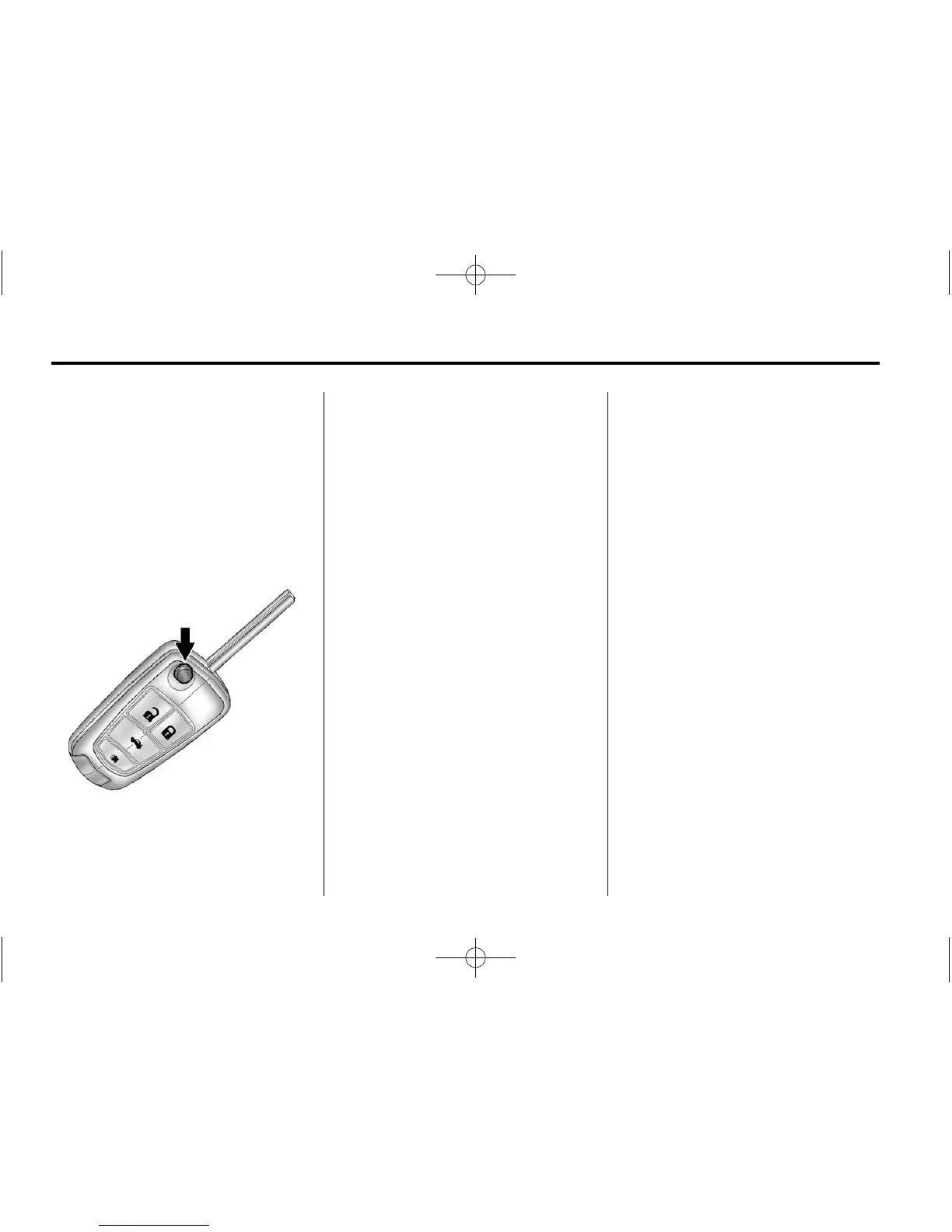
Press the key release button to
extend the key blade. The key can
be used for the ignition and all
locks.
Press
K to unlock the driver door or
all doors.
Press
Q to lock all doors.
Lock and unlock feedback can be
personalized. See Vehicle
Personalization on page 5‑27.
Press
V to open the trunk.
Press and release
7 to locate the
vehicle.
Press and hold
7 for at least
two seconds to sound the panic
alarm.
Press
7 again to cancel the panic
alarm.
See Keys on page 2‑2 and Remote
Keyless Entry (RKE) System
Operation on page 2‑3.
Remote Vehicle Start
For vehicles with this feature, the
engine can be started from outside
the vehicle.
Starting the Vehicle
1. Aim the RKE transmitter at the
vehicle.
2. Press and release
Q.
3. Immediately after completing
Step 2, press and hold
/ until
the turn signal lamps flash, or for
about two seconds if the vehicle
is not in view.
When the engine starts, the parking
lamps will turn on and remain on as
long as the engine is running. The
doors will be locked and the climate
control system may come on.
The engine will continue to run for
10 minutes. Repeat the steps for a
10-minute time extension. Remote
start can be extended only once.












 To Next Page