Vehicle Care 10-31
5. Install the bulb socket into the
headlamp assembly by turning
clockwise.
Taillamps, Turn Signal,
Stoplamps, and Back-Up
Lamps
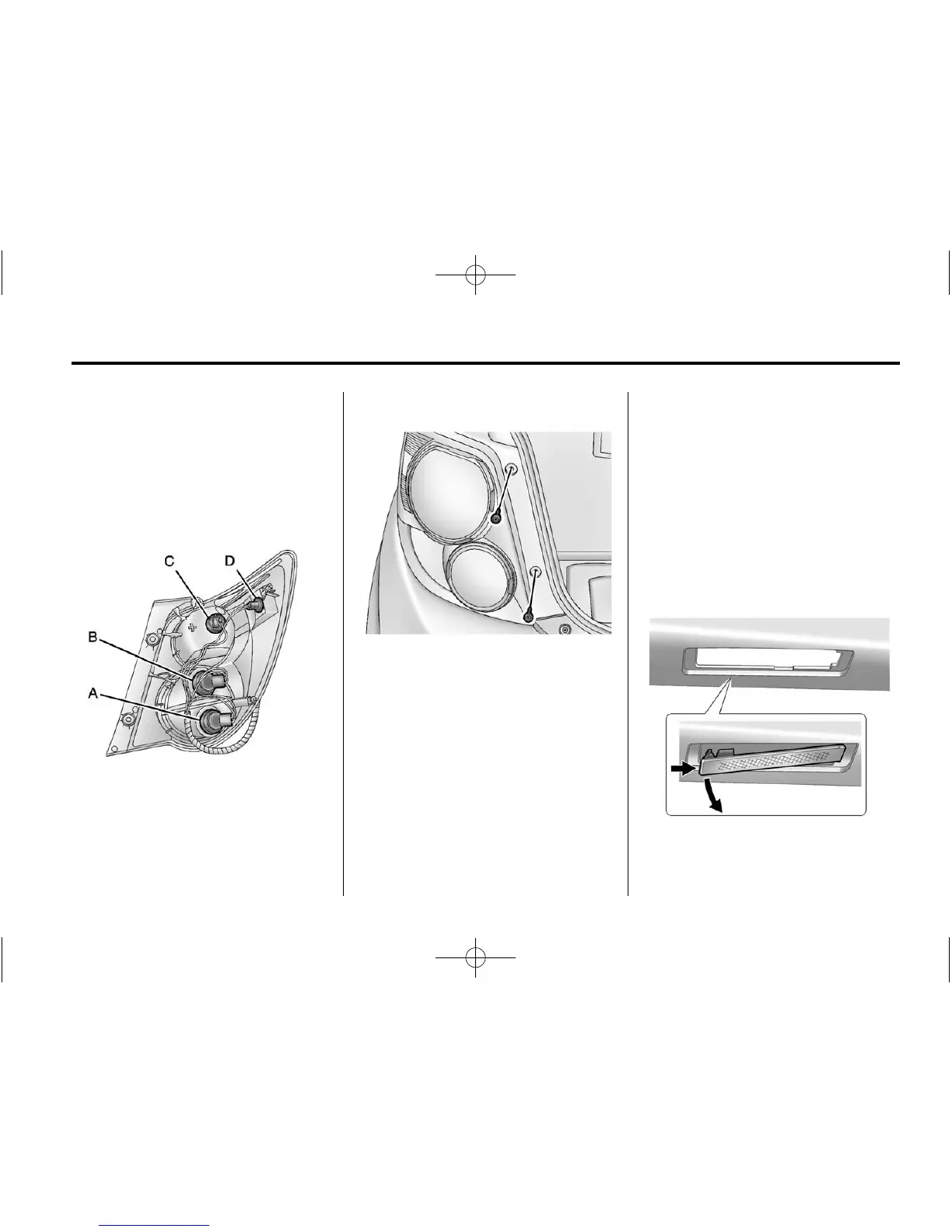
Sedan Taillamp Shown,
Hatchback Taillamp Similar
A. Back‐up Lamp
B. Turn Signal Lamp
C. Stop Lamp/Taillamp
D. Sidemarker Lamp
1. Open the trunk.
2. Remove the two screws, which
secure the taillamp assembly.
3. Remove the taillamp assembly
by pulling it straight back until
the two posts disengage from
the grommets.
4. Remove the bulb socket from
the taillamp assembly by turning
it counterclockwise.
5. Remove the bulb by pulling it
straight out.
6. Install a new bulb into the bulb
socket.
7. Install the bulb socket into the
taillamp assembly by turning it
clockwise.
8. Install the taillamp assembly and
tighten the two screws.
License Plate Lamp
To replace one of these bulbs:
1. Push the left end of the lamp
assembly toward the right.














 To Next Page