1-16 In Brief
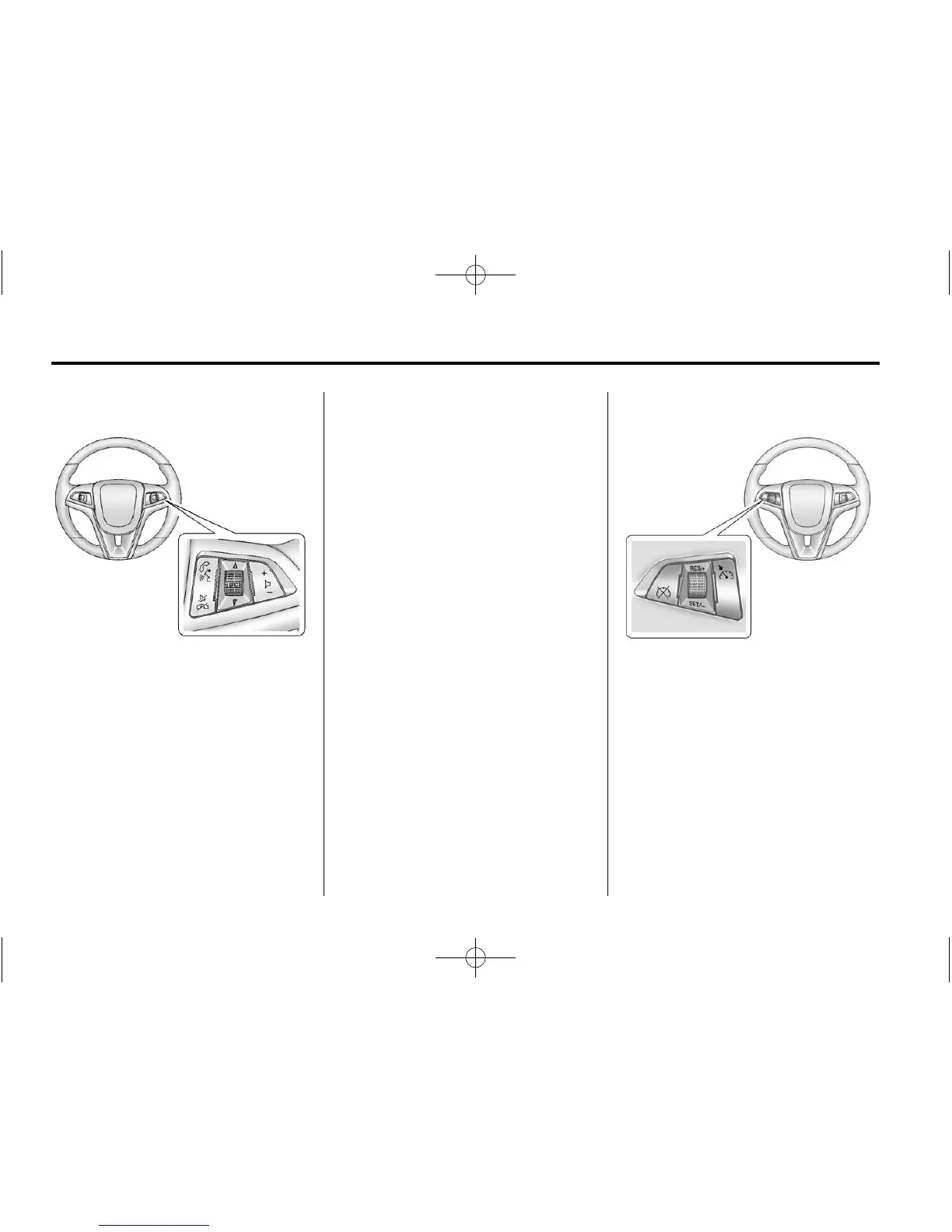
Steering Wheel Controls
Some audio steering wheel controls
could differ depending on the
vehicle options. Some audio
steering wheel controls can be
adjusted at the steering wheel.
b / g : Press to interact with the
available Bluetooth or OnStar
systems.
$ / i : Press to reject an
incoming call, or end a current
call. Press to silence the vehicle
speakers while using the
infotainment system. Press again
to turn the sound on.
For vehicles with OnStar or
Bluetooth systems, press to
reject an incoming call, or end
a current call.
_ SRC ^ : Press to select an audio
source.
Toggle up or down to select the next
or previous favorite radio station or
CD/MP3 track.
+
x − : Press + or − to increase or
decrease the volume.
For more information, see Steering
Wheel Controls on page 5‑2.
Cruise Control
5 : Press to turn the cruise control
system on and off.
RES/+: Move the thumbwheel up to
resume a previously set speed or to
accelerate.
SET/−: Move the thumbwheel down
to set a speed or to make the
vehicle decelerate.













 To Next Page