74
User’s manual
12/2016
GB
SDmatic
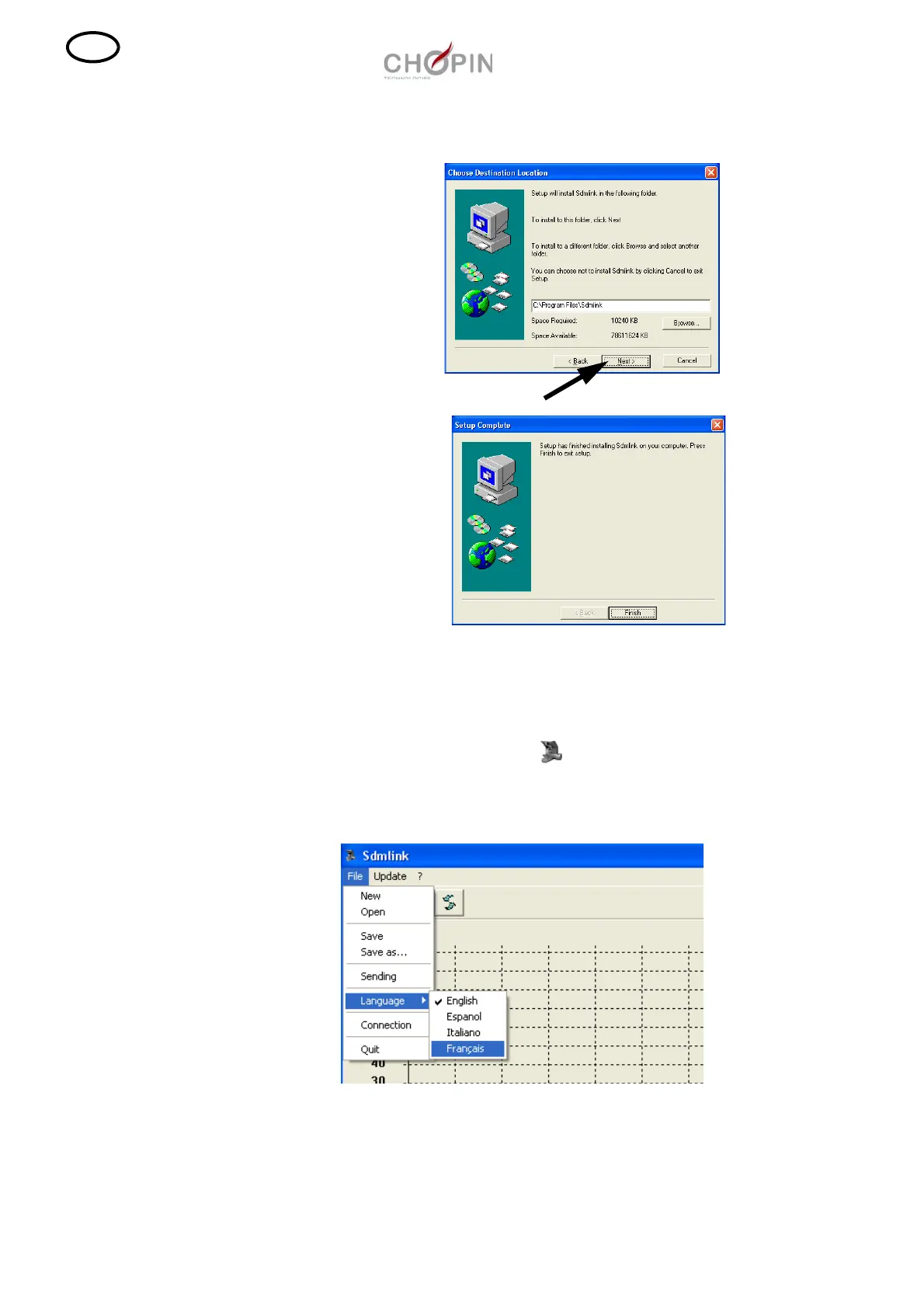
❏ Click on "Next" to complete the installation.
■ Change of the program language
The program is installed by default in english.
To modify the program language, open the Sdmlink program by
double clicking on the icon then select "File", "Language".
Selection the desired language and quit the program.
.



 To Next Page