75
User’s manual
12/2016
GB
SDmatic
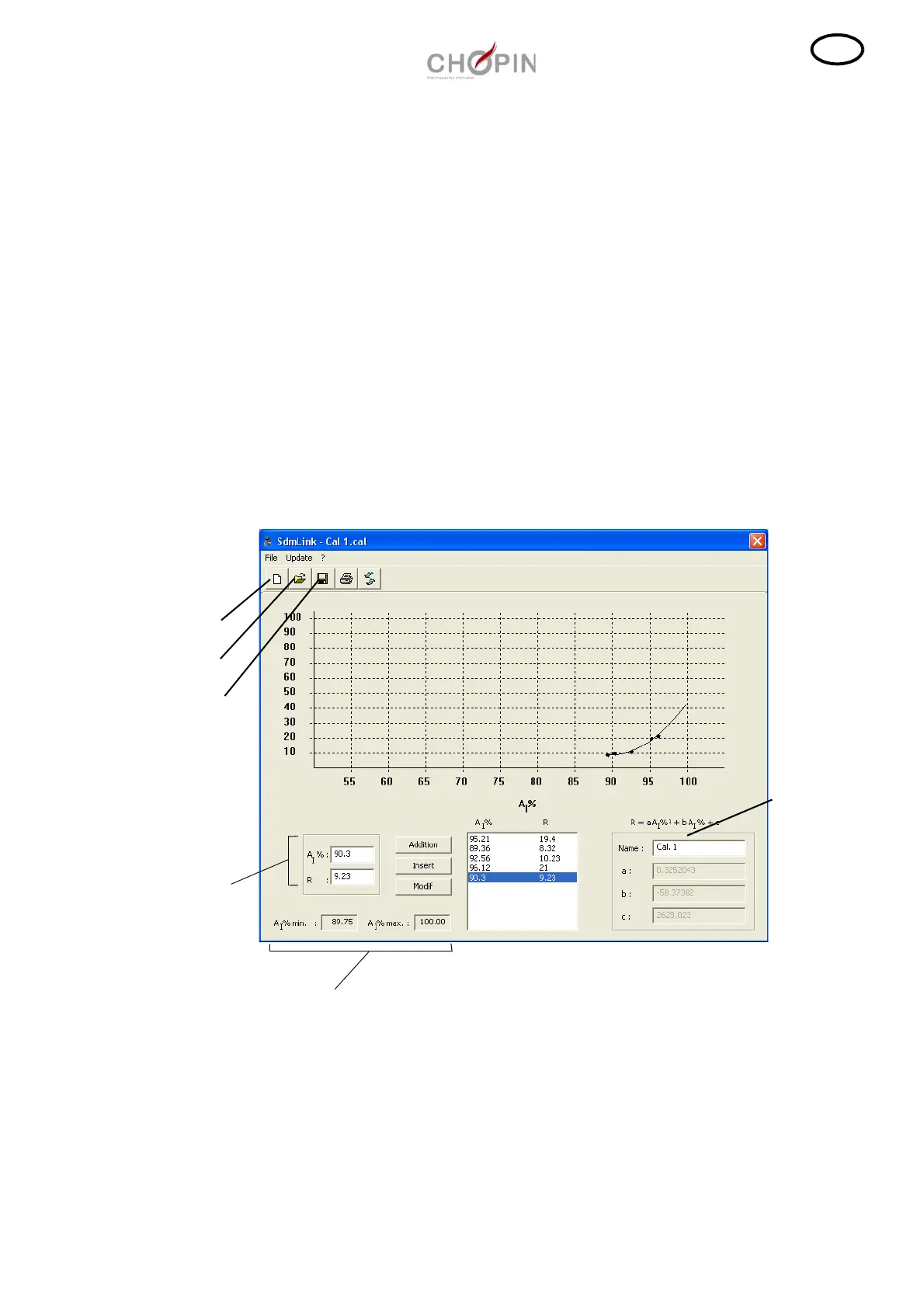
■ Creation of an user calibration
To create a calibration, use at least 3 différent flours and determine
for each flour:
- the iodine absorption rate (A
I
%) measured with the SDmatic,
- the value of the reference R of the flour.
The user calibration follows:
R= a A
I
%² + b A
I
% + c with R: reference value ( 0 < R < 100)
A
I
% : measure of the Sdmatic
❏ Creation of a calibration:
- Open the program Sdmlink.
- Enter a pair of points (A
I
%; R) and click on "Addition" to
incorporate it into the calibration. Proceed in the same way to enter
the other points. The calibration coefficients (a, b, c) are calculated
automatically at each addition of points (after 3 pairs of points
entered).
New
Open
Save
Text box
of points
Name of the
calibration
Measuring
range



 To Next Page