EasyManua.ls Logo

Christie DS Series - User Manual

Christie DS Series
140 pages
Print Icon
To Next Page IconTo Next Page
Loading...
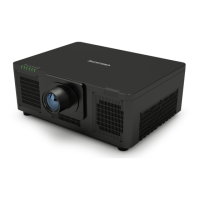
DS Series
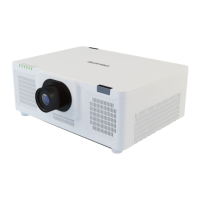
LWU900-DS, LHD878-DS, LWU755-DS
Users Manual (Detailed)
Operating Guide
020-001587-01

Other manuals for Christie DS Series

Questions and Answers

  • J
    Julie CrawfordSep 23, 2025
    What to do if my Christie DS powers off and on when connected to the network?
    • D
      Deborah PorterSep 23, 2025
      If your Christie Projector powers off and on when connected to the network, disconnect the LAN cable and check if the projector works properly. If the issue occurs after connecting to the network, there may be a loop between two Ethernet switching hubs within the network.
  • M
    Michael MartinezAug 25, 2025
    What to do if image positions shift on my Christie Projector?
    • M
      Mark WarrenAug 25, 2025
      If the image positions of your Christie Projector are shifted due to temperature change, vibration, or shock, readjust the images. To prevent this, install the projectors in a stable environment when using Instant Stack.
  • N
    nicolenguyenAug 25, 2025
    Why Christie Projector images do not superimpose well?
    • G
      gregorymeyerAug 26, 2025
      Images from your Christie Projector may not superimpose well enough especially when the screen is slanted, deformed, or the surface is uneven, depending on the installation and surrounding environment.
  • A
    adamcombsAug 27, 2025
    What to do if my Christie Projector shows smoke or emits a strange odor?
    • A
      Allen RichAug 27, 2025
      If your Christie Projector is emitting smoke, a strange odor, excessive sound, or if you notice damaged components or penetration of foreign materials, immediately disconnect the power plug from the outlet. After ensuring the smoke or odor has stopped, contact your dealer or a service company for assistance.
  • J
    Jennifer KingSep 23, 2025
    What to do if there is a note of precaution when cleaning the air filter of my Christie Projector?
    • E
      edwardcooperSep 23, 2025
      If there's a note of precaution when cleaning the air filter of your Christie Projector, immediately turn the power off. Clean or change the air filter. After you have cleaned or changed the air filter, reset the filter hours.
  • D
    deborahwhiteSep 13, 2025
    How to increase brightness on Christie Projector?
    • D
      David AllenSep 13, 2025
      If the brightness is set too low on your Christie Projector, use the menu function to adjust the BRIGHTNESS to a higher level.
  • M
    Miranda MarshSep 12, 2025
    How to fix mismatched input changeover settings on my Christie DS?
    • J
      Joshua KaneSep 12, 2025
      If the input changeover settings are mismatched on your Christie Projector, select the correct input signal and adjust the settings accordingly.
  • A
    Amanda CraigSep 12, 2025
    How to disable AV MUTE function on Christie DS Projector?
    • S
      Shawn WilliamsSep 12, 2025
      If the AV MUTE function is active on your Christie Projector, press the AV MUTE button on the remote control to deactivate it.
  • B
    belinda19Sep 4, 2025
    What to do if lens shift does not work correctly on my Christie Projector?
    • M
      Michelle MolinaSep 4, 2025
      If the lens shift on your Christie Projector isn't working correctly, turn off the projector and ensure the lens unit is correctly installed. Also, check for and remove any obstacles around the lens. If the issue persists, contact your dealer or a service company.
  • K
    Kristi CampbellSep 2, 2025
    What to do if my Christie DS Projector is waiting for an image file?
    • A
      Allen JacksonSep 2, 2025
      If your Christie Projector is waiting for an image file, check the hardware connection, the projector's settings, and network-related settings. The computer-projector network connection might be disconnected, so try reconnecting them.

Christie DS Series Specifications

General IconGeneral
TypeDLP
Lamp Life2000 hours
Light SourceXenon lamp
Warranty3 years
Lens OptionsMultiple interchangeable lenses (wide, standard, long throw)

Related product manuals