(23) Disconnect the wire harness connector at the
SKIM module. Remove the mounting screw and
unclip the module from the key cylinder halo bezel.
(24) Remove the wiring harness from the routing
clip on the top of the multi-function switch. Remove
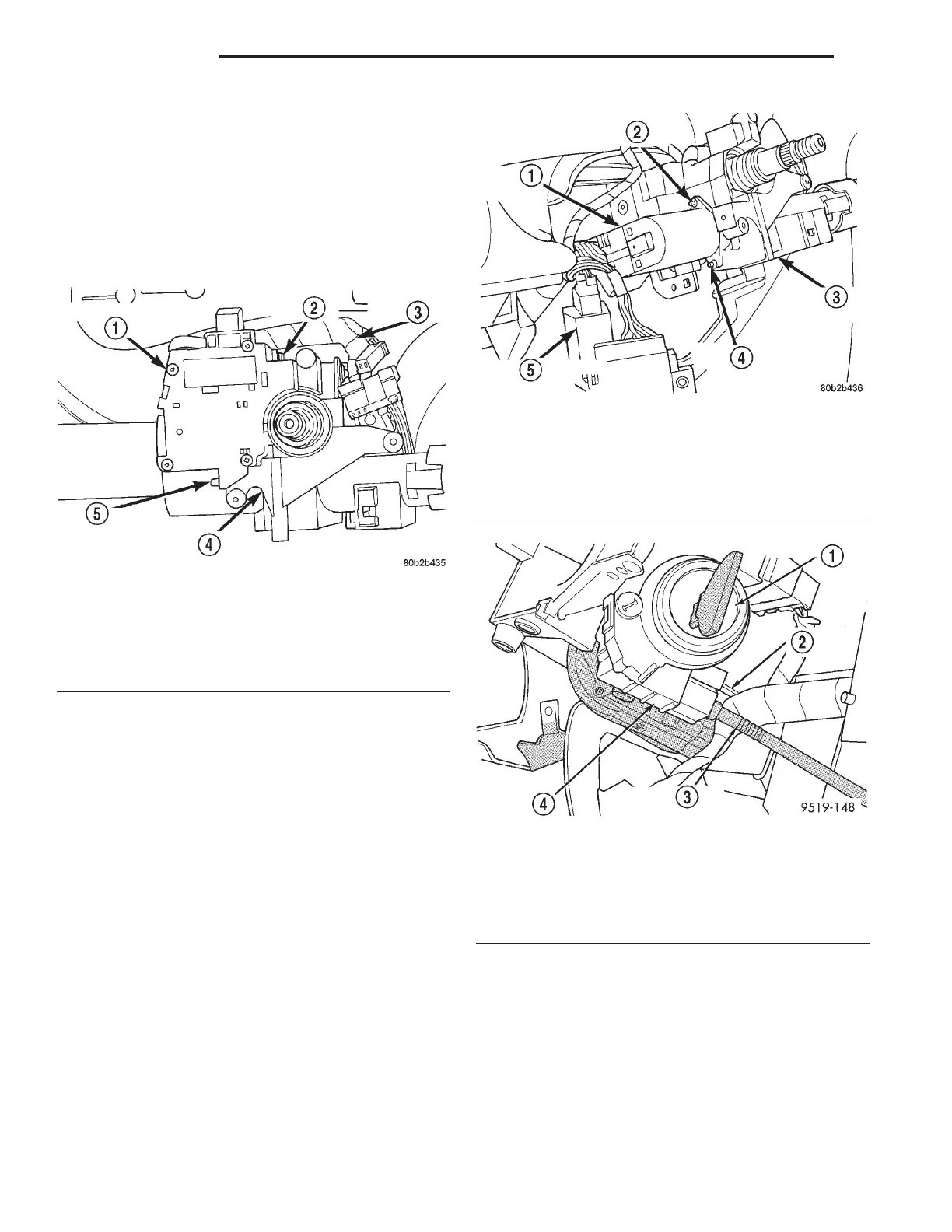
the 2 screws (Fig. 18) mounting the multi-function
switch to the steering column. Remove the multi-
function switch, with the wiring harness attached,
from the steering column.
(25) Remove the 2 screws (Fig. 19) mounting the
ignition switch to the steering column. Remove the
ignition switch, with the wiring harness attached,
from the steering column.
(26) If the vehicle is equipped with a floor
mounted shifter, depress the locking tab on the
shifter/ignition interlock cable (Fig. 20) and remove
the cable from the key lock housing.
(27) If the vehicle is equipped with a steering col-
umn mounted shift lever, remove the brake transmis-
sion shift interlock (BTSI) solenoid from the shift
lever mechanism (Fig. 21). To do so, perform the fol-
lowing:
(a) Disconnect the wiring harness connector
from the solenoid.
(b) Remove the retainer clip from the end of the
solenoid (Fig. 22).
Fig. 18 Multi-Function Switch Mounting Screws
1 – MULTIFUNCTION SWITCH
2 – MOUNTING SCREW
3 – WIRING HARNESS
4 – STEERING COLUMN
5 – MOUNTING SCREW
Fig. 19 Ignition Switch Mounting Screws
1 – IGNITION SWITCH
2 – MOUNTING SCREW
3 – STEERING COLUMN
4 – MOUNTING SCREW
5 – MULTIFUNCTION SWITCH
Fig. 20 Shifter/Ignition Cable At Lock Cylinder
Housing
1 – KEY CYLINDER
2 – LOCKING TAB
3 – SHIFTER IGNITION INTERLOCK CABLE
4 – KEY LOCK HOUSING
19 - 52 STEERING LH
REMOVAL AND INSTALLATION (Continued)













 To Next Page