Method of operation
- 90 -
Timing key
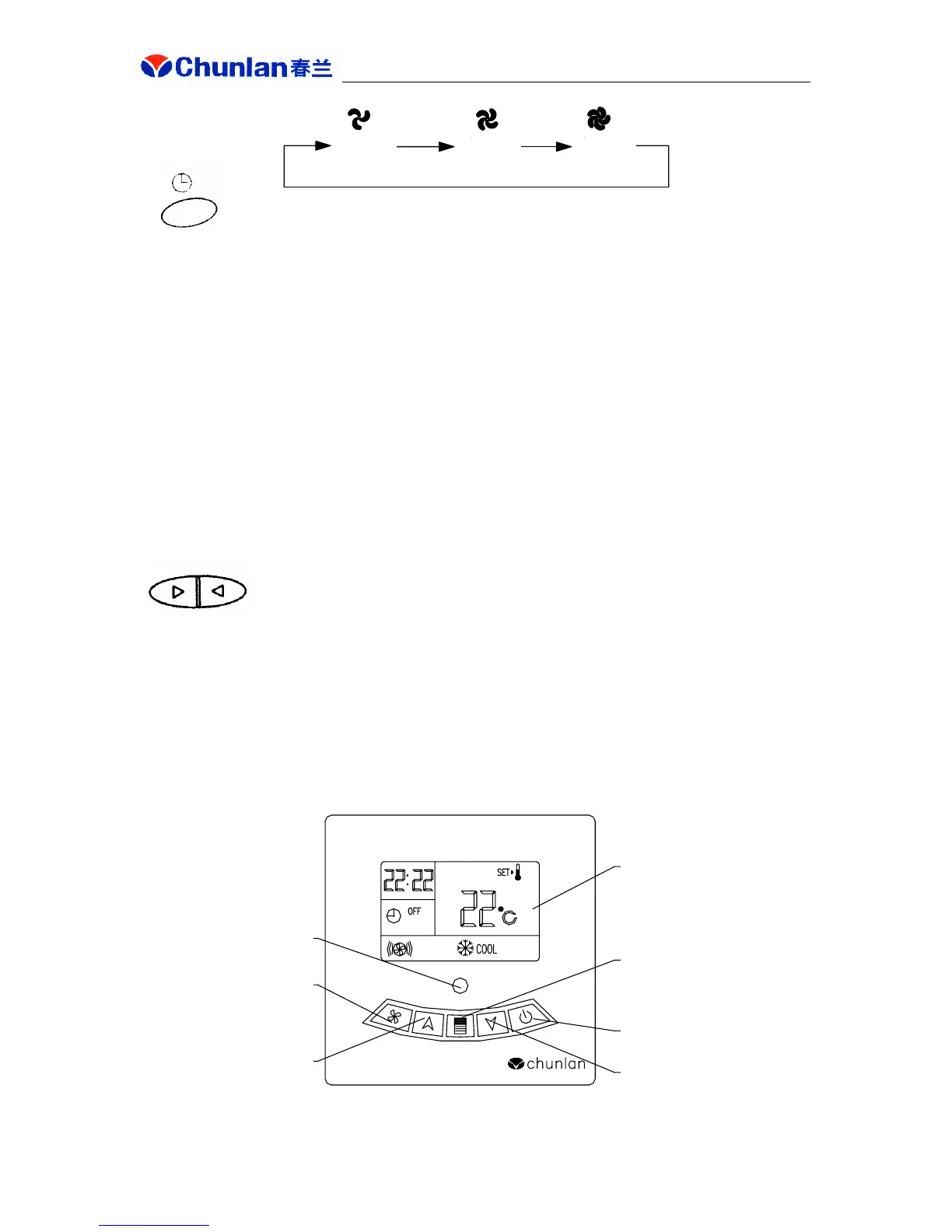
● After pressing this key, indoor unit air delivery status will cycle as follows:
● When the air conditioner is in ON status, you can select timed shutdown. Before such
shutdown, press timing key to display remaining time in the display window; temperature
display will resume after 5s. When the timing expires, the air conditioner is shutdown, and all
display contents on wire controller vanish except for power supply indicator.
● When the air conditioner is in OFF status, you can select timed turn-on. Before such
turn-on, press timing key to display remaining time in the display window; this display will
vanish after 5s. When this timing expires, the air conditioner will operate in set mode and
timing status automatically changes to normal operation.
● Time setting is 01~24h. Initial value is 01, interval is 1h and this setting will increase 1h
every time the timing key is pressed. Holding down this key will cycle this setting to 24h and
then to 01h again.
Temperature setting keys
● A temperature increase key and a temperature decrease key are provided. Press the former
to increase temperature by 1 degree and press the latter to decrease temperature by 1 degree.
● Temperature setting range is 12℃~30℃. When temperature display is 12℃, temperature
decrease key is not functional; and when temperature display is 30℃, temperature increase
key is not functional.
2. LCD wire controller
Low speed
(orange)
Medium
speed
(red)
High speed
(green)
Remote control reception
window
Air speed setting key
Temperature setting key
LCD display
Functional key
Power ON/OFF key
Temperature setting key



 To Next Page