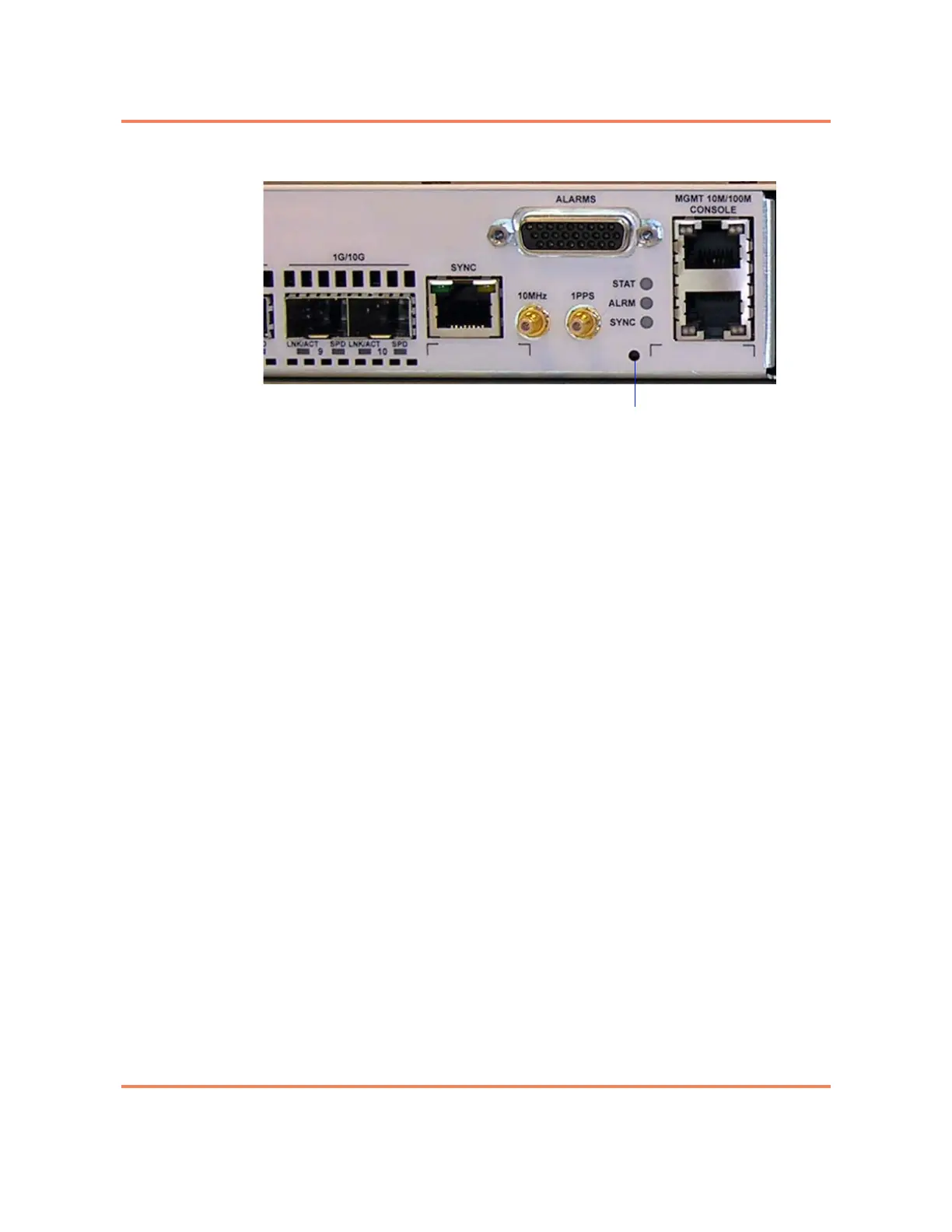
9-2 Reset Button
3930 Service Delivery Switch Hardware Installation and Start-up Manual
009-3223-001 Standard Revision E
Copyright
©
2012-2014 Ciena
®
Corporation January 2014
Figure 9-2
Location of the 3930 Reset Button (3930 Sync + External Timing system)
There are two different types of resets available:
• Quick reset, which is accomplished by depressing the reset button for less
than three seconds. A quick reset reboots the system with the current
saved configuration. When you press the reset button for less than 3
seconds, all the LEDs on the faceplate will be lit.
• Hard reset, which is accomplished by depressing the reset button for three
seconds or more continuously. When you press the reset button for more
than 3 seconds, all the LEDs on the faceplate will be lit, then they will flash
to indicate that the hard reset has been initiated. A hard reset erases the
current configuration and restores the unit to the factory default settings.
See 39XX/51XX Product Fundamentals for more information about the
factory default settings.
Note 1: The 3930 Sync + External Timing systems have additional
behavior that occurs when the reset button is pushed and the system is
unresponsive. If you are using a 3930 Sync + External Timing unit you
should also read the section “Creating a State Dump or Core Dump Log
File” on page 9-3
Note 2: Pressing the reset button will also result in an LED indication. The
LED behavior is described in “LED Overview” on page 5-1.



 To Next Page