5-2 LED Overview
3930 Service Delivery Switch Hardware Installation and Start-up Manual
009-3223-001 Standard Revision E
Copyright
©
2012-2014 Ciena
®
Corporation January 2014
Unit Status LEDs
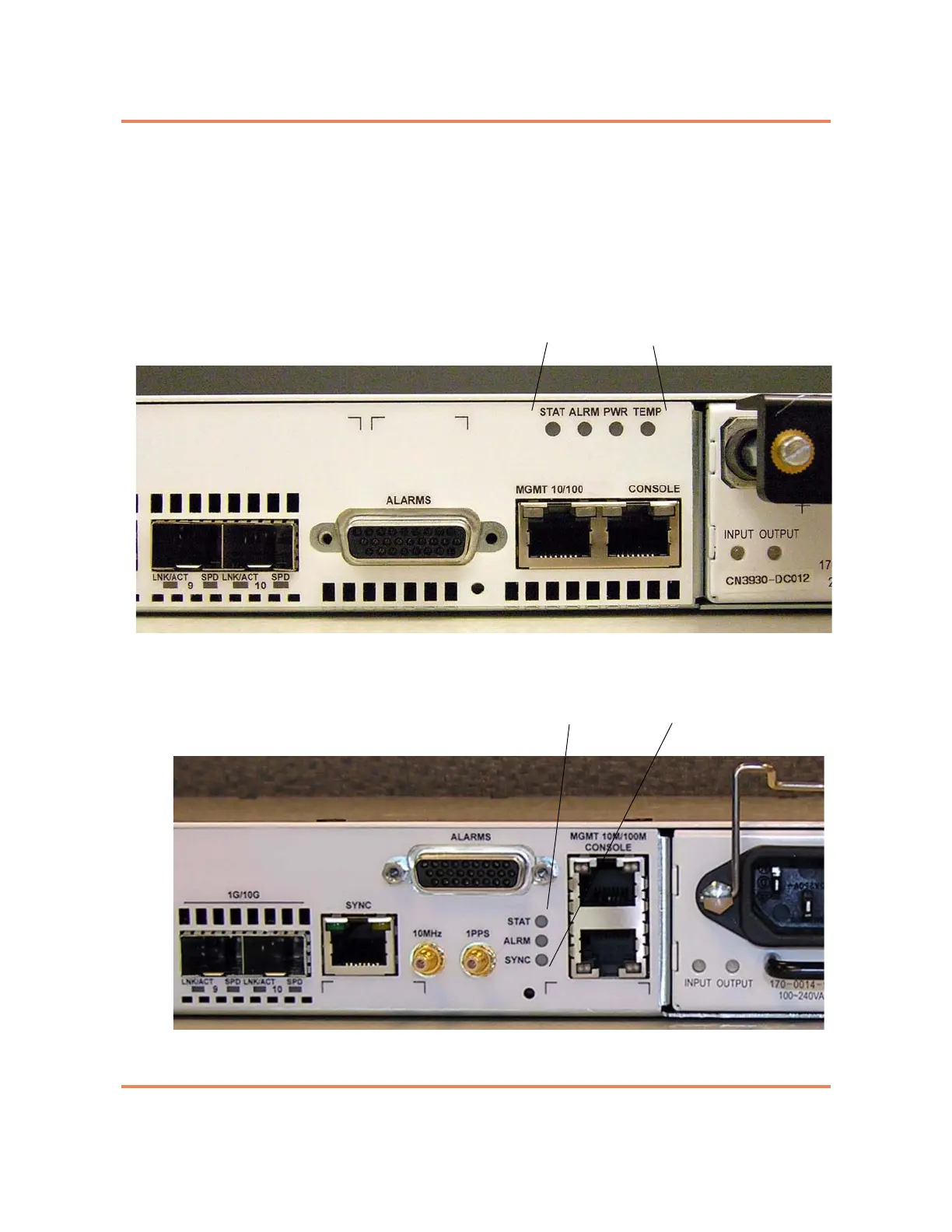
The unit status LEDs communicate system operational status. They are
located on the right center portion of the faceplate. The three types of 3930
systems have slightly different unit status LEDs. For 3930 Standard and 3930
Sync systems, see Figure 5-1. For 3930 Sync + External Timing systems, see
Figure 5-2.
Figure 5-1
Unit Status LEDs on 3930 Standard and 3930 Sync systems
Figure 5-2
Unit Status LEDs on a 3930 Sync + External Timing system



 To Next Page