EasyManua.ls Logo

CIGNUS CG-828UV - User Manual

CIGNUS CG-828UV
44 pages
Print Icon
To Next Page IconTo Next Page
Loading...
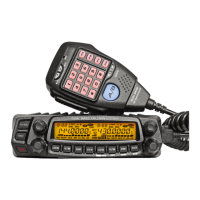
DUAL BAND
FM TRANSCEIVER
USER'S MANUAL
CG-828UV

Table of Contents

Questions and Answers

Summary

New and Innovative Features

Frequency Range

Details the transmit and receive frequency bands supported by the transceiver.

Supplied Accessories and Optional Accessories

Supplied Accessories

Lists all items included in the transceiver package for basic operation.

Optional Accessories

Lists accessories available for purchase to enhance transceiver functionality.

Initial Installation

MOBILE INSTALLATION

Guides on selecting a safe and suitable location for installing the transceiver in a vehicle.

DC POWER CABLE CONNECTION

Provides instructions on correctly connecting the transceiver to a DC power source, including safety precautions.

MOBILE OPERATION

Details operation requirements and precautions specific to mobile use.

FIXED STATION OPERATION

Explains requirements and procedures for using the transceiver as a fixed station.

REPLACING FUSES

Details the process and precautions for replacing blown fuses in the transceiver and its accessories.

ANTENNA CONNECTION

Describes the importance of proper antenna installation and connection for optimal performance.

EXTERNAL SPEAKER

Instructions for connecting an external speaker for audio output.

MICROPHONE

Guide on connecting the microphone to the transceiver unit.

PC CONNECTING

Instructions for connecting the transceiver to a PC for software configuration.

Getting Acquainted

FRONT PANEL

Identifies and explains the functions of controls and indicators on the front panel of the transceiver.

Basic Functions

Describes fundamental operations and key functions of the transceiver controls.

REAR PANEL

Identifies and explains the connectors and indicators located on the rear panel.

DISPLAY

Explains the various icons, indicators, and information displayed on the transceiver's LCD screen.

MICROPHONE Operation

Details the functions of the microphone buttons and their operation.

Basic Operations

SWITCHING THE POWER ON;OFF

Step-by-step guide on turning the transceiver on and off.

ADJUSTING THE VOLUME

Instructions on how to control the audio volume for the transceiver.

SWITCH BETWEEN VFO AND CHANNEL MODE

Explains how to switch between frequency (VFO) and memory channel modes.

ADJUSTING FREQUENCY

Details methods for adjusting the operating frequency using knobs and microphone keys.

ADJUSTING CHANNEL

Describes how to select and adjust memory channels using the transceiver controls.

SWITCH BETWEEN MAIN BAND AND SUB BAND

How to select the primary band for operation and transmit.

SELECTING THE FREQUENCY BAND

Guide on choosing specific frequency bands for the left and right sides of the transceiver.

RECEIVING

Explains how the transceiver receives signals and how indicators appear on the LCD.

SQUELCH OFF;SQUELCH OFF MOMENTARY

Instructions on disabling squelch to monitor weak signals.

TRANSMITTING

Procedures for transmitting, including microphone usage and band selection.

Shortcut Operations

SQUELCH LEVEL SETUP

How to adjust the squelch level to filter unwanted signals.

HIGH;MID;LOW POWER SWITCH

How to select the transmission power level for the current channel.

FREQUENCY REVERSE

Enables swapping of TX and RX frequencies for simplex operation.

BAND-WIDTH SELECTION

How to choose between Wide, Middle, and Narrow bandwidth settings.

HOME CHANNEL

Function to quickly switch to a pre-set home channel.

CHANNEL EDIT

Procedures for editing existing memory channels.

CHANNEL COPY

Instructions on how to copy channel data to another memory location.

CHANNEL DELETE

Steps to remove a channel from memory.

General Setting

APO (AUTOMATIC POWER OFF)

Configures the transceiver to automatically shut down after a set period.

AUTOMATIC OFFSET

Automatically sets the offset frequency and direction for repeater operation.

FREQUENCY CHANNEL STEP SETUP

Sets the frequency increment step for VFO and scanning operations.

VFO BAND LOCKOUT

Restricts scanning or frequency input to the current VFO band.

2 TONE ENCODE SELECT

Configures 2-Tone signaling for calls and selective functions.

5 TONE ENCODE SELECT

Configures 5-Tone signaling for calls and selective functions.

ADD OPTIONAL SIGNALING

Explains optional signaling features like DTMF, 5Tone, and 2Tone.

CTCSS;DCS ENCODE SETUP

Sets up CTCSS tones and DCS codes for encoded transmissions.

CTCSS;DCS DECODE SETUP

Configures CTCSS tones and DCS codes for decoding incoming signals.

DTMF ENCODE SETUP

Configures DTMF signaling, including code editing.

SQUELCH MODE SETUP

Selects the squelch mode based on signal type (carrier, CTCSS/DCS, tone).

COMPANDER

Enhances audio clarity by reducing background noise.

SCRAMBLER SETUP

Enables voice privacy by scrambling audio signals.

KEYPAD MODE SETUP

Configures the function of the transceiver's keypad keys.

KEYPAD LOCKOUT

Disables keypad functions to prevent accidental changes.

SQUELCH LEVEL SETUP

Adjusts the sensitivity of the squelch to filter signals.

FREQUENCY REVERSE

Enables swapping of TX and RX frequencies for simplex operation.

SUB BAND MUTE SETUP

Mutes the sub-band audio during main band transmission or reception.

EDITING CHANNEL NAME

Allows assigning custom names to memory channels for easier identification.

CHANNEL FUNCTION AUTO STORAGE SETUP

Configures automatic saving of current channel settings upon exit.

MICROPHONE PA,PB, PC,PD KEY SETUP

Customizes the functions assigned to the PA, PB, PC, PD keys on the microphone.

OFFSET DIRECTION SETUP

Sets the direction (plus or minus) for the offset frequency in repeater operation.

SCAN DWELL TIME SETUP

Determines how long the transceiver pauses on a detected signal during scanning.

PRIORITY CHANNEL SCAN

Scans channels, pausing when a signal is detected on the priority channel.

OFFSET FREQUENCY SETUP

Manually sets the offset frequency value for repeater operations.

DISPLAY MODE SETUP

Configures how information is displayed on the LCD screen.

BUSY CHANNEL LOCKOUT

Prevents transmission on an occupied channel to avoid interference.

TOT (TIME-OUT TIMER)

Limits continuous transmission time to prevent overheating or misuse.

VFO FREQUENCY LINKAGE

Links frequency adjustments between VFO bands for synchronized changes.

WIDE;NARROW BAND

Selects the channel bandwidth for optimal signal reception and transmission.

CROSS BAND REPEAT

Enables cross-band repeater functionality between VHF and UHF bands.

KEYPAD BACKLIGHT BRIGHTNESS

Adjusts the brightness level of the keypad backlighting.

CALLING RECORD

Allows the transceiver to record and inquire about incoming calls.

AUTOMATIC AM FUNCTION

Automatically enables AM mode for VHF frequencies below a certain threshold.

VHF EXTERNAL SPEAKER PORT

Configures audio output for VHF signals via an external speaker.

BEEP VOLUME CONTROL

Adjusts the volume level for audible beeps from the transceiver.

MICROPHONE SPEAKER

Controls the operation of the microphone's built-in speaker.

PASSWORD FUNCTION

Enables password protection to prevent unauthorized operation.

Microphone Operation

SEND DTMF SIGNALING

How to send DTMF codes using the microphone keypad.

MAIN;SUB BAND SWITCHING

How to switch between main and sub bands using the microphone.

FUNCTION OPERATION THROUGH PA-PD KEYS

Explains how programmable PA-PD keys can be assigned functions.

Cable Clone

RESUME FACTORY DEFAULT

Resets all transceiver settings and channels to their factory default values.

Programming Software Installation and Starting

INSTALL USB CABLE DRIVER PROGRAMME

Guide on installing the necessary USB driver for software communication.

Maintenance

DEFAULT VALUE FOR FACTORY RESUME

Lists the default settings that are restored during a factory reset.

TROUBLE SHOOTING

Provides solutions for common problems encountered with the transceiver.

Attached Chart

51 GROUPS CTCSS TONE FREQUENCY(HZ)

A chart listing the frequencies for the 51 CTCSS tone groups.

1024 GROUPS DCS CODE

A chart listing the codes for the 1024 DCS groups.

CIGNUS CG-828UV Specifications

General IconGeneral
Output Power5W
Number of Channels128
Operating Voltage7.4V DC
Dimensions110 x 58 x 32 mm
WaterproofIP54
Frequency RangeVHF: 136-174 MHz, UHF: 400-480 MHz