With this function on, the transceiver will not transmit on a busy channel,
to avoid disturbing other transceiver using same frequency. Once the
channel is busy and you press PTT, the transceiver will beep as warning
and return to receiving.
Press
1.
key to enter function menu.
Turn the Main band selector knob
2.
to
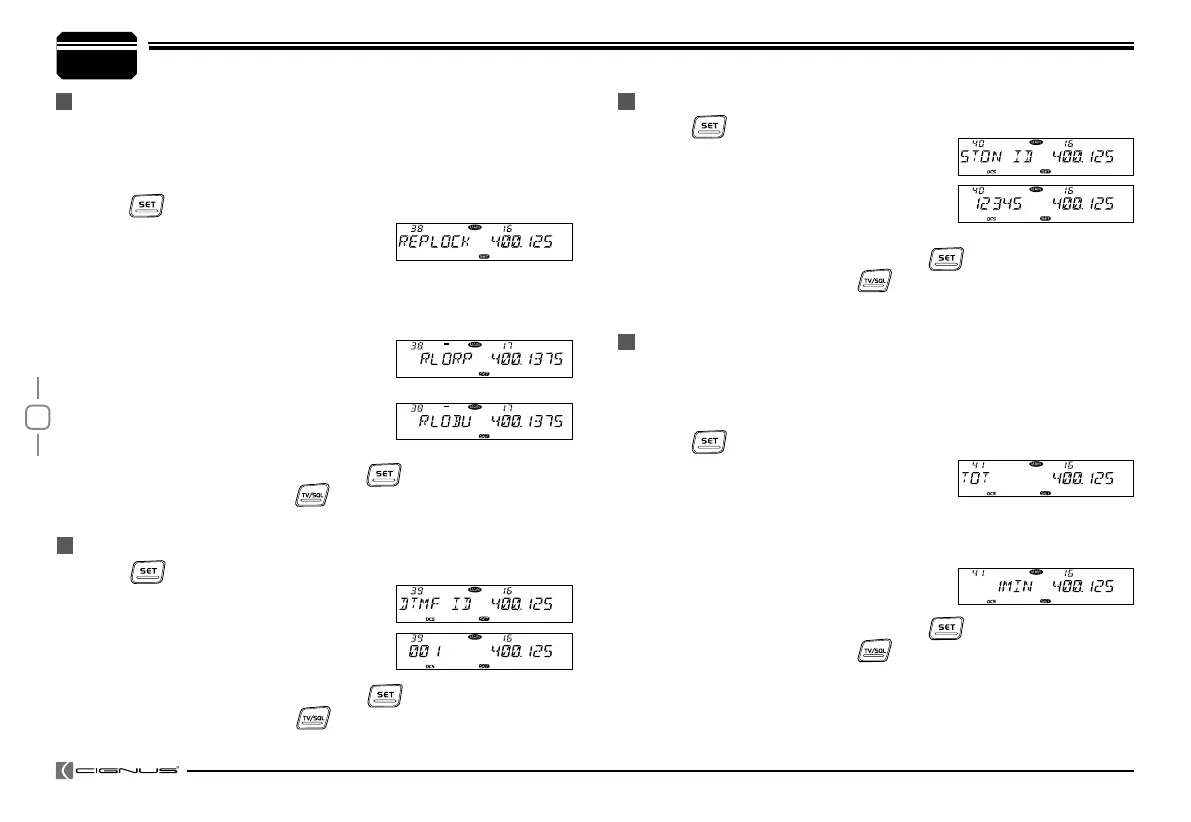
choose No.38 menu. The LCD displays
"REPLOCK".
Press the Main band selector knob to enter function setup.
3.
Switch the Main band selector knob to choose wanted value.
4.
RLORP: Signaling busy lockout, transmitting is inhibited when current
channel receives a matching carrier
but dis-matching CTCSS/DCS.
RLOBU: Channel busy lockout, tran smitting is inhibited when current
channel receives a matching carrier;
OFF: Busy channel lockout is disabled.
Transmitting is allowed in any receiving status
.
Press the Main band selector knob or
5.
key to store value and
back to function menu. Press
key or hold selector knob for over
0.5 second to store setup and exit.
BUSY CHANNEL LOCKOUT
RADIO'S DTMF SELF ID ENQUIRY
7
General Setting
Press
1.
key to enter function menu.
Switch the selector knob to choose No.40
2.
function. The LCD displays "5TONE ID".
Press the Main band selector knob to
3.
enter function setup. The LCD will show
the DTMF self ID.
Press the Main band selector knob or
4.
key to store value and
back to function menu. Press key or hold selector knob for over
0.5 second to store setup and exit.
The time-out timer limits the amount of continuous transmitting time.
When the transmitting reaches the time limit which has been
programmed, the transmission will be cut off and emit warning beep.
Press
1.
key to enter function menu.
Turn the Main band selector knob to
2.
choose No.41 menu. The LCD displays
"TOT".
Press the Main band selector knob to enter function setup.
3.
Switch the Main band selector knob to choose wanted value.
4.
1-30 MIN, total 30 levels,
OFF: TOT is turn off.
Press the Main band selector knob or
5.
key to store value and
back to function menu. Press key or hold selector knob for over
0.5 second to store setup and exit.
5TONE SELF ID ENQUIRY
TOT (TIME-OUT TIMER)
Press
1.
key to enter function menu.
Switch the selector knob to choose No. 39
2.
function. The LCD displays "DTMF ID".
Press the Main band selector knob to
3.
enter function setup. The LCD will show
the DTMF self ID.
Press the Main band selector knob or
4.
key to store value and
back to function menu. Press key or hold selector knob for over
0.5 second to store setup and exit.


 To Next Page