7
General Setting
Press
1.
key to enter function menu.
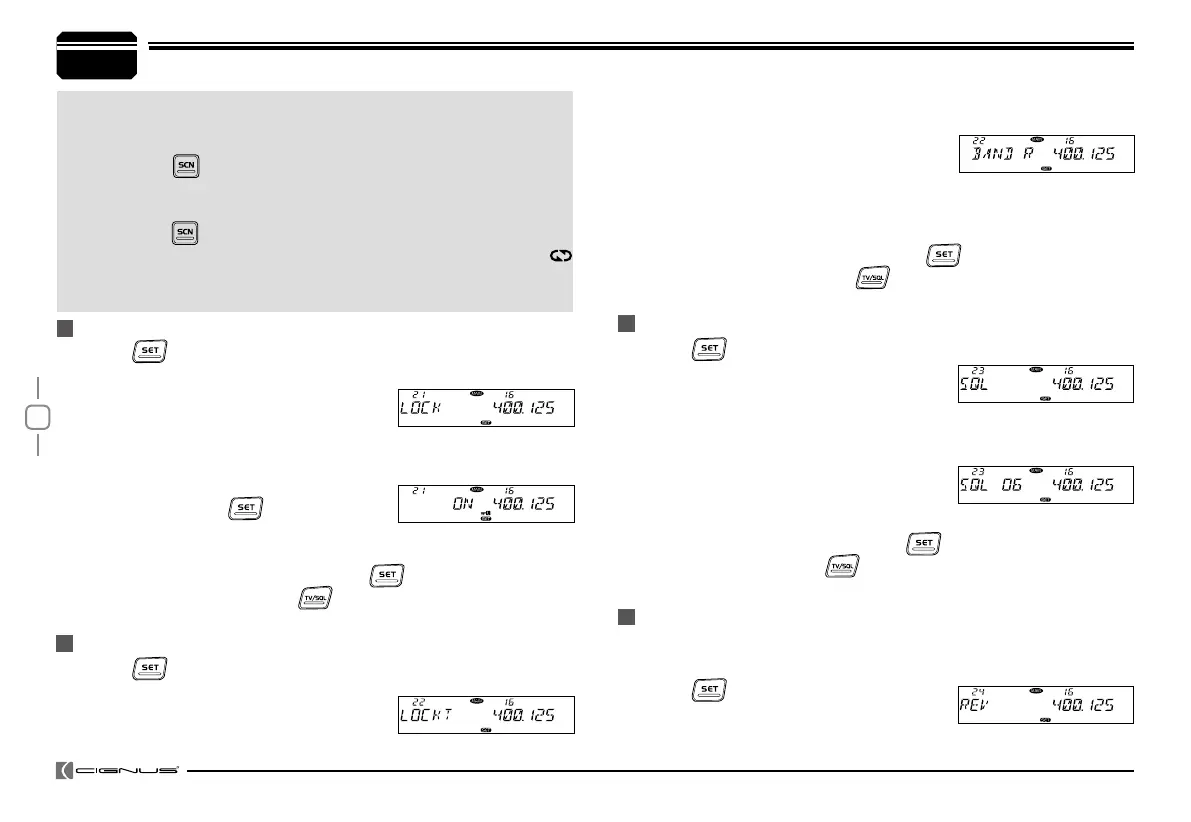
Turn the Main band selector knob to choose No.21 menu. The LCD
2.
displays "LOCK".
Press the Main band selector knob to
3.
enter function setup.
Switch the Main band selector knob to choose wanted mode.
4.
ON: The keypad lockout function is turn
on, all keys beside
and band switch
knobare invalid.
OFF: The keypad lockout function is turn off.
Press the Main band selector knob or
5.
key to store value and
back to function menu. Press key or hold selector knob for over
0.5 second to store setup and exit.
Press
1.
key to enter function menu.
Turn the Main band selector knob to
2.
choose No.22 menu. The LCD displays
"LOCKT".
Press
1.
key to enter function menu.
Turn the Main band selector knob to
2.
choose No.23 menu. The LCD displays
"SQL".
Press the Main band selector knob to enter function setup.
3.
Switch the Main band selector knob to choose wanted value
4.
1-20: total 20 squelch levels
OFF: Turn off squelch function, the
background noise keep on.
Press the Main band selector knob or
5.
key to store value and back
to function menu. Press key or hold selector knob for over 0.5
second to store setup and exit.
With this function on, the transceiver will be able to communicate with a
transceiver in same network without through a repeater.
Press
1.
key to enter function menu.
Turn the Main band selector knob to
2.
choose No 24 menu. The LCD displays "REV"
KEYPAD LOCKOUT
TX OFF (PTT LOCKOUT)
SQUELCH LEVEL SETUP
FREQUENCY REVERSE
time.The scan direction can be changed by corresponding
channel selector knob. Note:To enable this function, the
channel shall be programmed with CTCSS/DCS decode.
Right
short press, shot press this key, the sub band will
display "MAIN" and ashes.In this case, you can setup for sub
band without switch between Main band and Sub band.
Right
long press, choose scrambler group for Main band.
In standby, hold this key, the LCD displays SCR X and
icon. X stands for the group number, repeater above operation
to choose wanted group.
Press the Main band selector knob to enter function setup.
3.
Switch the Main band selector knob to choose wanted mode.
4.
BAND R, lock the right band PTT. Only
able to transmit by left band.
BAND L, lock the left band PTT. Only able to transmit by right band.
BAND BOTH, lock both band PTT. Not able to transmit by any side.
OFF: PTT no lock.
Press the Main band selector knob or
5.
key to store value and
back to function menu.Press key or hold selector knob for over
0.5 second to store setup and exit.
8.
9.


 To Next Page