Press
1.
key to enter function menu.
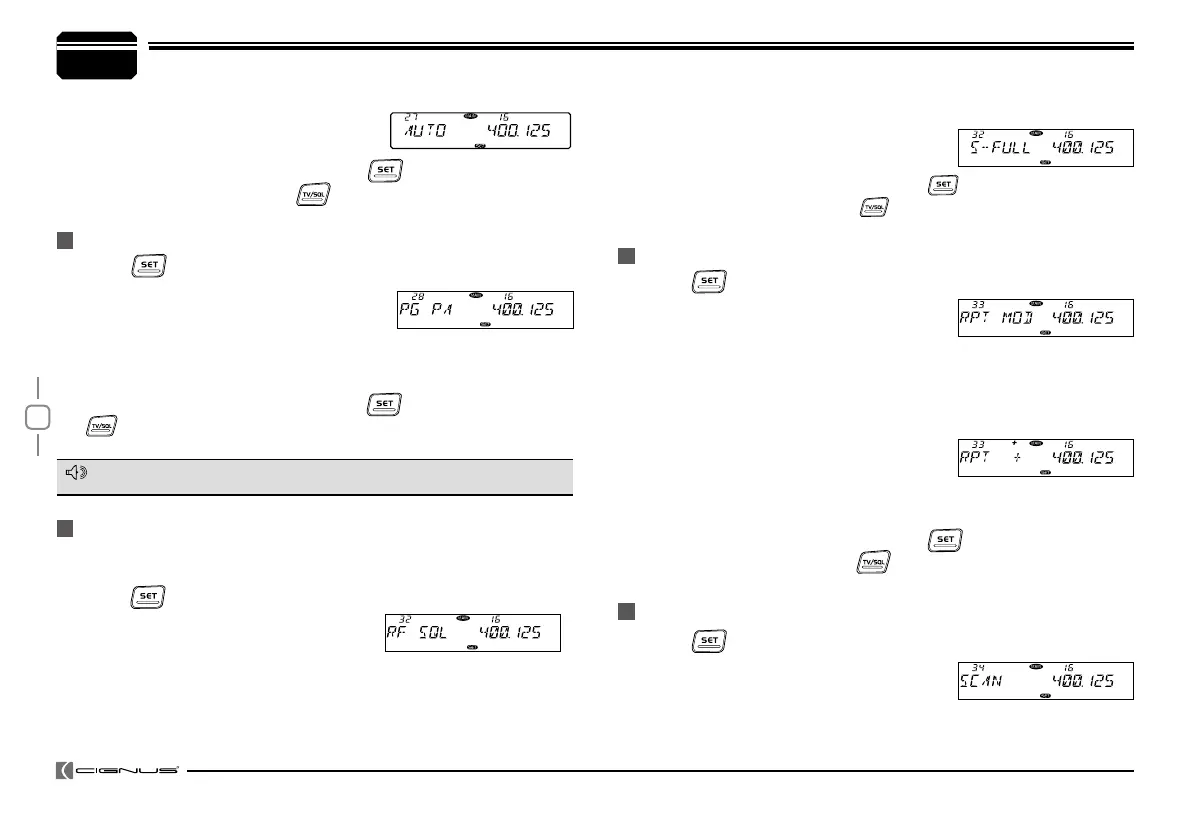
Turn the Main band selector knob to
2.
choose No.28-31 menu. The LCD displays
"PG PA", "PG PB", "PG PC", "PG PD".
Press the Main band selector knob to enter function setup.
3.
4.
Switch the Main band selector knob to choose wanted value.
5.
Press the Main band selector knob or key to store value and
back to function menu. Press key or hold selector knob for over
0.5 second to store setup and exit.
MICROPHONE PA,PB, PC,PD KEY SETUP
For Menu details, please refer to Page 30-31, Microphone Operation.
NOTE
7
General Setting
Press
1.
key to enter function menu.
Turn the Main band selector knob to
2.
Press
1.
key to enter function menu.
Turn the Main band selector knob to
2.
choose No.34 menu. The LCD displays
"SCAN".
Press the Main band selector knob to enter function setup.
3.
RF SQUELCH LEVEL SETUP
OFFSET DIRECTION SETUP
SCAN DWELL TIME SETUP
When squelch level function is on, you can cancel squelch only when the
signal strength reach the level setup by users.
Press
1.
key to enter function menu.
Turn the Main band selector knob to
2.
choose No.32 menu. The LCD displays
"RF SQL".
Press the Main band selector knob to enter function setup.
3.
Switch the Main band selector knob to choose wanted value.
4.
S-2: Able to hear the calling when the power meter reach 1 bar.
choose No.33 menu. The LCD displays
"RPT MOD".
Press the Main band selector knob to enter function setup.
3.
Switch the Main band selector knob to choose wanted Offset direction.
4.
-
: Minus offset, means transmitting frequency lower than receiving
frequency.
+
: Plus offset, means transmitting frequency
higher than receiving frequency.
OFF: OFFSET is turn off. Transmitting frequency is same as receiving
frequency.
Press the Main band selector knob or
5.
key to store value and
back to function menu. Press key or hold selector knob for over
0.5 second to store setup and exit.
Switch the Mian band selector knob to choose wanted value.
4.
MANUAL: Auto storage is turn off.
AUTO: Auto storeage is turn on.
Press the Main band selector knob or
5.
key to store value and
back to function menu. Press
key or hold selector knob for over
0.5 second to sore setup and exit.
S-5: Able to hear the calling when the power meter reach 4 bar.
S-9: Able to hear the calling when the power meter reach 8 bar.
S-FULL: Able to hear the calling when the
power meter reach full bar.
Press the Main band selector knob or
5.
key to store value and
back to function menu. Press
key or hold selector knob for over
0.5 second to store setup and exit.
7


 To Next Page