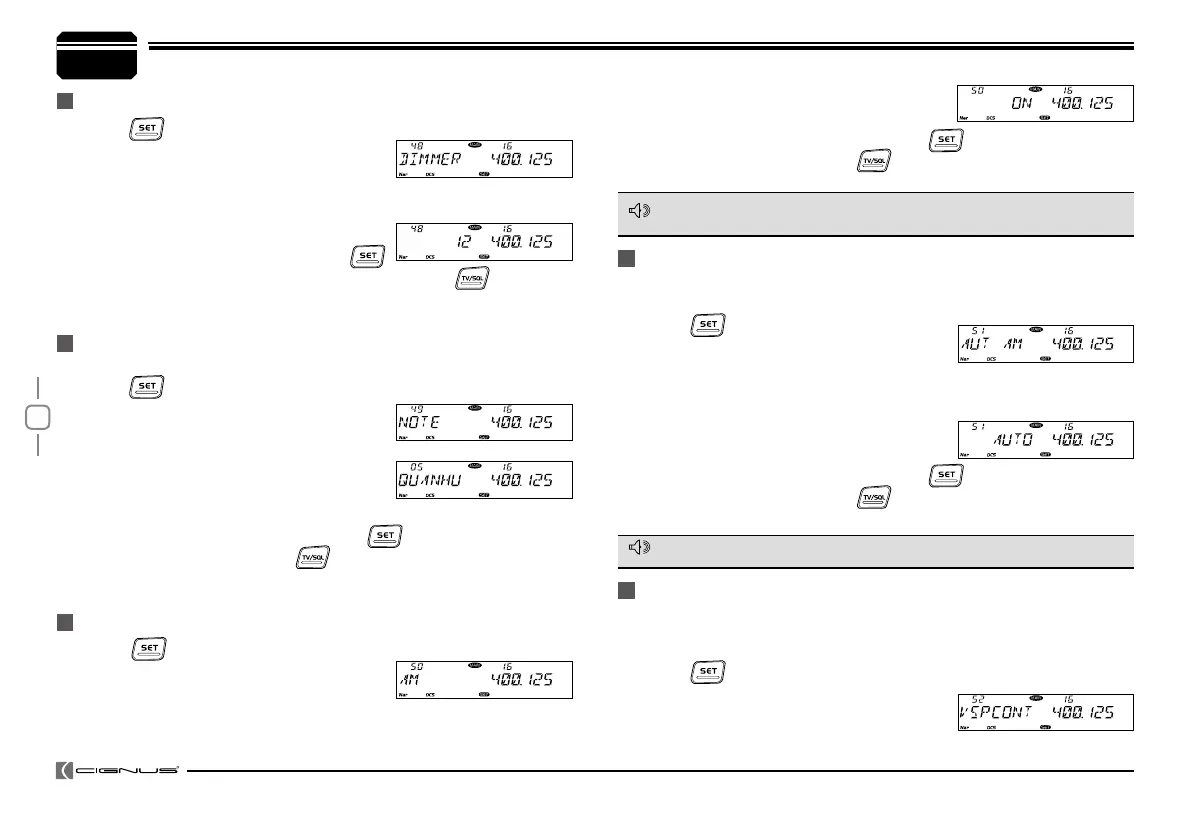
The transceiver offers enquiry of calling record.
Press
1.
key to enter function menu.
Turn the Main band selector knob
2.
to choose
No. 49 menu. The LCD displays "NOTE".
Press the Main band selector knob to enter function setup.
3.
Switch the Main band selector knob to
4.
choose wanted value.
This transceiver is able to record 16 calling at most.
Press the Main band selector knob or
5.
key to store value and
back to function menu. Press
key or hold selector knob for over
0.5 second to store setup and exit.
CALLING RECORD
Press
1.
key to enter function menu.
Turn the Main band selector knob to choose
2.
No. 50 menu. The LCD displays "AM".
Press the Main band selector knob to enter function setup.
3.
Switch the Main band selector knob to choose wanted value.
4.
AM FUNCTION
This function is only valid when the Main band frequency is VHF 108-
180MHz, the function is invalid when the right band is set as Main band.
NOTE
AUTOMATIC AM FUNCTION
To enable Automatic AM function, the AM function shall be turned on rst.
The radio will automatically boot AM function when the VHF frequency is
under 136Mhz.
Press
1.
key to enter function menu.
Turn the Main band selector knob to choose
2.
No. 51 menu. The LCD displays "AUT AM".
Press the Main band selector knob to enter function setup.
3.
Switch the Main band selector knob to choose wanted value.
4.
ON: turn on auto AM function.
OFF: turn off auto AM function.
Press the Main band selector knob or
5.
key to store value and
back to function menu. Press
key or hold selector knob for over
0.5 second to store setup and exit.
NOTE
7
General Setting
Press
1.
key to enter function menu.
Turn the Main band selector knob to choose
2.
No. 48 menu. The LCD displays "DIMMER".
Press the Main band selector knob to enter function setup.
3.
Switch the Main band selector knob to choose wanted value.
4.
Available value: 32 brightness levels.
Press the Main band selector knob or
5.
key to store value and back to function menu. Press
key or hold
selector knob for over 0.5 second to store setup and exit.
ON: turn on AM function.
OFF: turn off AM function.
Press the Main band selector knob or
5.
key to store value and
back to function menu. Press
key or hold selector knob for over
0.5 second to store setup and exit.
VHF EXTERNAL SPEAKER PORT
When the function setup as external (EXT), an external Dual Track speaker
(SP-02) must be connected in order to hear the calling on VHF. The calling
from VHF and UHF are separated in 2 tracks.
Press
1.
key to enter function menu.
Turn the Main band selector knob to
2.
choose No. 52 menu. The LCD displays
"VSPCONT".
KEYPAD BACKLIGHT BRIGHTNESS


 To Next Page