Press
1.
key to enter function menu.
Turn the Main band selector knob to choose
2.
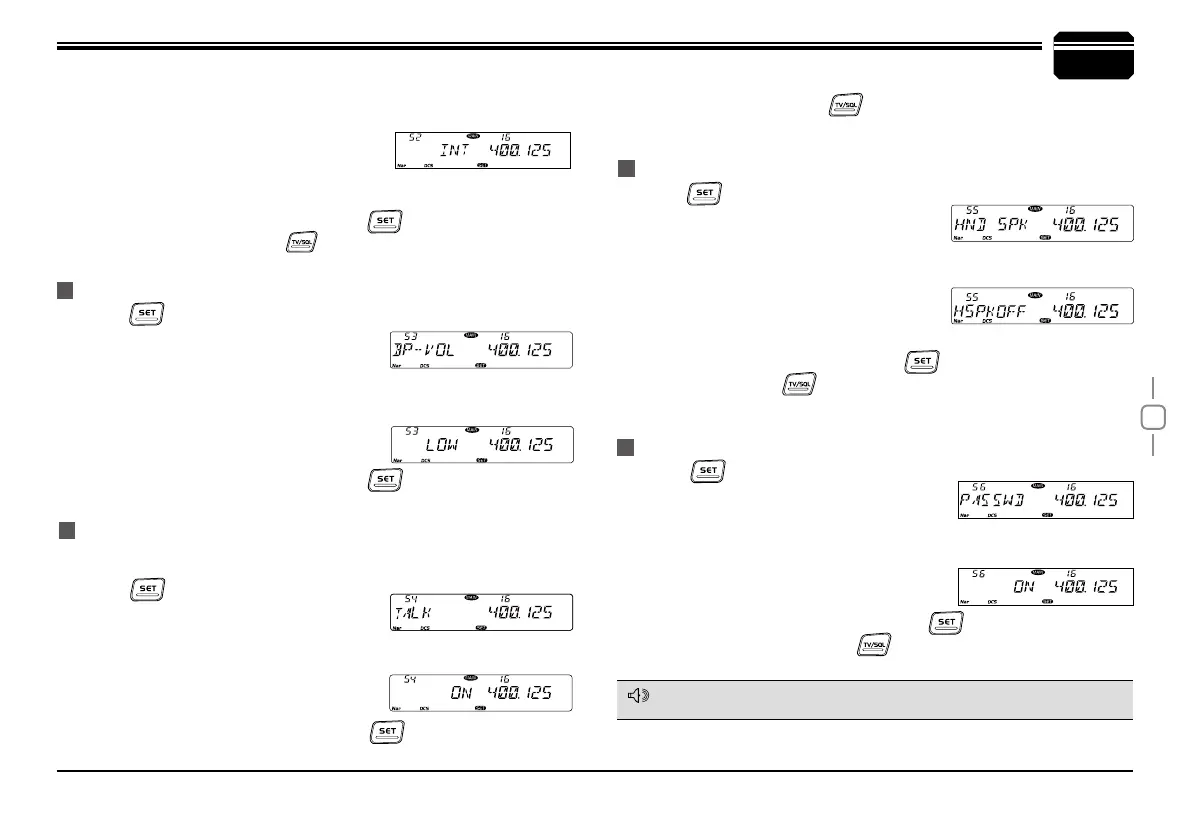
No.56 menu. The LCD displays "PASSWD".
Press the Main band selector knob to enter function setup.
3.
Switch the Main band selector knob to choose wanted value.
4.
ON: Turn on password function.
OFF: Turn off password function.
Press the Main
5.
band selector knob or key to store value and
back to function menu. Press
key or hold selector knob for over
0.5 second to store setup and exit.
PASSWORD FUNCTION
TALK AROUND
MICROPHONE SPEAKER
When password function is on, correct password shall be input after power
on. The password shall be programmed before using this function.
7
General Setting
NOTE
BEEP VOLUME CONTROL
1.
Press
key to enter function menu.
2.
Turn the Main band selector knob to
choose No. 53 menu. The LCD displays
“BP-VOL”.
3.
Press the Main band selector knob to enter function setup
4.
Switch the Main band selector knob to choose wanted value.
LOW: BEEP volume is low.
HIGH: BEEP volume is high.
5.
Press the Main band selector knob or
key to store value and
back to function menu.
Press the Main band selector knob to enter function setup.
3.
Switch the Main band selector knob to choose wanted value.
4.
INT: Internal speaker, VHF and UHF band
share one speaker
EXT: External speaker, the calling on VHF is only audible through the
external Dual Track speaker.
Press the Main band selector knob or
5.
key to store value and
back to function menu. Press
key or hold selector knob for over 0.5
second to store setup and exit.
1.
Press
key to enter function menu.
2.
Turn the Main band selector knob to choose
No.55 menu. The LCD displays “HND SPK” .
3.
Press the Main band selector knob to enter function setup.
4.
Switch the Main band selector knob to choose wanted value
HSPKOFF: Turn off microphone speaker.
HSPK ON: Turn on microphone speaker.
MSPKOFF: Turn off Main speaker.
5.
Press the Main band selector knob or
key to store value and back
to function menu.Press
key or hold selector knob for over 0.5 second
to store setup and exit.
With this function on, the transceiver will not able to communicate with
another transceiver through a repeater.
1.
Press
key to enter function menu.
2.
Turn the Main band selector knob No.54
menu. The LCD displays “TALK”.
3.
Press the Main band selector knob to enter function setup.
4.
Switch the Main band selector knob to choose wanted value
ON: Turn on Talk Around
OFF: Turn off Talk Around
5.
Press the Main band selector knob or key to store value and
back to function menu. Press
key or hold selector knob for over 0.5
second to store setup and exit.


 To Next Page