What to do if welding output voltage is not present when torch trigger depressed on CIGWELD Welding System?
- MMary SandersSep 18, 2025
A faulty trigger switch or lead could be the reason. Repair or replace the torch/trigger lead.
What to do if welding output voltage is not present when torch trigger depressed on CIGWELD Welding System?
A faulty trigger switch or lead could be the reason. Repair or replace the torch/trigger lead.
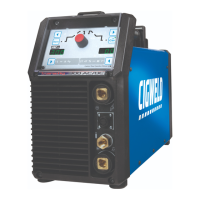
Why welding arc cannot be established with my CIGWELD TRANSTIG 300 AC/DC Welding System?
If the welding arc cannot be established, make sure the work clamp is connected to the work piece and the work/torch leads are connected to the right welding terminals. Also, ensure the torch lead is connected to the correct terminal. Check that the gas flow is correctly set, the cylinder isn't empty, and the torch valve is ON. Select the right flow rate, change cylinders or turn torch valve ON.
What to do if gas flow won’t shut OFF on my CIGWELD Welding System?
If the gas flow won’t shut OFF, it could be because the Weld Mode was changed before the POST-FLOW gas time had finished, the gas valve is faulty or jammed open, or the POST-FLOW control is set to 60 seconds. Strike an arc to complete the weld cycle, or switch the machine OFF then ON to reset the solenoid valve sequence. Have an accredited Cigweld Service Provider repair or replace the gas valve. Reduce POST-FLOW time.
Why does welding current reduce when using CIGWELD TRANSTIG 300 AC/DC Welding System?
If the welding current reduces when welding, you should tighten all welding cable connections and use the proper size and type of cable. Refer to Section 2.05 Electrical Input Requirements. Replace the electrode and verify output torch connections. The issue might be due to loose welding cable connections, incorrect welding cable size, improper input connections, poor electrode condition, or wrong welding polarity.
What to do if welding output voltage is present but arc cannot be established with CIGWELD Welding System?
This could be due to poor or no work lead contact. Clean the work clamp area and ensure good electrical contact.
Why is there no HF output in HF mode on my CIGWELD Welding System?
The HF circuit may be faulty. Have an Accredited CIGWELD Service Provider check the HF circuit.
How to prevent slag inclusion in CIGWELD TRANSTIG 300 AC/DC Welding System welds?
If non-metallic particles are trapped in the weld metal (slag inclusion), it could be due to particles trapped in undercut from a previous run, joint preparation that is too restricted, irregular deposits, lack of penetration, rust or mill scale, or using the wrong electrode for the welding position. Clean slag out and cover with a run from a smaller diameter electrode if undercut is present. Allow for adequate penetration and room for cleaning out the slag. Chip or grind out irregularities if very bad. Use a smaller electrode with sufficient current to give adequate penetration and remove all slag from corners. Clean the joint before welding. Use electrodes designed for the welding position.
Why weld run does not fuse to the surface with CIGWELD TRANSTIG 300 AC/DC?
If portions of the weld run don't fuse to the surface of the metal or edge of the joint, it could be due to small electrodes used on heavy cold plate, welding current that is too low, the wrong electrode angle, a travel speed that is too high, or scale/dirt on the joint surface. Use larger electrodes and pre-heat the plate. Increase the welding current. Adjust the electrode angle. Reduce the travel speed. Clean the surface before welding.
How to fix excessive bead build-up with CIGWELD TRANSTIG 300 AC/DC?
If you're getting excessive bead build-up, poor penetration, or poor fusion at the edges of the weld, it's likely the welding current is too low. Increase the weld current and/or check for faulty joint preparation.
Why does the electrode melt when I strike an arc with my CIGWELD TRANSTIG 300 AC/DC?
If the electrode melts when the arc is struck, it could be because the electrode is connected to the ‘+’ terminal or the WAVE BALANCE is greater than 50%. Connect the electrode to the ‘?’ terminal. Reduce WAVE BALANCE to below 50% or increase the electrode size.
Details electrical hazards and necessary precautions during arc welding operations.
Lists essential safety standards and codes for welding and cutting processes.
States equipment compliance with applicable regulations and standards.
Provides guidance on effectively reading and understanding the service manual's content.
Explains how to locate and record the unit's identification and serial numbers.
Instructs on checking equipment upon receipt for completeness and shipping damage.
Illustrates and defines symbols used on the welding equipment for clarity.
Provides a general overview of the welding power source features and capabilities.
Presents a visual representation of the power source's internal functional components.
Details safe procedures for moving and transporting the welding power source.
Lists the technical specifications, ratings, and performance data of the welding equipment.
Describes suitable and hazardous environmental conditions for welder operation.
Provides guidelines for selecting an appropriate and safe installation location.
Outlines procedures and warnings for connecting the welder to the electrical power supply.
Specifies the required mains supply voltage and current circuit recommendations.
Explains the importance of correct high-frequency installation to prevent interference.
Details ways high frequency interference can be transmitted and how to mitigate it.
Defines duty cycle and explains its impact on welder operation and warranty.
Identifies and describes the various controls and connectors on the power source front panel.
Explains how to select different welding modes (STICK, HF TIG, LIFT TIG) and operation modes.
Details the function and purpose of each weld parameter adjustable on the front panel.
Provides a comprehensive table of weld parameters and their ranges for different modes.
Lists and describes the key features and functionalities of the welding power source.
Outlines the step-by-step procedure for performing stick welding operations.
Details the sequence for setting up and performing AC or DC HF TIG welding.
Explains the operational sequence for the slope mode in TIG welding.
Describes the operation of the slope mode when combined with the repeat function.
Explains the function and benefits of using pulse controls in welding.
Guides on saving and retrieving welding parameter programs for future use.
Discusses the phenomenon of arc flutter in AC TIG welding on aluminum.
Explains the connection of the TIG torch and work lead for direct current straight polarity.
Provides recommended current ranges for various tungsten electrode sizes.
Lists different tungsten electrode types, their applications, and color codes.
Offers guidance on selecting the appropriate filler wire diameter for welding.
Recommends shielding gases for different metal alloys used in welding.
Details TIG welding parameters for low carbon and low alloy steel pipe.
Provides recommended parameters for welding aluminum using TIG.
Provides recommended parameters for welding steel using TIG.
Specifies electrode polarity connections for stick welding.
Discusses the effects of stick welding on various metals like steel, cast iron, and copper.
Lists common TIG welding issues, their possible causes, and remedies.
Identifies potential problems in stick welding and provides solutions.
Details issues related to the welding power source and their corresponding fixes.
Outlines the technical specifications for the Voltage Reduction Device (VRD).
Provides instructions for routine inspection and testing of the VRD.
Lists common error codes, their causes, remedies, and remarks for power source issues.
Describes how to isolate faults within the power supply's internal subsystems.
Provides detailed steps for verifying and resolving issues indicated by specific error codes.
Offers troubleshooting steps for failures not associated with specific error codes.
Outlines preparation and execution of fault isolation tests for diagnosing issues.
Details procedures for testing the power input circuitry using voltage measurements.
Presents a list of components and their corresponding part numbers for maintenance.
Identifies the necessary tools and parts required for performing maintenance tasks.
Provides step-by-step instructions for replacing various internal components of the unit.
Explains the importance of identification numbers for ordering parts.
Guides the user on how to interpret and use the provided parts list.
Details the conditions, exclusions, and limitations of the product warranty.
Outlines the warranty periods for different components of the welding equipment.
| Duty Cycle | 60% at 300A |
|---|---|
| Protection Class | IP23 |
| Welding Process | TIG / Stick |
| Output Current Range | 5-300 Amps |
| Dimensions | 500mm x 250mm x 420mm |