EasyManua.ls Logo

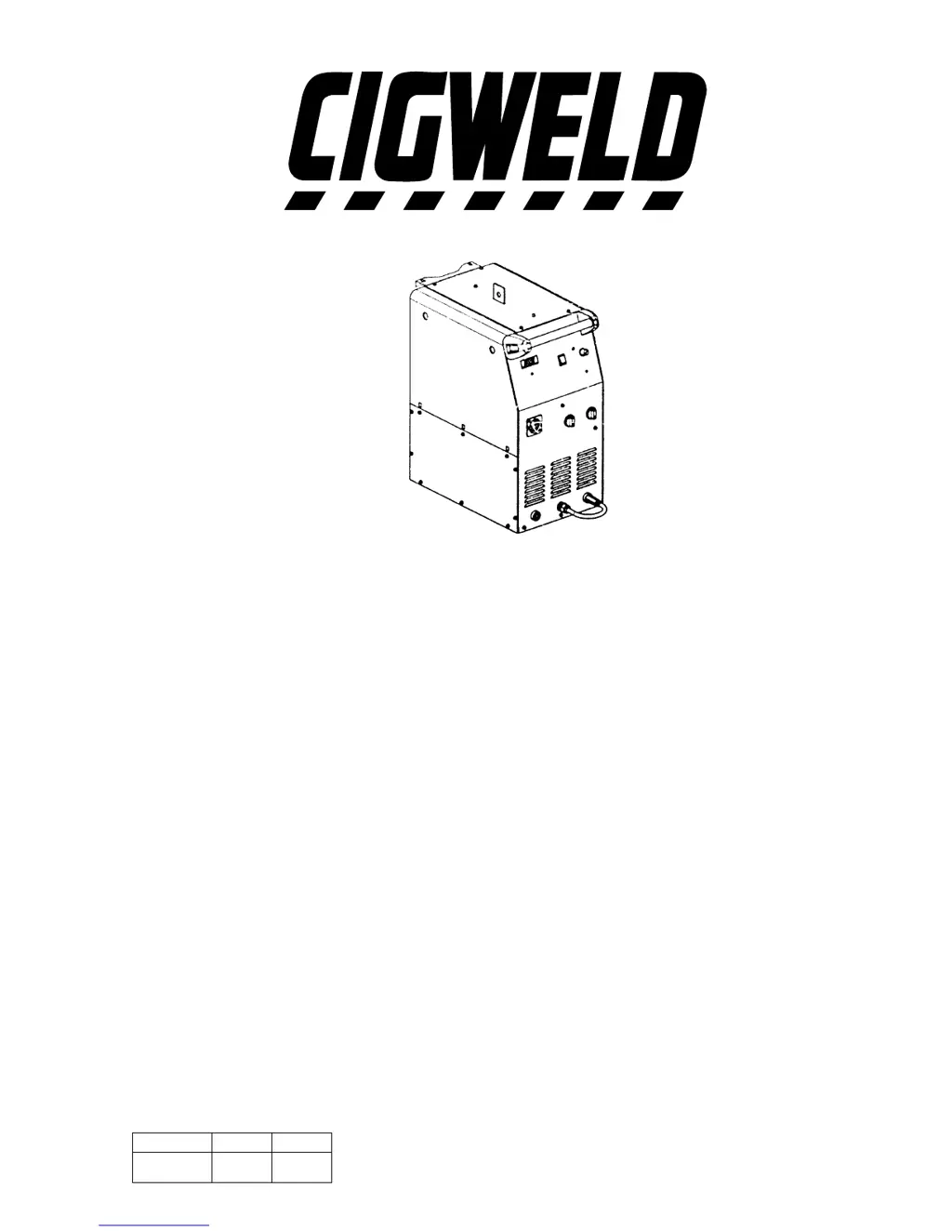
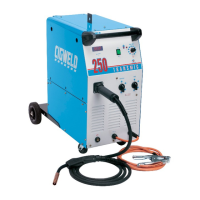
CIGWELD Transmig 250 - User Manual

CIGWELD Transmig 250
38 pages
Print Icon
To Next Page IconTo Next Page
Loading...
OPERATING MANUAL
MIG POWER SOURCE
Model Description Plant Power Source
TRANSMIG 220 710024 710025
(Single Phase)
TRANSMIG 250 710018 710019
(Single Phase)
TRANSMIG 253 710009 710013
(Three Phase)
PART NO. ISSUE DATE
719454 02 403

Questions and Answers

  • A
    andrew81Sep 23, 2025
    What to do if nothing happens when depressing torch trigger switch on CIGWELD Welding System?
    • H
      Howard LeeSep 23, 2025
      If the mains supply voltage is ON, but nothing happens when the torch trigger switch is depressed on your CIGWELD Welding System, the torch trigger switch leads may be disconnected. Reconnect them.
  • J
    Jessica HobbsAug 25, 2025
    Why CIGWELD Transmig 250 Welding System has excessive spatter?
    • X
      xdavisAug 26, 2025
      Excessive spatter can occur if the arc voltage is too high or too low. To fix this, lower the voltage by reducing the Voltage Control switches positions or turn the Wirespeed control knob clockwise if the voltage is too high. If the voltage is too low, raise the voltage by increasing the Voltage Control switches or turn the Wirespeed control knob anti-clockwise.
  • D
    Donna BrownAug 27, 2025
    How to resolve undercut in CIGWELD Welding System?
    • K
      Kayla JohnsonAug 27, 2025
      If you're experiencing undercut, it could be due to several factors. If the welding arc voltage is too high, reduce it by adjusting the Voltage Control switches positions or turn the Wirespeed control knob clockwise. Also, ensure your torch angle is correct and adjust it if necessary. Finally, if there's excessive heat input, increase the torch travel speed or reduce welding current by reducing the Voltage Control switches positions and turn the Wirespeed control knob anti-clockwise.
  • D
    dcooleyAug 27, 2025
    What causes lack of penetration in CIGWELD Welding System and how to fix it?
    • M
      Melanie ParkerAug 27, 2025
      Lack of penetration can be caused by a welding current that is too low. Increase welding current by increasing turn the Wirespeed control knob clockwise and increasing Voltage Control switch positions. It can also happen if the joint preparation is too narrow or the gap is too tight, so increase the joint angle or gap. Finally, the shielding gas may be incorrect, so change to a gas which gives higher penetration.
  • T
    travis90Sep 23, 2025
    What causes lack of fusion in CIGWELD Transmig 250 Welding System?
    • M
      Melissa ReedSep 23, 2025
      Lack of fusion in your CIGWELD Welding System can be caused by voltage that is too low. Increase voltage by increasing the voltage selection switch position.
  • M
    Mr. Michael RuizNov 23, 2025
    What to do if CIGWELD Transmig 250 Welding System has inconsistent wire feed?
    • J
      Jessica CampbellNov 23, 2025
      If your CIGWELD Welding System is experiencing inconsistent wire feed, consider these potential causes and solutions: * If the wire spool brake is too tight, the feed roller driven by the motor in the cabinet will slip. * If the wire spool brake is too loose, the wire spool can unwind and tangle. * Worn or incorrect feed roller size: use a 'U' groove drive feed roller matched to the aluminum wire size you are welding. * Mis-alignment of inlet/outlet guides: wire will rub against the mis-aligned guides and reduces wire feedability. * Liner blocked with swarf: increased amounts of swarf is produced by the electrode wire passing through the feed roller when excessive pressure is applied to the pressure roller adjuster. * Incorrect or worn contact tip: the contact tip transfers th...
  • J
    James JenkinsSep 12, 2025
    What causes lack of penetration in CIGWELD Welding System?
    • T
      Thomas MorrisSep 12, 2025
      Lack of penetration in your CIGWELD Welding System can be caused by a welding current that is too low, a joint preparation that is too narrow or a gap that is too tight, or an incorrect shielding gas. Increase welding current by increasing wire feed speed and increasing the voltage selection switch position. Increase the joint angle or gap. Change to a gas which gives higher penetration.
  • A
    Andrew WardSep 12, 2025
    Why is the weld shape irregular with my CIGWELD Transmig 250?
    • R
      Rhonda PittsSep 12, 2025
      An irregular weld shape with your CIGWELD Welding System can stem from incorrect voltage and current settings (convex shape indicates voltage too low; concave shape indicates voltage too high), a wandering wire, incorrect shielding gas, or insufficient/excessive heat input. Adjust voltage and current using the voltage selection switch and wire speed control. Replace the contact tip if the wire is wandering. Check the shielding gas, and adjust the wire speed control or voltage selection switch to manage heat input.
  • K
    Kathy MercadoSep 5, 2025
    What to do if CIGWELD Transmig 250 mains indicator light is not lit but welding arc can be established?
    • M
      Micheal JohnsonSep 5, 2025
      If the mains indicator light is not lit but a welding arc can be established, it is likely due to a burnt out indicator light. Have an Accredited CIGWELD Service Agent replace the indicator light.
  • T
    Tyrone ThorntonSep 2, 2025
    What to do if CIGWELD Transmig 250 indicator light is ON but welding arc can not be established?
    • U
      ureevesSep 2, 2025
      If the indicator light is on but a welding arc cannot be established, it might be because the Coarse Voltage Control switch is in the STANDBY position. Switch the Coarse Voltage Control switch to a welding setting.

Summary

Health Hazards and Precautions

Gases, Fumes, and Electric Shock Risks

Details the hazards of welding gases, fumes, and electric shock, including protective measures and precautions.

Operational Hazard Safety

Fire, Explosion, Noise, and Arc Ray Protection

Covers safety protocols for fire and explosion risks, noise exposure, and protection from arc rays during welding operations.

Electromagnetic Compatibility (EMC)

EMC User Responsibility and Area Assessment

Outlines user responsibilities for EMC and guidelines for assessing the surrounding environment for potential interference.

Personal Protection and Resuscitation

PPE and Electric Shock Resuscitation Basics

Details recommended personal protective equipment and the initial steps for resuscitation after electric shock.

Resuscitation Procedure

Detailed Resuscitation and CPR Steps

Provides a comprehensive step-by-step guide for performing resuscitation, including CPR techniques.

Installation Recommendations

Environment, Location, and Ventilation Guidelines

Provides guidelines for selecting the installation environment, location, and ensuring adequate ventilation.

Power Source Controls and Indicators

Control Panel Overview and Functions

Identifies and explains the function of the power source's main controls, indicators, and the ON/OFF switch.

Basic Welding Techniques

Power Source Settings and Torch Positioning

Guides on setting power source parameters, torch angle, and distance from the workpiece for effective welding.

Troubleshooting Common Issues

Welding Terminal Problems and Solutions

Addresses common welding issues related to porosity, gas flow, and wire feed problems.

Welding Faults and Remedies

Common Weld Defects and Their Solutions

Details common weld defects like undercut, lack of penetration, and spatter, along with suggested corrective actions.

CIGWELD Transmig 250 Specifications

General IconGeneral
Input Frequency50/60 Hz
Max Output250A
Wire Diameter (MIG/MAG)0.6 - 1.2 mm
Wire Diameter (Flux Cored)0.9 - 1.2 mm
Protection ClassIP23
TypeMIG, MMA
Welding ProcessesMIG, MMA
Rated Output at 40°C250A/26.5V
Welding Current Range (MIG/MAG)30-250A
Welding Current Range (MMA)30A - 250A
Electrode Diameter (MMA)2.5 - 4.0 mm
Wire Feed Speed Range2-18 m/min

Related product manuals