56
EnglishEnglish
1. How to access the programming mode
Access to the programming menu is permitted ONLY if the
"Customer Progr." option is set on "YES" and the "progr.
block" is set on "NOLQWKHPDFKLQH¶VFRQ¿JXUDWLRQPHQX
which can only be accessed by the installation technician.
7RHQWHUWKHSURJUDPPLQJPHQXSUHVVWKHNH\PRG (29)
;
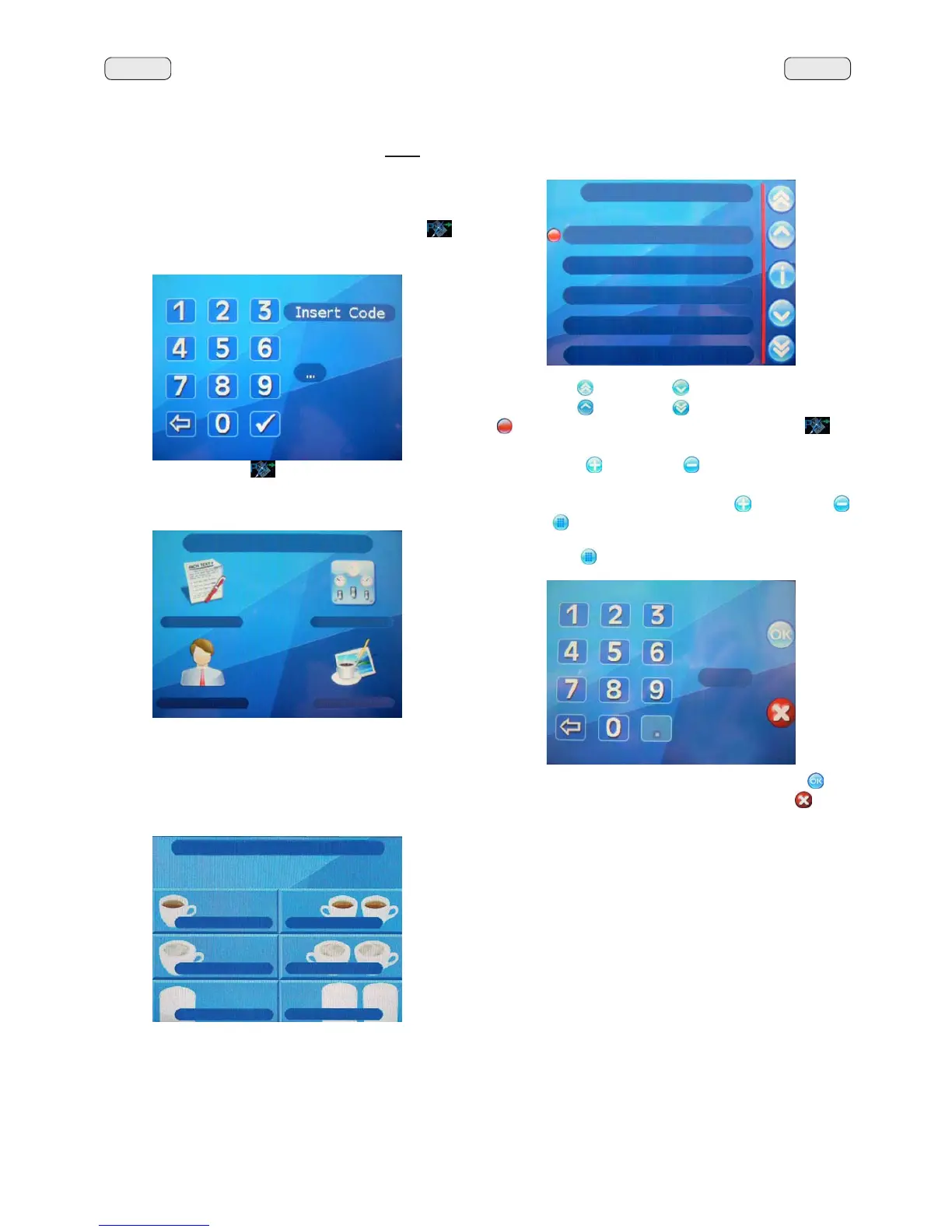
the Touch Screen will show the following display screen:
3UHVVWKHNH\PRG (29)
again to access the customer
programming page; the following display screen will appear
on the Touch Screen:
Accessing the menus: press the icon on the Touch
Screen.
Accessing and modifying submenus: when the KEY MENU
LFRQ LV SUHVVHG IRU H[DPSOH WKH IROORZLQJ GLVSOD\ VFUHHQ
appears:
KEY MENU
1 coffee
2 coffee
1 cappuccino
2 cappuccino
PLON
PLONV
6HOHFWDGLVSHQVLQJNH\7KHGLVSOD\VFUHHQZLOOVKRZ
Use the "Up"
and "down" NH\VWRSRVLWLRQWKHFXUVRU
RQWKHFKRVHQOLQHWKHQSUHVVWKHNH\PRG (29) ; or
directly press the desired option on the Touch Screen.
Use the "plus"
and "minus" NH\VWRPRGLI\RUFKDQJH
the value.
,QVRPHSDUDPHWHUVEHVLGHVWKHplus"
and "minus"
NH\VWKH
NH\DOVRDSSHDUVZKLFKDOORZVDYDOXHWREHVHW
XVLQJWKHQXPEHUNH\SDG
3UHVVWKHNH\
DQGWKHQNH\LQWKHQXPEHU
7KH QHZ HQWHUHG GDWD LV FRQ¿UPHG ZKHQWKH"OK"
NH\
is pressed. The data remains unchanged if the "X"
NH\LV
pressed.
CUSTOMER PROG.
KEY MENU
COUNTERS MENU
CUSTOMER PROG.
PERSONALIZ.
KEY MENU
Type 1 coffee
Repetition 1
Water dose 95
MM1 cof. dose 48
MM2 cof. dose 0



 To Next Page