58
EnglishEnglish
5. Key menu
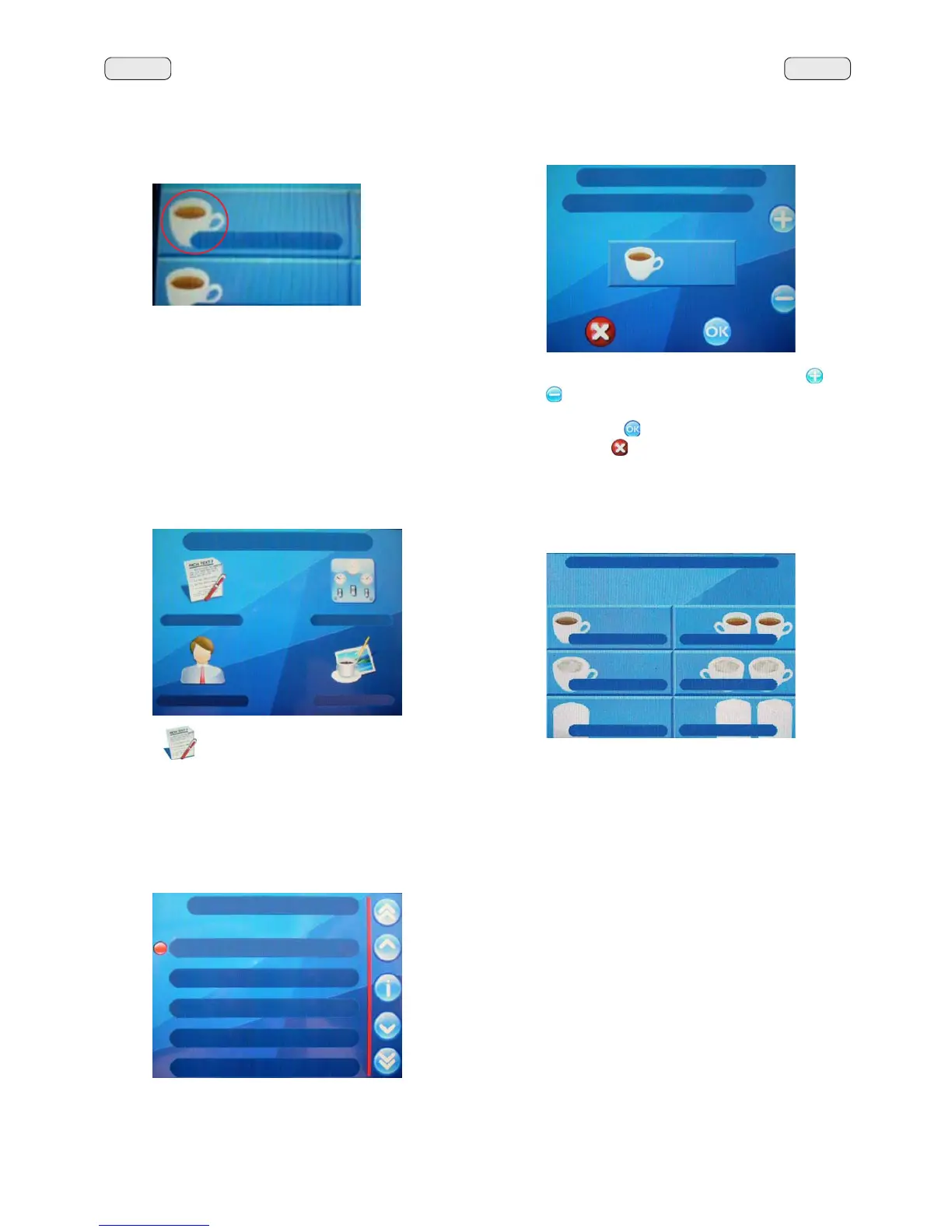
Press the NH\WRYLHZWKHUHFLSHVDVVRFLDWHGZLWKWKH
GLVSHQVLQJNH\V
The following message will appear on the Touch Screen:
5.1 Key menu - Coffee selection
3UHVVRQHRIWKHFRIIHHGLVSHQVLQJNH\V7KHIROORZLQJPHV-
sage will appear on the display:
7KHIROORZLQJFRIIHHVHOHFWLRQSDUDPHWHUVFDQEHPRGL¿HG
- repetition (it represents the number of distributions of the
VHOHFWHGGULQNIURPWR
- water doseYROXPHWULFGRVDJHSXOVHVIURPWRZLWK
increments of 1);
- coffee doseFRIIHHGRVHJULQGHLPSXOVHV·
with increments of 1);
- water start YROXPHWULFGRVDJHSXOVHVIURPWRZLWK
increments of 1);
- labelWKHWH[WLQGLFDWLQJWKHEHYHUDJHWKDWDSSHDUVRQWKH
NH\
- iconWKHSLFWXUHRIWKHEHYHUDJHWKDWDSSHDUVRQWKHNH\
- LED ColorsWKHFRORURIWKH/('VGXULQJGLVSHQVLQJ
- 015).
4. Icons
The word “icon” refers to the symbolic image of the beverage
WKDWDSSHDUVRQWKHGLVSHQVLQJNH\RIWKHGLVSOD\
7KHLFRQFDQEHSHUVRQDOL]HGXVLQJWKHVSHFL¿F),/(&219(57(5
program or by selecting the iconHQWU\LQWKHPDFKLQH¶VNH\
menu.
1 coffee
The following appears on the display screen:
7RFKRRVHDQLFRQIRUDEHYHUDJHSUHVVWKHplus"
and
"minus"
NH\VWRVFUROOWKURXJKDQGFKRRVHIURPWKHVWDQGDUG
LFRQVSURYLGHGE\WKHPDFKLQHVRIWZDUH&RQ¿UP\RXUFKRLFH
by pressing the "OK"
NH\RUOHDYHWKHH[LVWLQJLFRQDVLV
by pressing the "X"
NH\
KEY MENU
icon
15:15:04 16 April 2008
1 coffee
2 coffee
1 cappuccino
2 cappuccino
PLON
PLONV
CUSTOMER PROG.
KEY MENU
COUNTERS MENU
CUSTOMER PROG.
PERSONALIZ.
KEY MENU
Type 1 coffee
Repetition 1
Water dose 95
MM1 cof. dose 48
MM2 cof. dose 0



 To Next Page