USB COM Port Emulation
The scanner works as a legacy RS232 serial device. Please note that you have to install the USB Virtual COM
software driver before connecting the scanner.
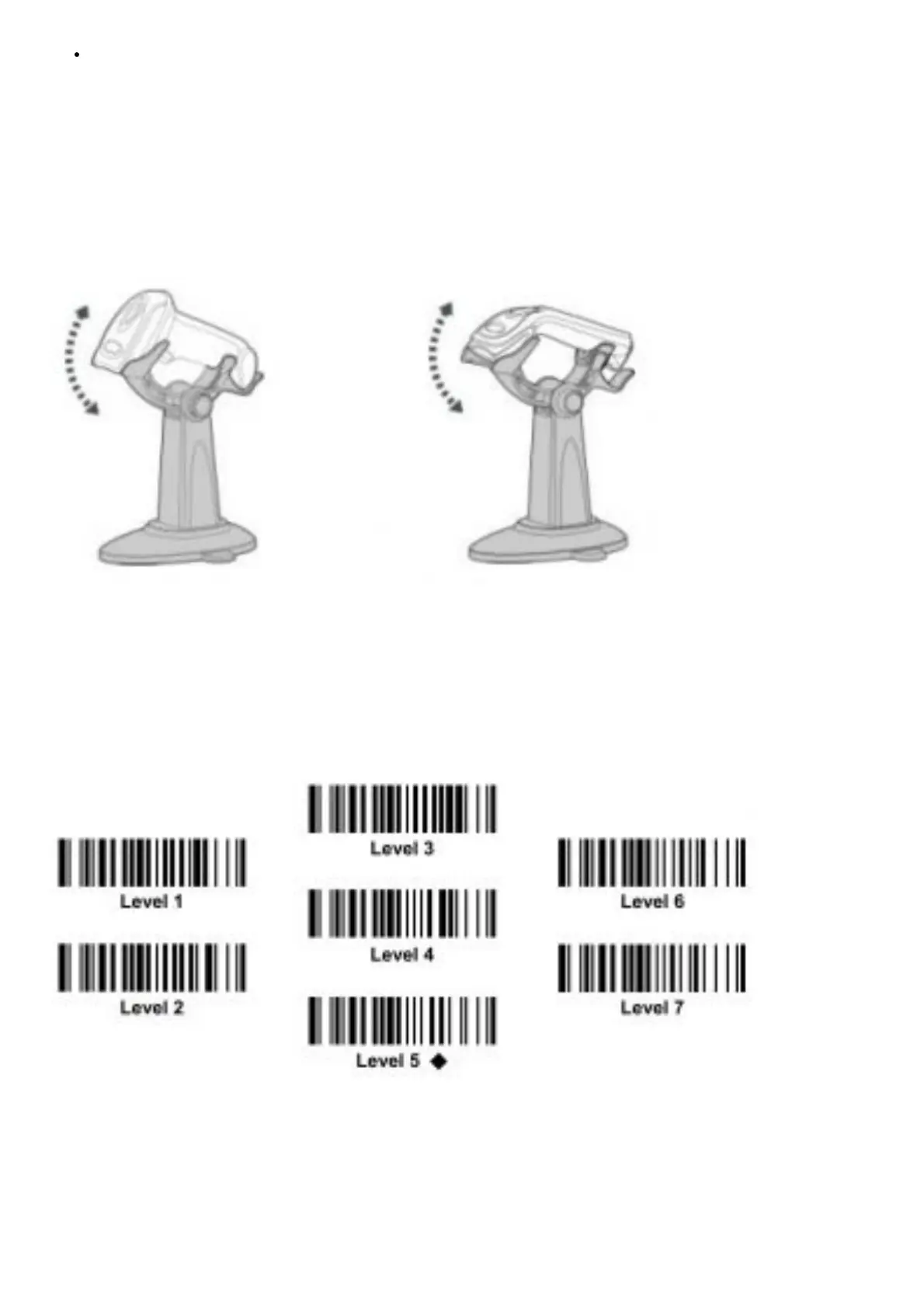
Using SmartStand
The optional SmartStand is specifically designed for hand-free applications to maximize user’s comfort and
productivity. You can adjust the scanner holder to desired position for optimized scanning.
Thanks to the advanced Auto-sense design, the scanner is capable of switching between presentation scanning and
hand-held scanning automatically while working with the optional SmartStand. (Note: Not available for F560 series
scanners).
In presentation mode, the bar code may not be detected by the scanner in an environment with very dim ambient
lighting. You may have to select higher sensitivity level through the setting of Presentation Sensitivity to increase
scanner’s detecting sensitivity.
For A series area imager used in presentation mode, you can enable or disable the scanner’s presentation
background lighting according to the ambient light condition. When the ambient light is dim or dark, you can enable
this function to turn on the scanner’s LED illumination. This is helpful for scanner to detect the motion of scene.





 To Next Page