Circle
®
User Guide
14
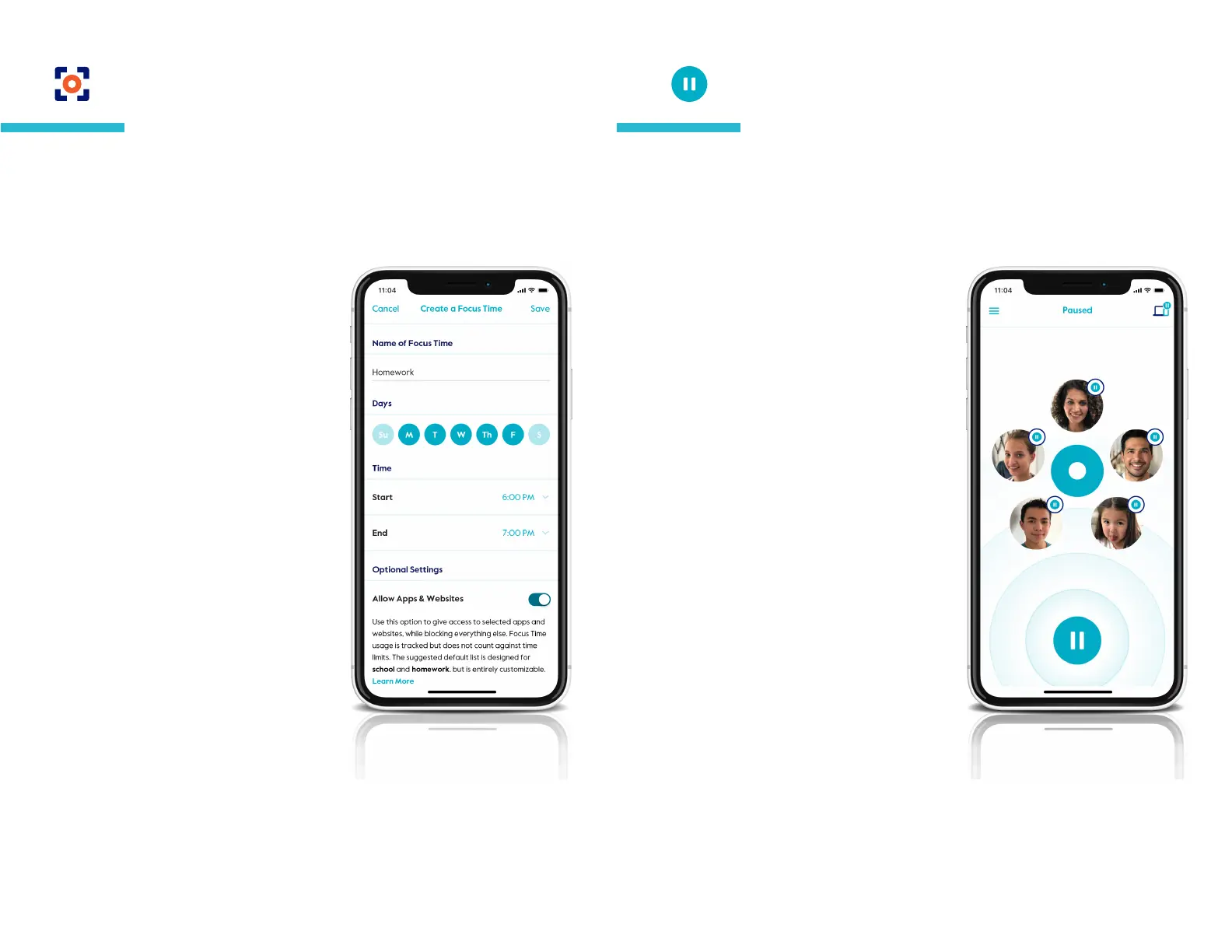
To set an Focus Time
Tap on a prole from the home screen,
then select Focus Time from the
feature list.
Tap the "+" or select from your existing
Focus Time below.
Set the Focus Time by typing in a name
for the Focus Time, selecting which
days you’d like to activate, and scroll
through the start and end times to set
the clock.
Press done to nish, then save to keep
all your changes for this prole.
Focus Time
Create a customized screen time schedule that benets everyone
in your family. Preset time oline for the important moments like
practicing piano or dinner with the family.
Home Pause
To pause all Circle devices at once,
press the pause button on the home
screen, then conrm. Press the same
button again to unpause.
Prole Pause
To pause a family member, tap on their
prole from the home screen, then tap
the pause button in the top-left corner
of the screen. Press the same button
again to unpause.
Device Pause
To pause a single device, tap the
devices icon in the top-right of the
home screen, then tap on a device from
the list, then press the pause button
on the bottom of the screen. Press the
same button again to unpause.
Pause the Internet
®
with the tap of a button for individual family
members or the whole house. Tapping again will unpause to
resume Internet. Unmanaged devices will always maintain
Internet access.
Pause the Internet
®


 To Next Page