EasyManua.ls Logo

CIRCLE Home Plus - User Manual

CIRCLE Home Plus
20 pages
Print Icon
To Next Page IconTo Next Page
Loading...
Thanks for joining the Circle community.
We're here to help families like yours nd balance in today’s digital
world. This guide has been designed to guide you along the way
in using Circle to manage content and time spent online.
If you run into questions or issues, don't hesitate to reach out.
We're here to help!
— The Circle team
support.meetcircle.com
help@meetcircle.com
Meet Circle
®
Circle Home Plus
& Circle Parental Controls App
User Guide
Circle Home Plus
& Circle Parental
Controls App
User Guide
Question and Answer IconNeed help?

Do you have a question about the CIRCLE Home Plus and is the answer not in the manual?

Summary

01 Getting Familiar with Circle

Pause the Internet

Pause the Internet® with the push of a button. Unpause resumes Internet access after being paused.

Location

Keep track of your family and their mobile devices. See where your family's mobile devices are at a point in time.

Rewards

Provide extra online time for your family.

Usage

Compare online time for each profile across all devices.

History

Detailed breakdown of every site visited by a profile across all devices.

03 Using the Circle App

The Home Screen

Lets you see the family member profiles you have set up, the Devices that have been added, and provides a Menu.

Profiles

Create profiles for every family member, so their Circle settings are shared across all devices.

Devices

Find a list of all Circle devices by tapping the devices icon or selecting devices from the profile screen.

Dashboard

Where your family can check their online time for the day, and find other helpful information.

04 Features

Filter

Set online content filters that match each family member's age and interests.

Time Limits

Limit online time for individual apps, sites, or categories by day, category, or content.

Bedtime

Shuts off Internet access for every device assigned to a profile through the night.

Focus Time

Create a customized screen time schedule for important moments like homework or dinner.

Pause the Internet

Pause the Internet® with the tap of a button for individual family members or the whole house.

Location

Find the current location of a family member's mobile devices.

History

Displays a chronological list of sites viewed by a profile, toggling between Filtered and Visited.

Usage

Compare time online today, last week, or months past by category and platform.

Rewards

Send family members extra online time for an individual day.

05 Circle Home Plus Device

Wi-Fi Devices & Circle Home Plus

Circle Home Plus pairs directly with your router and inspects all the internet-connected devices coming through your home network.

Troubleshooting Circle Home Plus

Steps to resolve issues like not pairing with your network via ethernet or skipping Wi-Fi pairing.

Overview

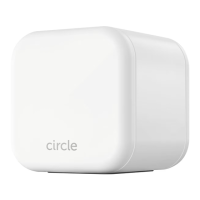
The Circle Home Plus is a comprehensive parental control solution designed to help families manage screen time and online content across all connected devices, both at home and away. It works in conjunction with the Circle Parental Controls App, providing a robust system for digital well-being.

Function Description:

The primary function of the Circle Home Plus device, paired with the Circle Parental Controls App, is to monitor and manage internet access for all devices connected to a home network. It allows parents to set limits on online time, filter content, schedule offline periods, and track online activity for individual family members. The system aims to create a balanced digital environment, ensuring children have age-appropriate access to online content and sufficient offline time.

Usage Features:

The Circle Home Plus system offers a wide array of usage features, all managed through the intuitive Circle Parental Controls App:

  • Profiles: Parents can create individual profiles for each family member. These profiles allow for customized settings to be applied across all devices assigned to that person, ensuring that each family member's online experience is tailored to their age and needs.
  • Filter: This feature enables content filtering based on age and interests. Users can select a filter level (Kid, Teen, Adult, None) as a starting point and then customize it further. Content can be set to "allowed" (tracked and managed), "not allowed" (blocked), or "unmanaged" (freely accessible, not tracked, and not counted towards time limits). Specific sites can be custom-filtered, and "Safe Search" and "YouTube restricted" options are available to filter explicit or mature content from search results and YouTube videos.
  • Time Limits: Daily online time limits can be set for individual apps, sites, categories, or total online time across all devices. These limits can be customized by day, category, or for specific apps and sites. An all-day cap can be applied, and alternate schedules can be created for certain days of the week.
  • Bedtime: This feature schedules overnight offline time for each family member, ensuring devices are inaccessible during sleep hours. Separate bedtimes can be set for weekdays and weekends, with customizable "Bedtime" and "Awake" times.
  • Focus Time: Users can create customized screen time schedules for specific activities, such as homework or dinner. During Focus Time, internet access can be paused, or access can be granted to selected apps and websites while blocking everything else. Usage during Focus Time is tracked but does not count against time limits.
  • Pause the Internet®: This allows for immediate pausing of internet access for individual family members, specific devices, or the entire home network with a single tap. Unmanaged devices always maintain internet access. Resuming internet access is as simple as tapping the button again.
  • Rewards: Parents can provide extra online time to family members as a reward. Rewards can extend time limits, set a new start time for bedtime (Late Bedtime), or remove a regularly scheduled Focus Time (Disable Focus Time). Rewards expire at midnight and reset original time limits the following day.
  • Location: This feature helps keep track of family members and their mobile devices. It shows the real-time location of mobile devices with the Circle App and VPN installed and location services enabled. Kids are notified when their location is requested.
  • Usage: Provides a detailed overview of online time spent by each profile, categorized by day, week, or month. It lists sites and platforms visited, allowing parents to compare online time across all devices and identify popular apps and websites.
  • History: Displays a chronological list of sites viewed by a profile. It allows parents to toggle between "Filtered" (sites blocked by Circle) and "Visited" (sites accessed). From the history, parents can visit websites, or set sites as allowed, not allowed, or unmanaged.
  • Dashboard: Family members can check their online time for the day and view information about enabled Circle features. It provides a general profile card with device names, which is helpful for identifying devices.
  • Push Notifications: The system sends push notifications to family members about changes to their internet access, including pauses, time limits, focus times, and bedtimes.

The Circle Home Plus device pairs directly with the home router, inspecting non-encrypted internet traffic. It automatically discovers new Wi-Fi devices joining the network, allowing them to be assigned to profiles or left unmanaged. The system recommends leaving network gear and smart home devices unmanaged to avoid interference.

Maintenance Features:

The Circle Home Plus device itself has minimal maintenance requirements, primarily related to its operational status and power:

  • LED Indicators: The device uses an LED light to indicate its status:
    • Solid light: On and paired.
    • Solid off: Off.
    • Double blink: Not paired correctly, usually needs a reboot.
    • Slowly blinking: On, but not paired.
    • Quickly blinking: Resetting, low battery, or other internal error.
  • Power Button: A single press powers the device on. Holding the button for ten seconds, or until the LED turns off, powers it off.
  • Battery: An internal battery keeps the Home Plus online even when USB power is unavailable.
  • Troubleshooting: The user guide provides troubleshooting steps for common issues, such as pairing problems (ethernet or Wi-Fi), device offline status, or network interference. Solutions include checking network connections, rebooting the router and Circle, disabling Circle Home Plus temporarily, or resetting Circle. Resources like FAQs, feature guides, and networking compatibility information are also provided for further assistance.

The Circle Home Plus system is designed to be a "set it and forget it" solution once configured, with most ongoing management handled through the mobile app.

CIRCLE Home Plus Specifications

General IconGeneral
Device TypeParental Control Device
Weight4.8 ounces
ManufacturerCircle Media Inc.
ModelCIRCLE Home Plus
ConnectivityEthernet
CompatibilityiOS, Android
FeaturesContent filtering, time limits
Subscription requiredYes