Circle
®
User Guide
8
Device List
Family
Prole
The Home Screen
Navigation
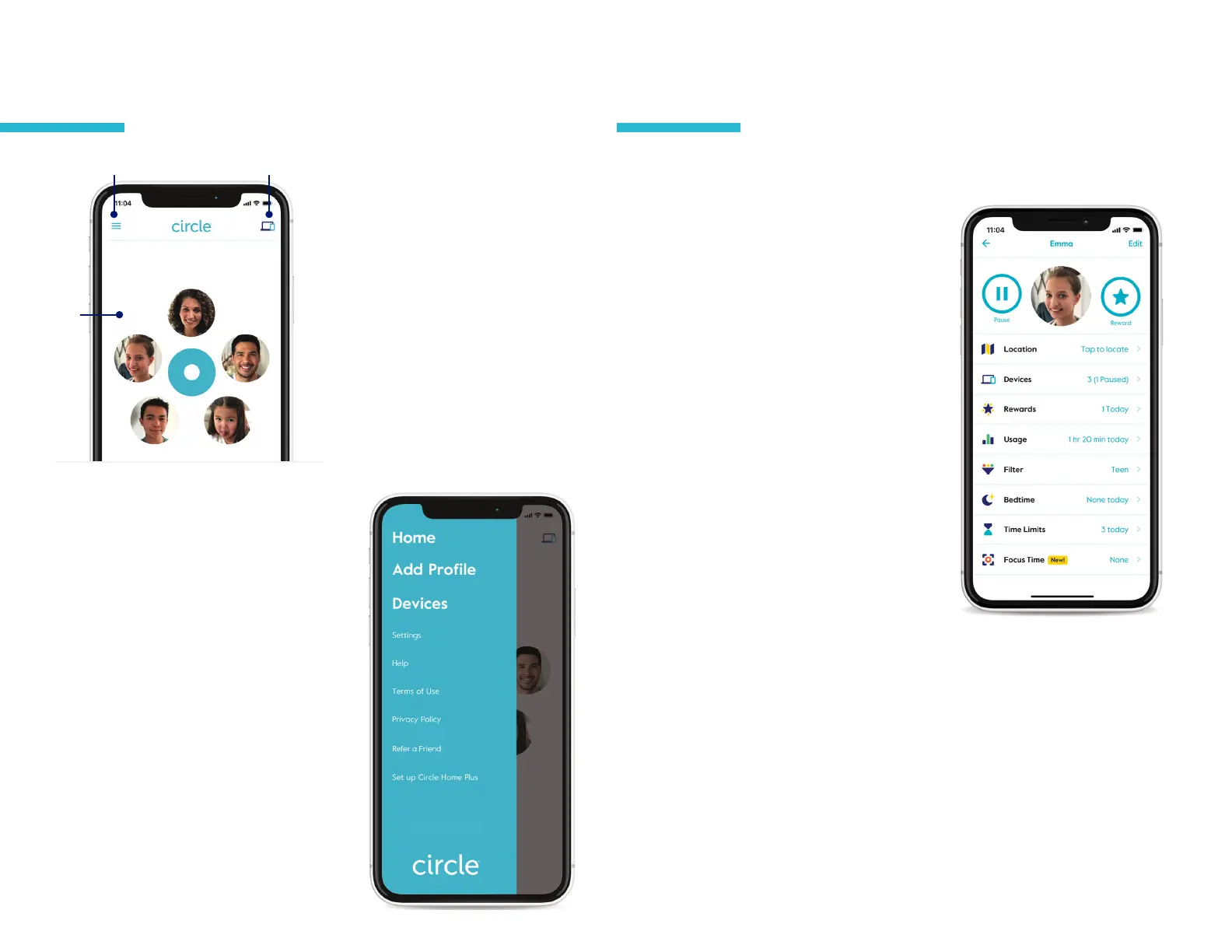
The Home Screen lets you see the family
member Proles you have set up, the
Devices that have been added to Circle,
and provides a Menu with more options
for your Circle account.
Home Menu
Menu
The Menu provides quick access to
additional account Settings for your Circle
login and hardware, access to Legal and
Help resources, and the opportunity to
tell your friends and family about Circle
through our Refer a Friend program.
Proles
Create proles for every family member, so their Circle settings are
shared across all devices.
To view a prole
Tap on a prole from the home screen.
From here you can see their name,
photo, and a summary of their Circle
settings.
Tap edit in the top right corner of the
screen to change the name or picture.
You can also delete the prole
from here.
Tap done to save changes or
cancel to go back without saving
your changes.
Prole features
To view or makes changes to the
prole settings, tap any of the features
displayed in the prole.
To learn about the features listed
on the prole screen, continue to
the next section.
To add a mobile device to the prole,
tap on Devices and then add a mobile
device.


 To Next Page