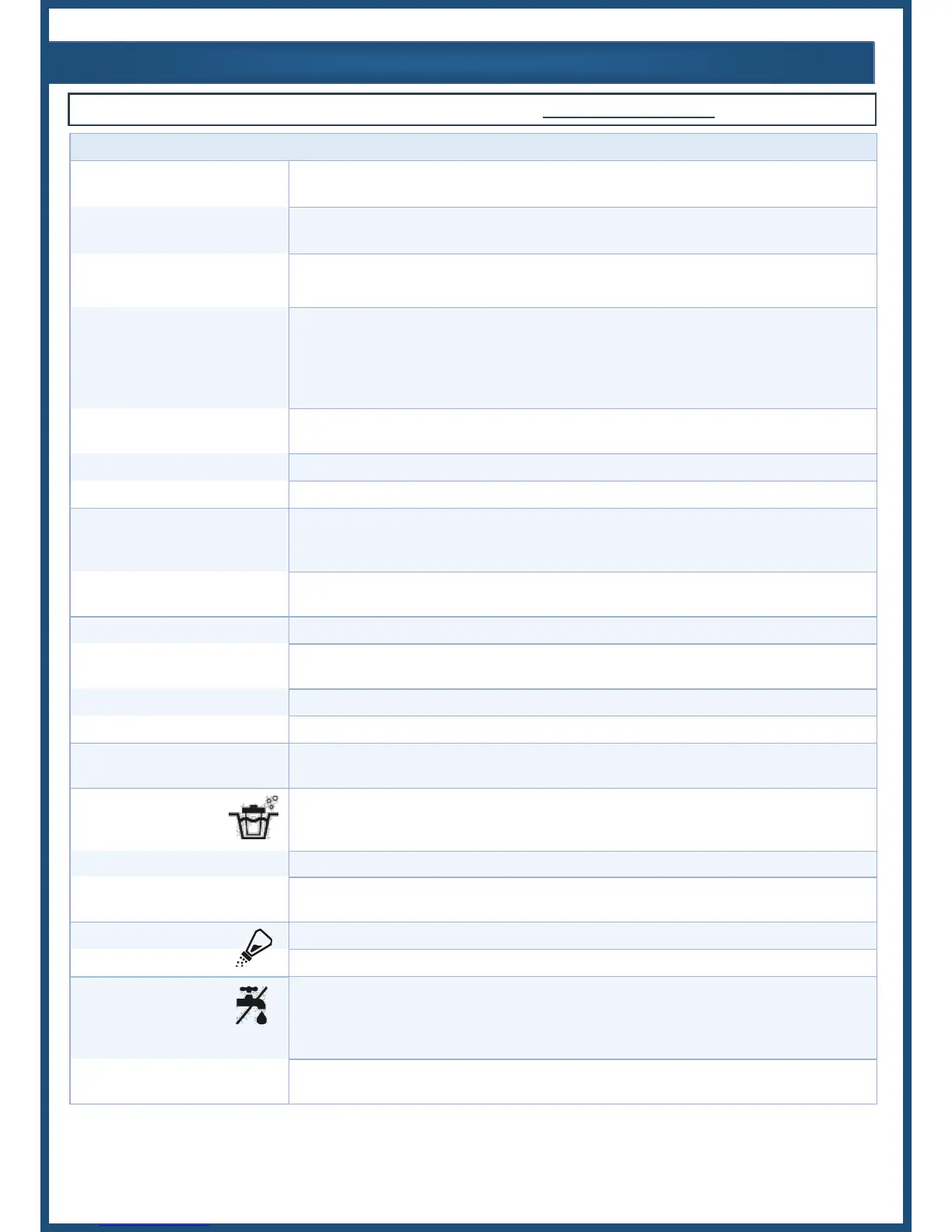
Low or no chlorine
residual in pool
Insufficient Chlorine Output Level
Increase Output Level. This is often required
seasonally with increasing temperatures.
(Also cloudy water, green pool)
Increase run time to at least 1 hour per 10°
ambient temp. Ensure 1.5-2x filter turnover.
Heavy pool use, inclement weather,
organic matter
Activate Super CL mode or chemically shock
pool.
Water chemistry issues, such as:
Low Chlorine Stabilizer
Low salt in pool
Phosphates in pool
Nitrates in pool
Contact pool professional, ensure all chemicals
on page 8 are within range.
Cell is dirty, clogged, or has excessive
scaling or mineral build-up
Remove Cell from plumbing, inspect and clean
(see page 11).
Inactive unit, flow switch not triggered
Inspect Flow Switch, verify sufficient water flow
Inactive unit, power is off
Turn on system, or see “No Power”
Low or no Chlorine residual in
pool after recent installation
Water chemistry was not balanced prior
to system installation and a high chlorine
demand persists
Contact pool professional, ensure all chemicals
on p.6 are within range, chemically shock pool if
necessary. Run system at maximum output.
System hasn’t been running
Double check all connections, verify system runs
in sync with circulation pump.
Turn system on, verify circulation pump is active
Problem with input power,
voltage, or configuration of system wiring
Have a professional test input power & ensure
correct wiring configuration & connections.
Other malfunction in unit
Chlorine Output LED blinking
The level has been increased/decreased
This is normal after pressing +/-, or during low
temperature
Clean Cell LED is on
(Has priority over salinity
LED indicators)
It is time to clean
the Electrolytic Cell.
The Cell must be cleaned (see page 11 for
instructions).
Verify salinity (see pages 6-7).
Cell efficiency has been greatly reduced
Inadequate water flow exists, or Cell must be
replaced.
Manually verify salinity (see pages 6-7).
Inspect and clean Cell if necessary.
Insufficient water flow or air bubbles
This may happen temporarily if there is air in
the lines at initial startup. Check water level,
pump cavitation, air or blockages in plumbing,
and all valves & seals. Clean filters & strainers.
Obstruction or build up on or around flow
switch paddle
Dismantle Cell and remove debris to ensure
flow switch paddle moves freely.
For more information or troubleshooting, visit www. circupool.com/help



 To Next Page