WARNING – Always make sure the input power is completely disconnected before attempting any troubleshooting procedures.
All troubleshooting should be done by a qualified professional.
System Error 2 (CONTINUED) – Sub-Error Codes
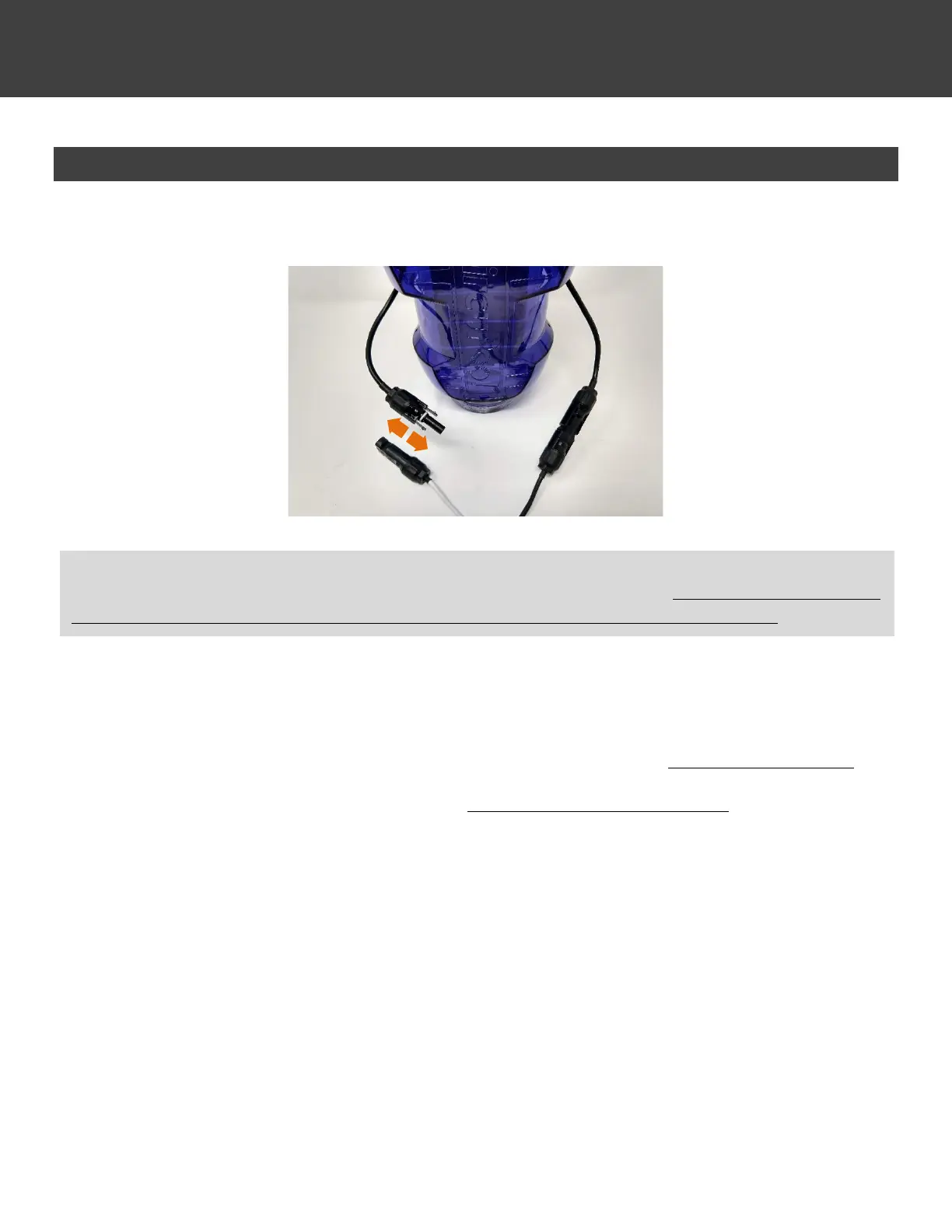
1. Disconnect one end of the Control Module’s cable connectors from the cell.
2. Turn back on pump and the EDGE Control Module. The System Error indicator light should come on within a few
moments. Once the System Error light is back on, take note of the number of LED indicators lit on the power graph.
This corresponds to the System Error 2 sub code.
• If one power graph LED is lit (System Error 2.1), the electronics are functional and the Cell needs replacement.
• If two power graph LED’s are lit (System Error 2.2), the Control Module must be replaced.
3. Once this is determined, remove power immediately in order to prevent damage to the unit. To protect all of the
connections until the replacement part arrives, connect the Cell and Control Module back together as normal.
IMPORTANT: the next step will determine the second part of the System Error 2 code. Once determined, power the
Control Module back off as soon as possible and restore the normal cable connection. Do not leave the connections
connected to only one side and powered for too long, as it could damage the internal power supply.



 To Next Page