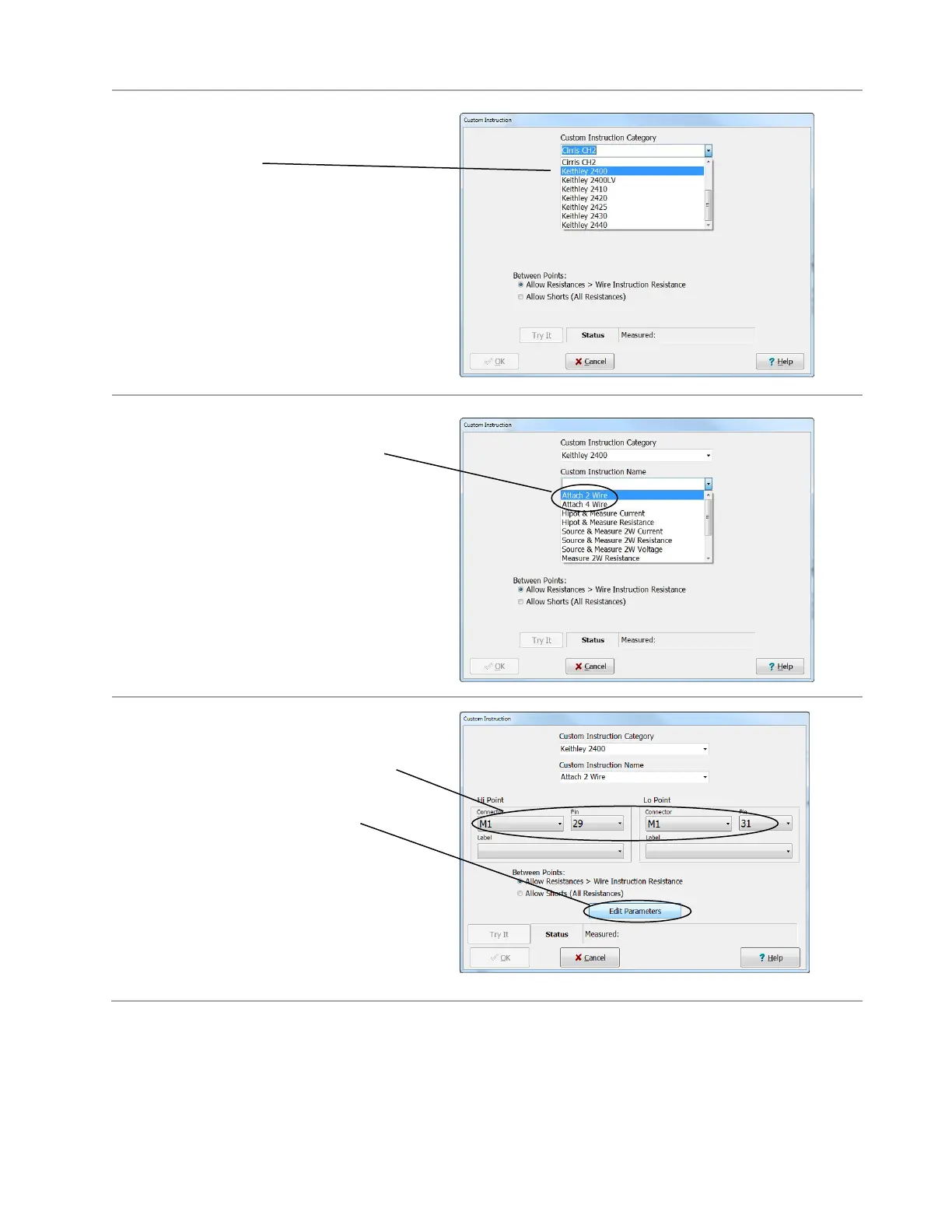
3. Select the name of your external
instrument in the “Custom Instruction
Category” field.
4. Select either Attach 2 Wire or Attach 4
Wire as your first instruction.
If you want to use a 2-wire test instruction
later in your test program, you must use
an Attach 2-Wire instruction first in test
program. Likewise, if you want to use a 4-
wire test instruction, you must first use a
Attach 4-wire instruction. Some test
instructions require both an Attach 2 Wire
and Attach 4 Wire test instruction.
5. If you select “Attach 2 Wire”, select
the reference for the External
Instrument-16 connector, select Pins
29 and 31,
then click Edit Parameters.
If you selected “Attach 4 Wire”,
select the reference for the External
Instrument-16 connector, select Pins
25 and 27, and click Edit Parameters.



 To Next Page