3-27
Catalyst 3750 Switch Hardware Installation Guide
78-15136-01
Chapter 3 Switch Installation
Installing the Switch
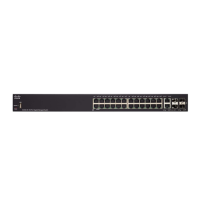
Figure 3-25 Mounting the Catalyst 3750-24TS, 3750G-24T, and 3750-48TS Switches in a Rack
After the switch is mounted in the rack, you might need to perform these tasks to
complete the installation, run the setup program, and access the switch:
• (Optional) Connect the switches in the stacks. See the “Connecting the
StackWise Cable to the StackWise Ports” section on page 3-35.
• Connect to the console port and start the emulation software. See the
“Connecting to the Console Port” section on page 1-4 and the “Starting the
Terminal Emulation Software” section on page 1-6.
• Power on the switch. See the “Connecting to a Power Source” section on
page 1-6. If the switches are stacked, see the “Powering Considerations”
section on page 3-12.
• Run the setup program. See the “Completing the Setup Program” section on
page 1-8.
• Connect to the front-panel ports. See the “Connecting to the 10/100 and
10/100/1000 Ports” section on page 3-42 and the “Connecting to a SFP
Module” section on page 3-44 to complete the installation.
1 Phillips machine screws
Catalyst 3750
SERIES
SYST
RPS
MASTR
STAT
DUPLX
SPEED
STACK
MODE
13X
14X
23X
24X
1X
2X
11X
12X
1
2
1
2
3
4
5
6
7
8
9
10
11
12
13
14
15
16
17
18
19
20
21
22
23
24
86567
1













 To Next Page