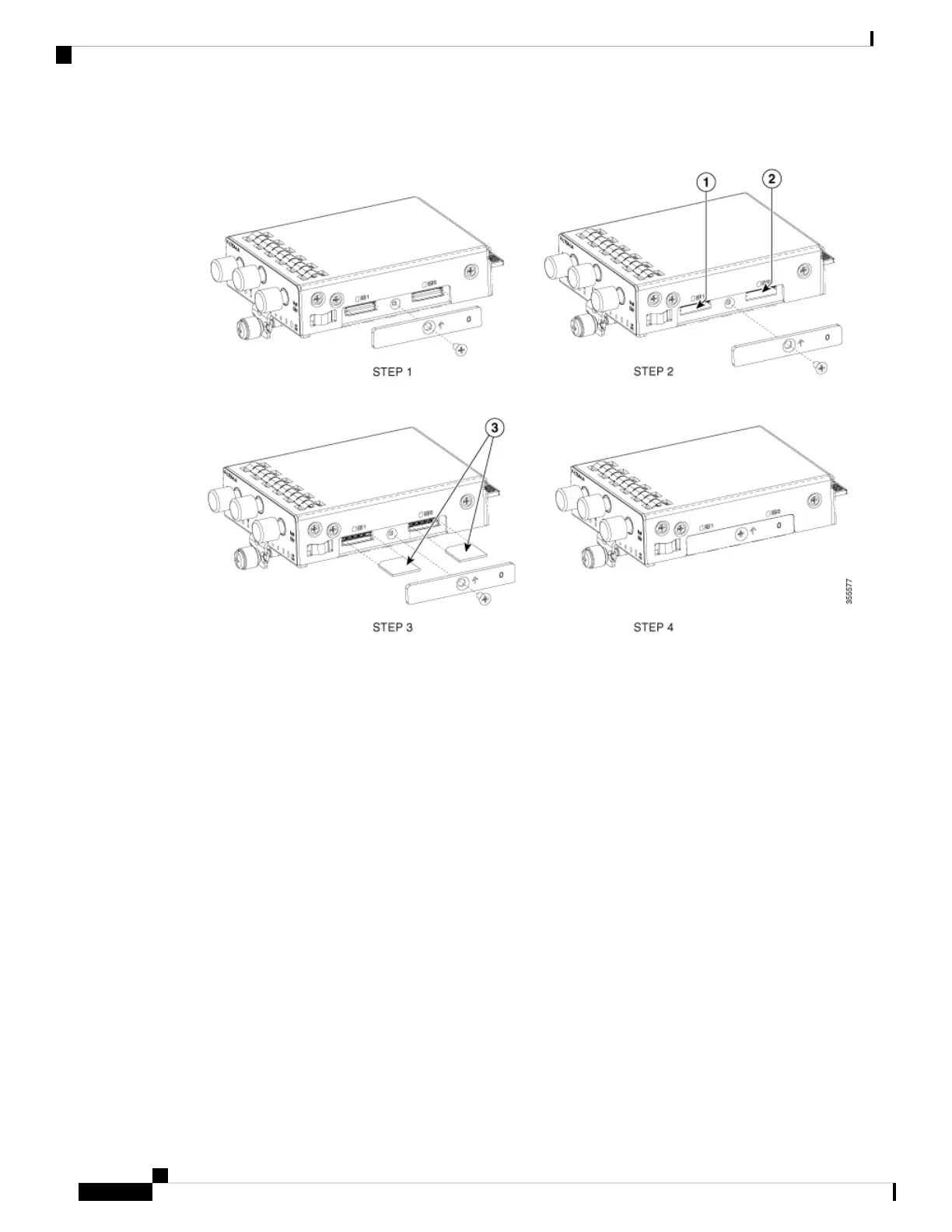
Figure 59: Insert the Micro-SIM Cards
Configuring a Pluggable Interface Module
To insert the antenna in the Pluggable Interface Module, perform the below steps:
Hardware Installation Guide for the Cisco 1000 Series Integrated Services Router
68
Install and Upgrade Internal Modules and Field Replaceable Units
Configuring a Pluggable Interface Module




 To Next Page