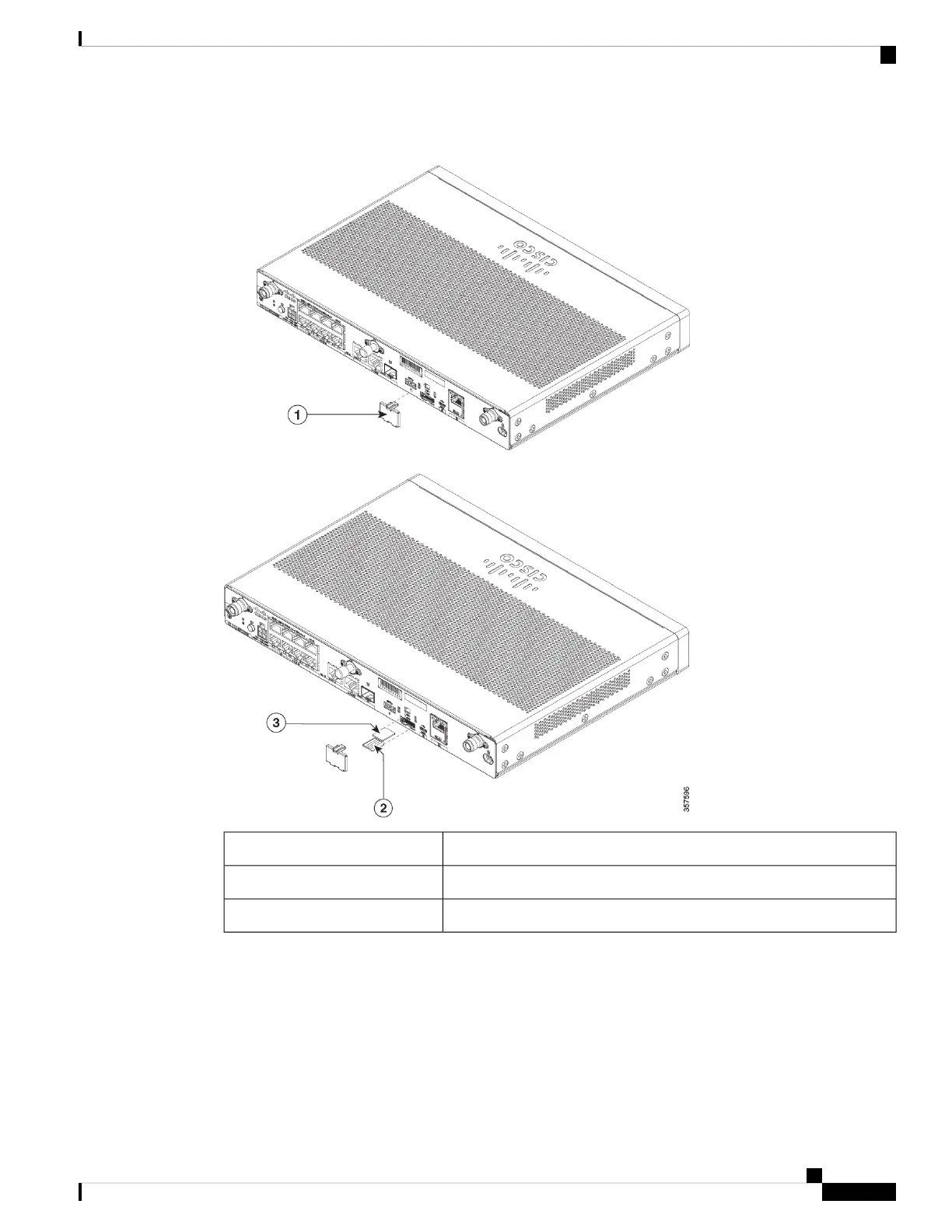
Figure 64: Removing SIM-cover and Installing SIMs on C111X
SIM Cover1
SIM 02
SIM 13
The unit supports Dual SIM Cards behind a SIM cover. To install the SIM Cards, perform the following steps:
Hardware Installation Guide for the Cisco 1000 Series Integrated Services Router
83
Install and Upgrade Internal Modules and Field Replaceable Units
Installing a SIM Card on C111X, C1109-2PX, C1109-4P




 To Next Page